36
View Module Status
This menu allows you to view the status of any communication modules installed on the system.
1. Ensure that the ‘View module status’ menu is selected, see page 31:
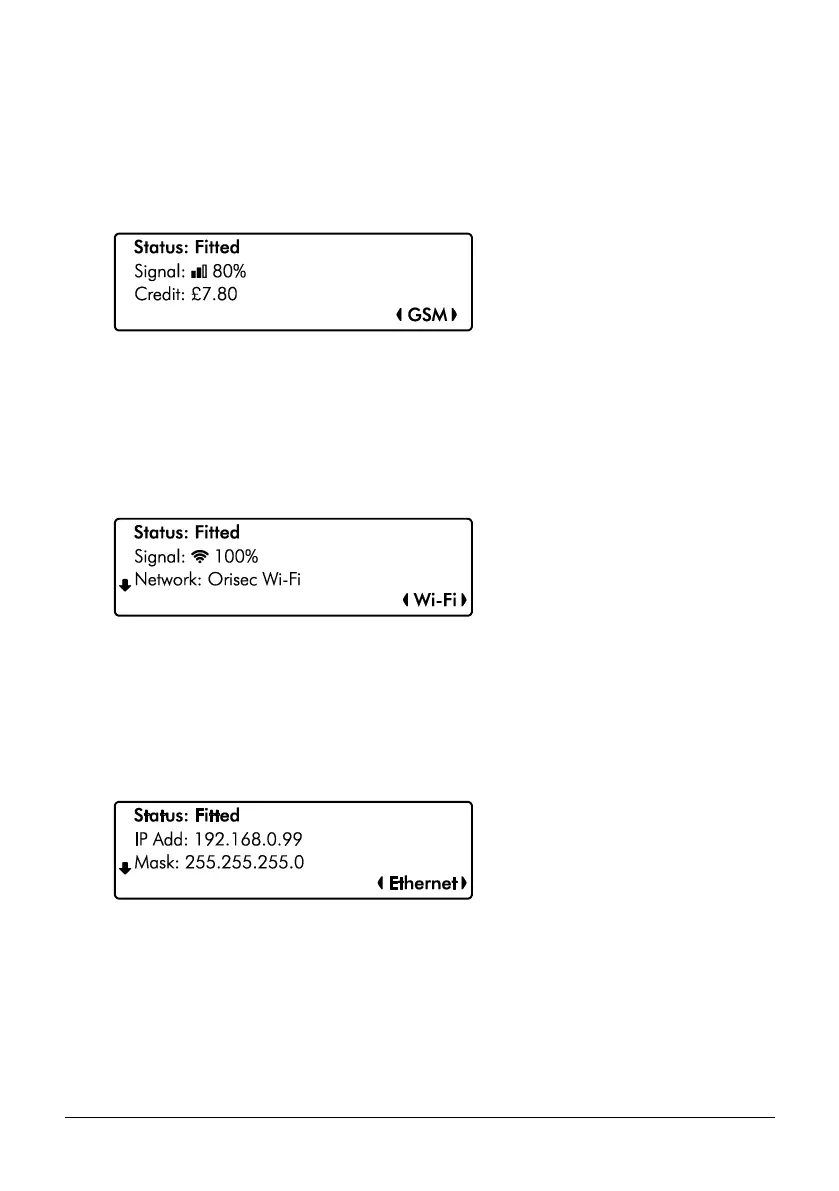
GSM Module Screen Information
Line 1: If the module is currently ‘Fitted’ or ‘Not fitted’.
Line 2: The most update signal reading from the sim card.
Line 3: The remaining credit on the sim card if using PAYG.
Line 4: The selected module, use the L/ o and R/ r keys to change.
Wi-Fi Module Screen Information
Line 1: If the module is currently ‘Fitted’ or ‘Not fitted’
Line 2: A signal reading from the Wi-Fi module.
Line 3: The SSID of the network the unit is connected to. Use the U/ u and
D/ p keys to display further information: IP Address, IP Mask and IP Gateway.
Ethernet Module Screen Information
Line 1: If the module is currently ‘Fitted’ or ‘Not fitted’
Line 2: The IP address assigned to the module.
Line 3: The IP Mask assigned to module. Use the U/ u and D/ p keys
to display further information: Gateway Address and IP Port.



 To Next Page