35
View Zone Status
This menu allows each zone to be independently monitored and viewed.
1. Ensure that the ‘View zone status’ menu is selected, see page 31:
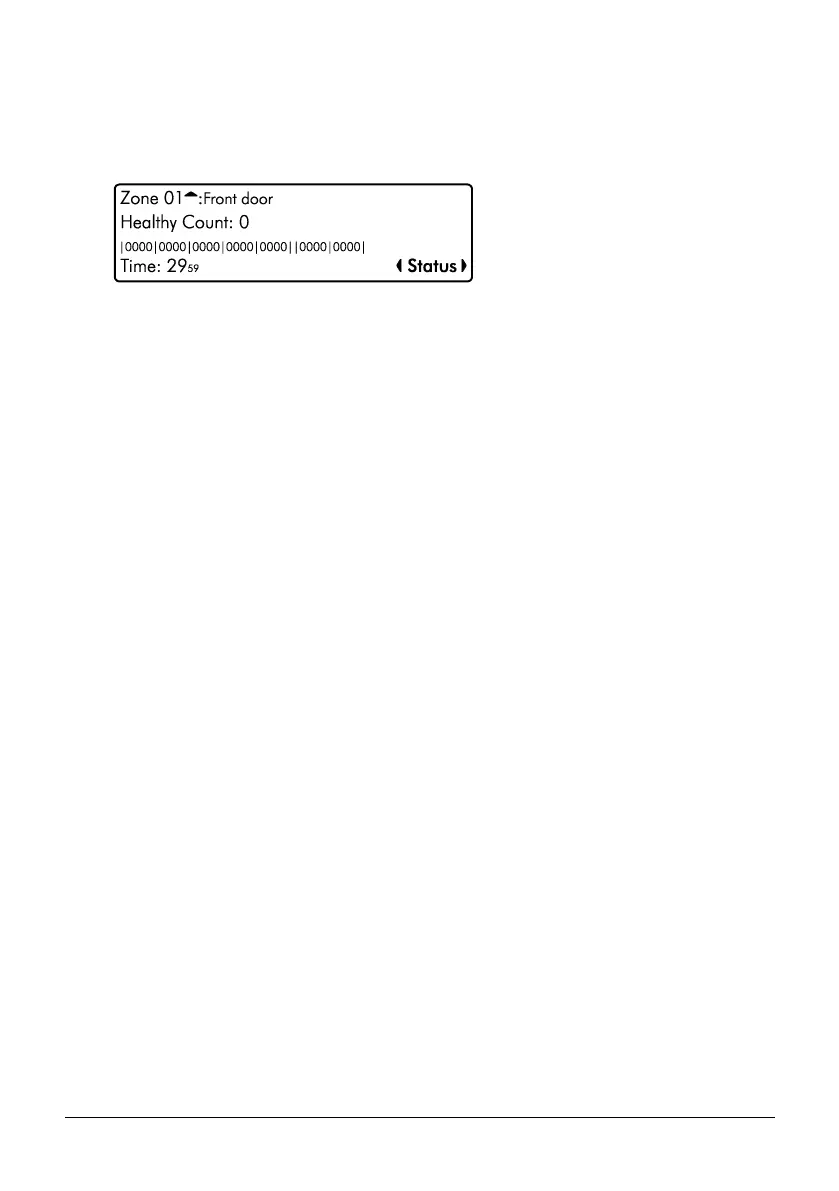
View Zone Status Screen Information
Line 1: Zone number and any programmed zone text.
Line 2: The status of the zone, including resistance (if applicable) and zone count (how
many times the zone has activated).
Line 3: Each set of numbers represents a zone count for each day of the week. The first
set of numbers represents Monday and the last set Sunday. Each time a zone activates
on a Monday the first set of numbers will increment, on a Tuesday the second set etc.
The zone must have the ‘Record Activity’ attribute to use this feature.
Line 4: The left side shows the last time the zone was activated. The right side shows
the status screen mode, use the L/ o and R/ r keys to change the
mode, the following modes are available:
• Status (View zone status)
• Reset count (press E or k to reset zone count)
• Reset Day (press E or k to reset zone day counts)
• Reset All (press E or k to reset all counts)
2. Use the U/ u and D/ p keys to change the zone to view.
3. Hold the B / o or @ key for 2 seconds to exit the menu.



 To Next Page