50
3. Additional Features
Additional features can be enabled by the installation company and as such some options may
not be available on your security system.
To access the additional features whilst the system is in an unset state, press L/ o and
R/ r from the home screen and scroll through all enabled additional features.
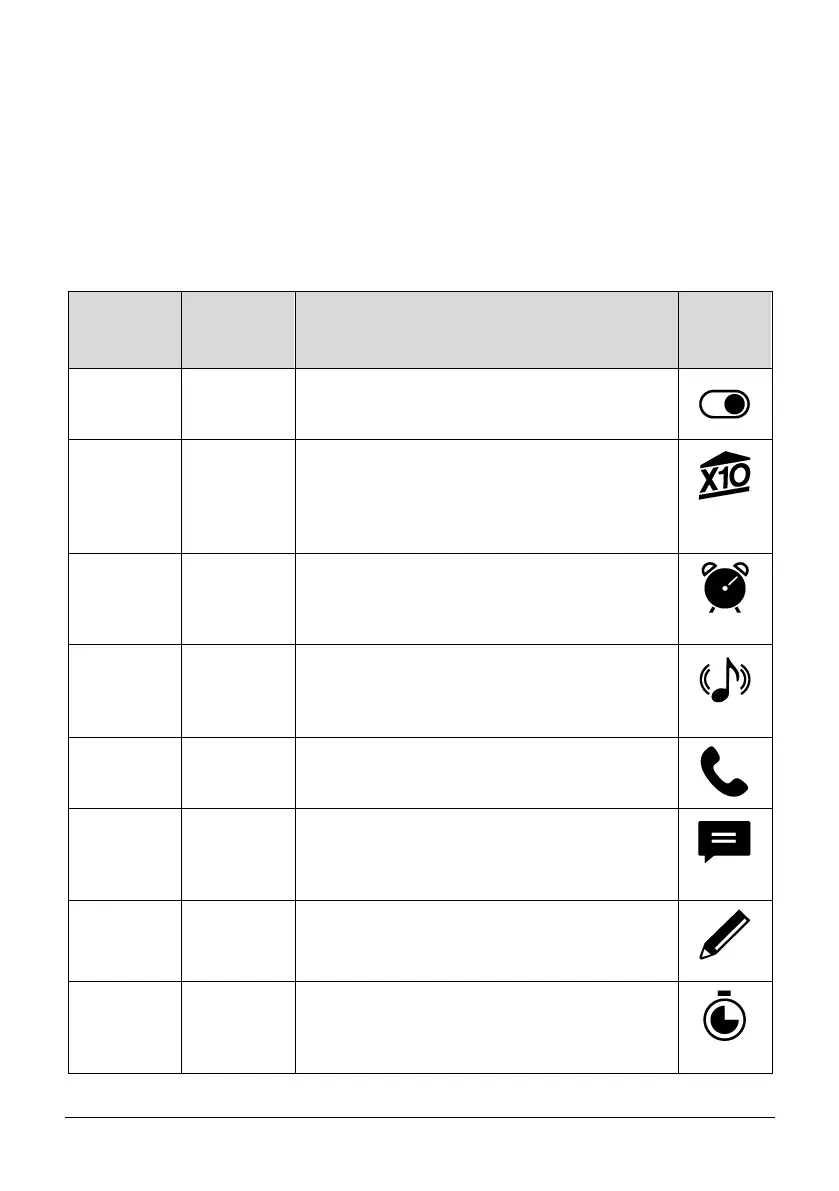
Please see a table for a full list off additional features available:
Allows custom programmed outputs to be operated
without the requirement of a user code i.e. opening
garage doors.
Allows users to operate X10 outputs without the
requirement of a user code. X10 is a home
automation plug solution, this is a 3rd party
peripheral that may be connected to the security
system.
Allows users to program an alarm clock using the
control panel’s keypad. A useful application is for a
keypad that is situated in the bedroom, an alarm can
sound in the morning to wake the user up.
Allows users to turn chime on or off for selected areas
without the requirement of a user code. Chime is
commonly used to create a tone when a front door is
opened.
Allows users to listen to voice messages they may
have been left through the control panel – the user
can play and delete these messages.
Allows users to send text messages from the control
panel’s PSTN or GSM module – the user can add a
mobile phone number and a 255-character message
and send this message.
Allows users to display a text message on the LCD of
all keypads.
Allows users to start a countdown timer without the
requirement of entering a user code. A common
application would be when cooking or for an office
complex when the building needs to be closed.



 To Next Page