8.3 Legrests
The legrests support the user's feet.
The height of the legrests has been adjusted by qualified personnel to the length of the user's lower leg.
The angle of the footrest has been set by the qualified personnel so that it allows the ankles to rest in a comfortable
position.
8.3.1 Removing/installing the leg supports
CAUTION
Incorrect handling when getting in
Crushing, pinching, impacts due to incorrect handling
► Do not reach into the danger area with your fingers when folding the legrest or footplates up or down.
► Never step on the footplates when getting in and out.
► Note projecting edges.
INFORMATION
For detaching/attaching the mechanically elevating leg supports: see Page38.
8
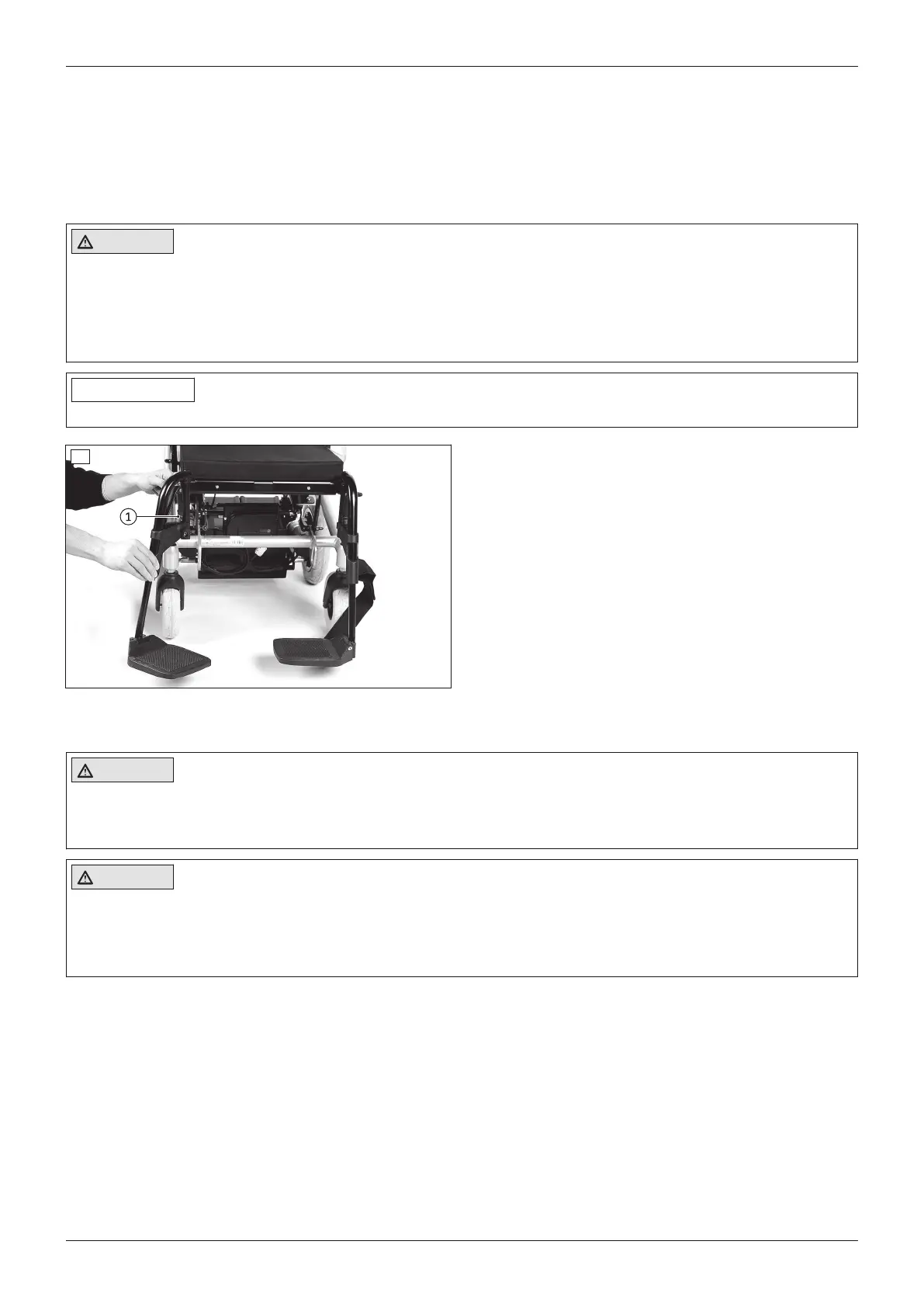
Removing the leg supports
1) Unhook the calf band (not illustrated).
2) Flip the foot support up.
3) Release the leg support locking mechanism (see
fig.8, item1).
4) Swing out the leg support.
5) Pull the leg support up and remove it.
Installing the leg support
1) Hook the leg support into the holder from the side.
2) Swing the leg support forward until the leg support
lock engages (see fig.8, item1).
3) Fold down the foot support.
4) Hook the calf band into the holder.
8.3.2 Adjusting the leg supports
CAUTION
Exposed pinch points
Crushing, pinching due to incorrect handling
► Do not reach into the danger area with your fingers when folding the legrest or footplates up or down.
CAUTION
Improper adjustment of the leg supports and foot plates
Risk of injuries due to uncontrolled driving characteristics, damage to the product
► Make sure that the clearance between the foot plates and ground is sufficient even under load.
► Make sure that the leg supports and foot plates do not come into contact with the caster wheels under load.
The legrests can be subsequently adjusted to the user's lower leg length.
For some legrests, the angle of the foot plate can also be adjusted.
20
Use
A200












 To Next Page