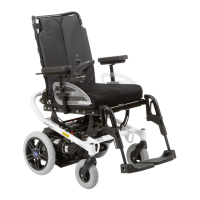
The mechanical brakes are activated automatically when the power wheelchair comes to a stop so that it cannot
roll.
8.7.6 Range
The section "Technical data" contains precise information on the range of the product (see Page56).
The following factors influence the range of the product:
• Battery capacity
• Age of the batteries
• Ambient temperature
• Driving conditions (e.g.terrain profile, condition of surface)
• Charging method
• Type and number of power options
• Overall weight of the wheelchair with selected equipment
• Use of power options
• Body weight of user
• Tyres (air pressure, tyre tread depth)
8.7.7 Anti-tipper
The anti-tipper rollers stabilise the power wheelchair when braking while driving downhill.
The anti-tipper is mounted so that the ground clearance is at least 50mm.
8.7.8 Drive-away lock
INFORMATION
This function is currently not enabled.
For questions related to enabling it, please consult the qualified personnel that adapted the product or the manu
facturer's service (see inside back cover or back page for addresses).
The power wheelchair control unit features an electronic drive-away lock, which is disabled by default.
If the function has been ordered and enabled, the drive-away lock can be activated or deactivated as follows using
the control panel:
Activating the drive-away lock
1) Press and hold the [On/off] switch while the control unit is turned on.
2) Release the [On/off] button after a beep sounds (approx. 1 second).
3) Push the joystick all the way forward until a beep sounds.
4) Push the joystick all the way back until a beep sounds.
→ A long beep confirms that the drive-away lock was activated.
→ The control unit turns itself off.
→ A sequential indicator on the [Selected speed level] LED display indicates that the drive-away lock is active:
Display Information
Sequential indicator on the "Speed levels"
LED display
Drive-away lock
Deactivating the drive-away lock
When the unit is turned on, the [Charge level] LED display is off and the [Selected speed level] LED indicator is in
sequential indicator mode.
1) Push the joystick all the way forward until a beep sounds.
2) Push the joystick all the way back until a beep sounds.
3) Release the joystick.
→ A long beep confirms that the driving function is enabled.
→ The [Charge level] LED indicator is lit.
→ The drive-away lock is deactivated and driving is enabled.
Troubleshooting
The drive-away lock remains active if the deactivation movement is not completed correctly.
1) Turn the control device off in order to deactivate the drive-away lock again.
2) Turn the power wheelchair on.
29A200
Use












 To Next Page