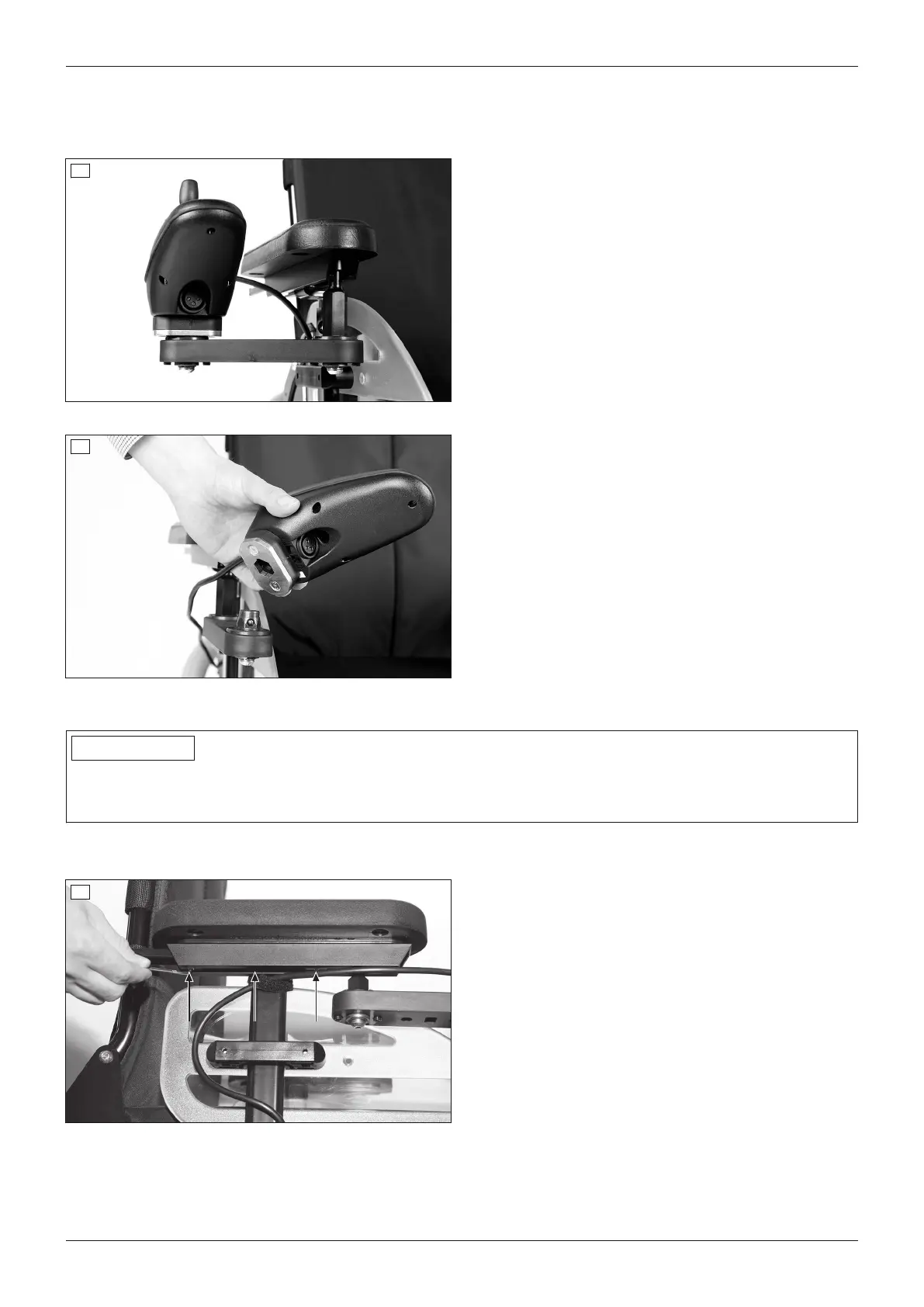
Swing-away control panel holder
The control panel holder makes it possible to drive the power wheelchair under a table or closer to an object.
The control panel holder can be rotated up to the armrest.
30
Swinging away the control panel holder
1) Apply slight pressure to push the control panel
holder to the side.
→ The pivot element is unlocked.
2) Swing the control panel holder away to the side.
INFORMATION: The pivot element locks in
place again when the holder is rotated back to
the original position.
31
Removing/installing the control panel
1) Removing: Pull the control panel up and off the ball
head.
2) Installing: Set the control panel onto the ball head
and push it down.
8.14.1.1 Adjusting the control panel position
INFORMATION
By default, the control panel is mounted on the side specified in the order. It can also be mounted on the other
side of the power wheelchair later on if the user so desires. Please contact the qualified personnel who delivered
the product to you.
The depth position of the control panel is subsequently adjustable. The adjustment is the same for the standard
and swing-away control panel holders.
32
Adapting the control panel position to the forearm
length
1) Loosen the 3 set screws on the bottom of the arm
rest.
2) Slide the rail with the control panel forwards or
backwards.
INFORMATION: If the control panel rail is too
long it can be shortened. Please contact the
qualified personnel who adjusted your product.
3) Tighten the 3 set screws on the bottom of the arm
rest.
42
Use
A200












 To Next Page