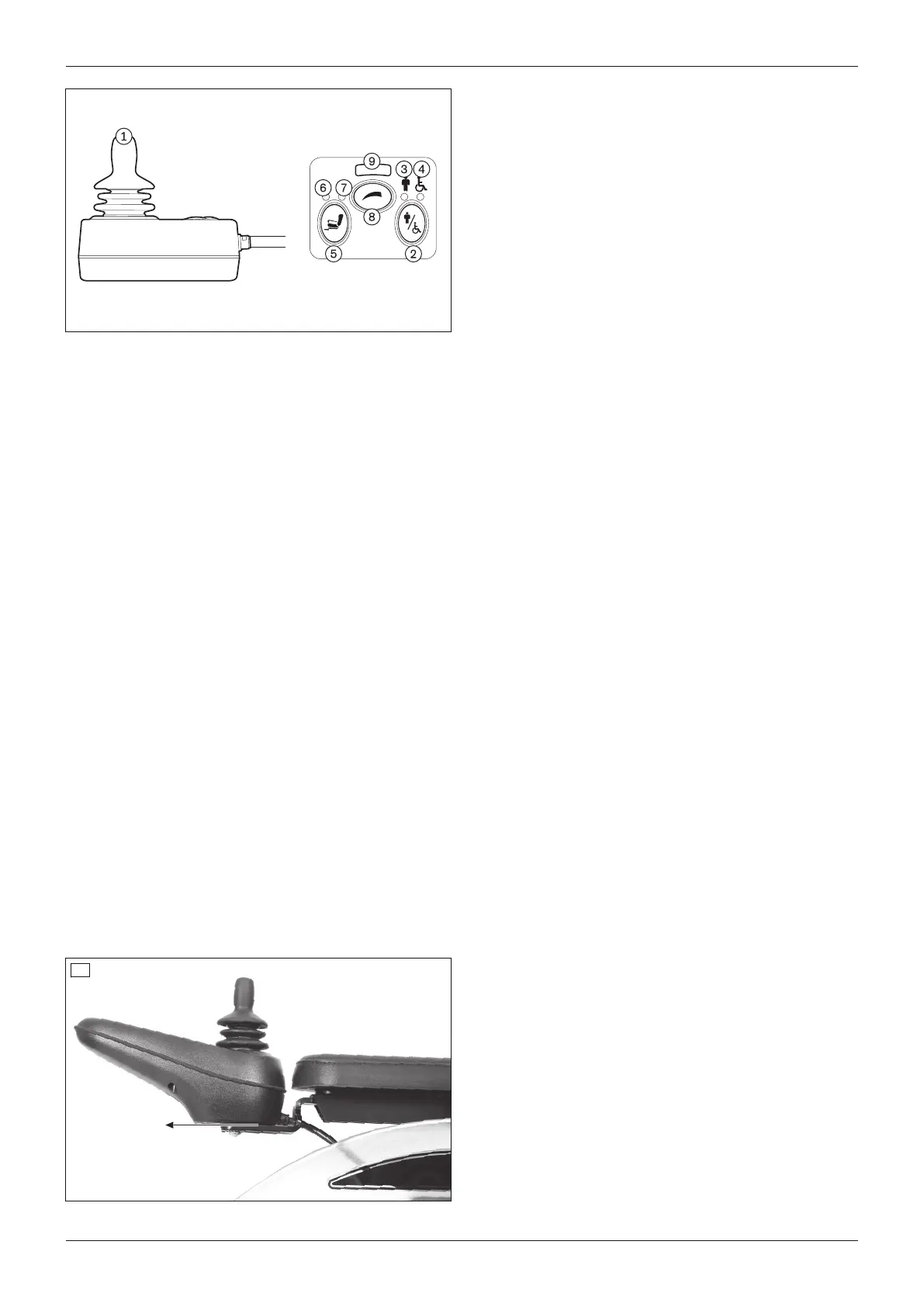
1 Joystick
2 [Activate/deactivate attendant control] button
3 [Attendant control active] LED display (green
LED display)
4 [Primary control active] LED display (red LED
display)
5 No function
6 No function
7 No function
8 [Select speed level] button
9 [Selected speed level] LED display
Joystick
The attendant uses the joystick to control the speed and driving direction. When a seat option is activated, the joy
stick operates this seat option.
[Activate/deactivate attendant control] button
The attendant uses this button to assume the control functions from the control panel or to return them to the con
trol panel. The respective state is shown by an LED indicator.
[Attendant control active] LED display
The green LED lights up when the attendant control is activated and the power wheelchair control panel is deactiv
ated.
[Primary control active] LED display
The red LED lights up when the attendant control is deactivated and the power wheelchair control panel is activ
ated.
[Select speed level] button
Pressing the button increases/decreases the speed level. The acoustic signal changes when the maximum speed
level is reached.
[Selected speed level] LED display
The LEDs show the currently selected speed level (1–5).
8.14 Additional options
The product may be equipped with additional options.
The options are firmly mounted to the product by qualified personnel or the manufacturer and are pre-adjusted by
qualified personnel at delivery.
8.14.1 Control panel holder
Control panel holder, standard
The control panel holder can be pulled off to the front when needed.
29
Pulling off the control panel holder
1) Grasp the control panel holder on the front.
2) Pull the control panel holder off to the front.
Installing the control panel holder
1) Insert the control panel holder into the rail.
2) Slide the control panel in to the rear.
41A200
Use












 To Next Page