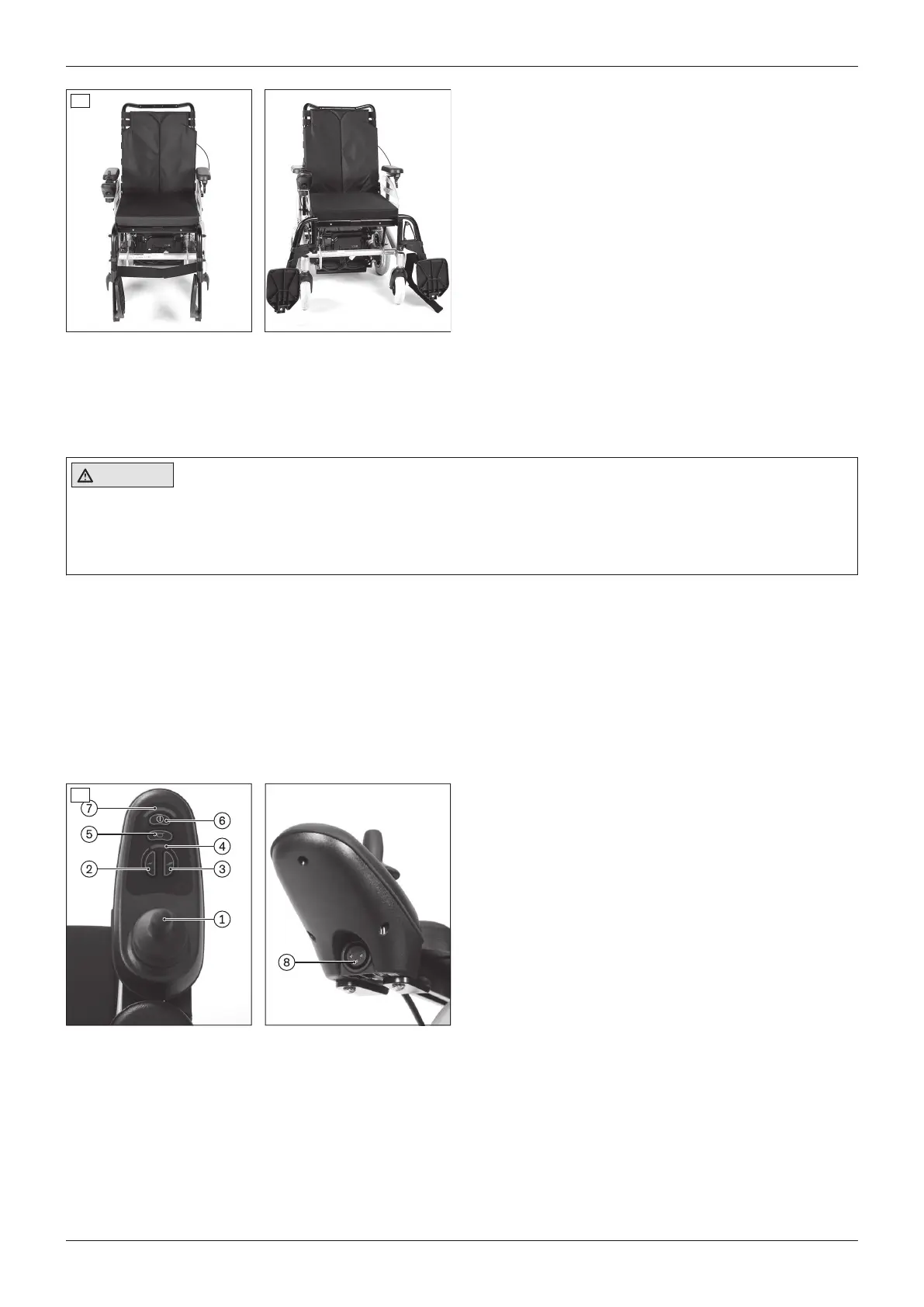
13
Getting in from the front
1) Turn the control device off.
2) Fold up the foot supports (see fig.13, left).
Swinging to the side increases the space for getting
in (see fig.13, right).
3) Have an attendant assist you or use a transfer lifter
to get into and out of the power wheelchair.
4) Fold down the foot supports.
Getting in from the side (alternative option)
1) Turn the control device off.
2) Remove the side panel (see Page19).
3) If needed: Remove the corresponding leg support
(see Page20).
4) Get into or out of the power wheelchair from the
side. A ramp makes this easier.
5) Reinstall the leg support and side panel.
8.6 Control unit
CAUTION
Risk of uncontrolled driving behaviour
Falling, tipping, collision with persons or nearby objects due to interference from electromagnetic fields
► Switch all mobile devices off while driving.
► Turn the control unit off when it is not needed.
The power wheelchair is controlled by a VR2 control unit.
Because the control unit is programmable, it can be adapted to the personal requirements of the user; e.g.the
speed, acceleration and deceleration values can all be adapted.
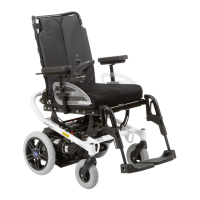
8.6.1 Control panel
The power wheelchair is operated using the control panel.
The control panel is divided into the keypad, two LED displays and the joystick. The charging/programming recept
acle is on the underside.
The control panel is used to switch the power wheelchair on and off, enter driving commands and display the cur
rent status of certain functions and components.
1 Joystick
2 [Decrease speed] button
3 [Increase speed] button
4 [Selected speed level] LED display
5 [Horn] button
6 [On/off] button
7 [Charge level] LED display
14
8 Charging/programming receptacle
8.6.2 Buttons and display functions
Joystick
The speed and driving direction are controlled with the joystick (see Page28).
[On/off] button
Pressing this button turns the power wheelchair on or off (see Page27). In combination with additional operating
steps, it also activates/deactivates the drive-away lock (see Page29).
23A200
Use












 To Next Page