9.3 Troubleshooting
INFORMATION
In the event of communication problems in the bus system of the controls, the system triggers an emergency stop
and thus prevents any uncontrolled functions.
► Note that after every emergency stop, you have to turn the power wheelchair control unit on again.
► If the driving function is still not available after turning the control unit on again, activate pushing mode by
releasing the brake.
► Inform the qualified personnel immediately.
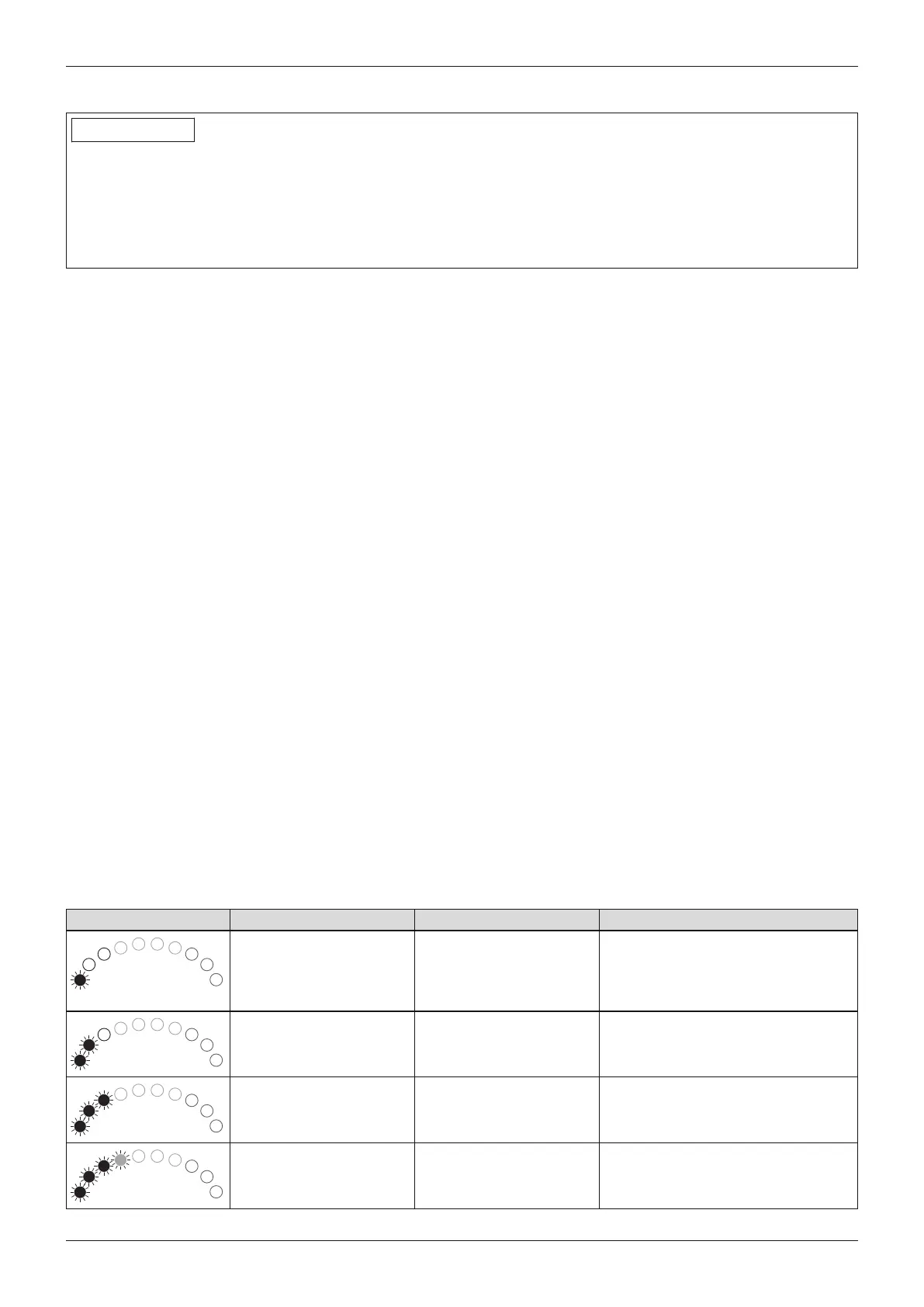
Faults are displayed on the LED display fields on the control panel. The following table shows the individual notific
ations as well as the associated fault sources and possible causes and measures.
If the measures described here do not resolve the faults completely, contact your specialist dealer. The specialist
dealer is able to read the exact error codes with a handheld programming device and can perform a targeted sys
tem analysis.
The control unit stores a list of all faults that occur. The specialist dealer reads this information, forexample during
a general overhaul of the power wheelchair. Based on the saved data, the specialist dealer determines future ser
vice and maintenance intervals.
9.3.1 Types of notifications
Warning
A warning indicates a status or malfunction of one or several components of the power wheelchair. The function of
components without errors is not restricted.
Forexample, if the connection between the control unit and seat motor is faulty, this error will only be indicated if
the user attempts to activate the motor. However, the driving function is still available.
Error
An error affects one or several functions of the power wheelchair. The power wheelchair and its functions are not
fully operational until the fault is resolved.
9.3.2 Procedure for warnings and error messages
• If a warning or error message appears, the power wheelchair can often no longer be driven. In this case, the
error message must be noted, the control unit switched off and the qualified personnel informed of the error
message immediately.
• If the error is related to a component which is not currently being used (e.g.to an actuator for adjusting the
seat function), the driving function of the power wheelchair is still theoretically usable. An error message simply
appears at regular intervals.
• Nonetheless, the control unit must be switched off for several minutes in this case. If the error message contin
ues to appear after switching on the control unit, the error message must be noted, the control unit switched
off again and the qualified personnel informed of the error message immediately.
9.3.3 Wheelchair control unit error overview
VR2 control panel
Flashing LED Error/warning Cause Possible corrective action
Battery undervoltage Battery deep discharge
Battery cable malfunc
tioning or faulty connec
tion to the battery
Charge as soon as possible
Check the connection to the battery
(charge the battery if the connection
is good)
Left motor not connected e.g.defective plug con
nection, cable break
Check plug connections and cable
to left motor
Wiring fault on the left
motor
e.g.cable break, no con
nection to battery
Check cable connections to left
motor; check connection to battery
terminal
Right motor not connec
ted
e.g.defective plug con
nection, cable break
Check plug connections and cable
to right motor
53A200
Maintenance and repair












 To Next Page