[Decrease speed] and [Increase speed] buttons
Pressing the button briefly increases/decreases the speed level (see Page28). The acoustic signal changes when
the maximum speed level is reached.
[Horn] button
The horn will sound as long as the button is pressed.
[Selected speed level] LED display
The LED display shows the currently selected speed level (1–5).
[Charge level] LED display
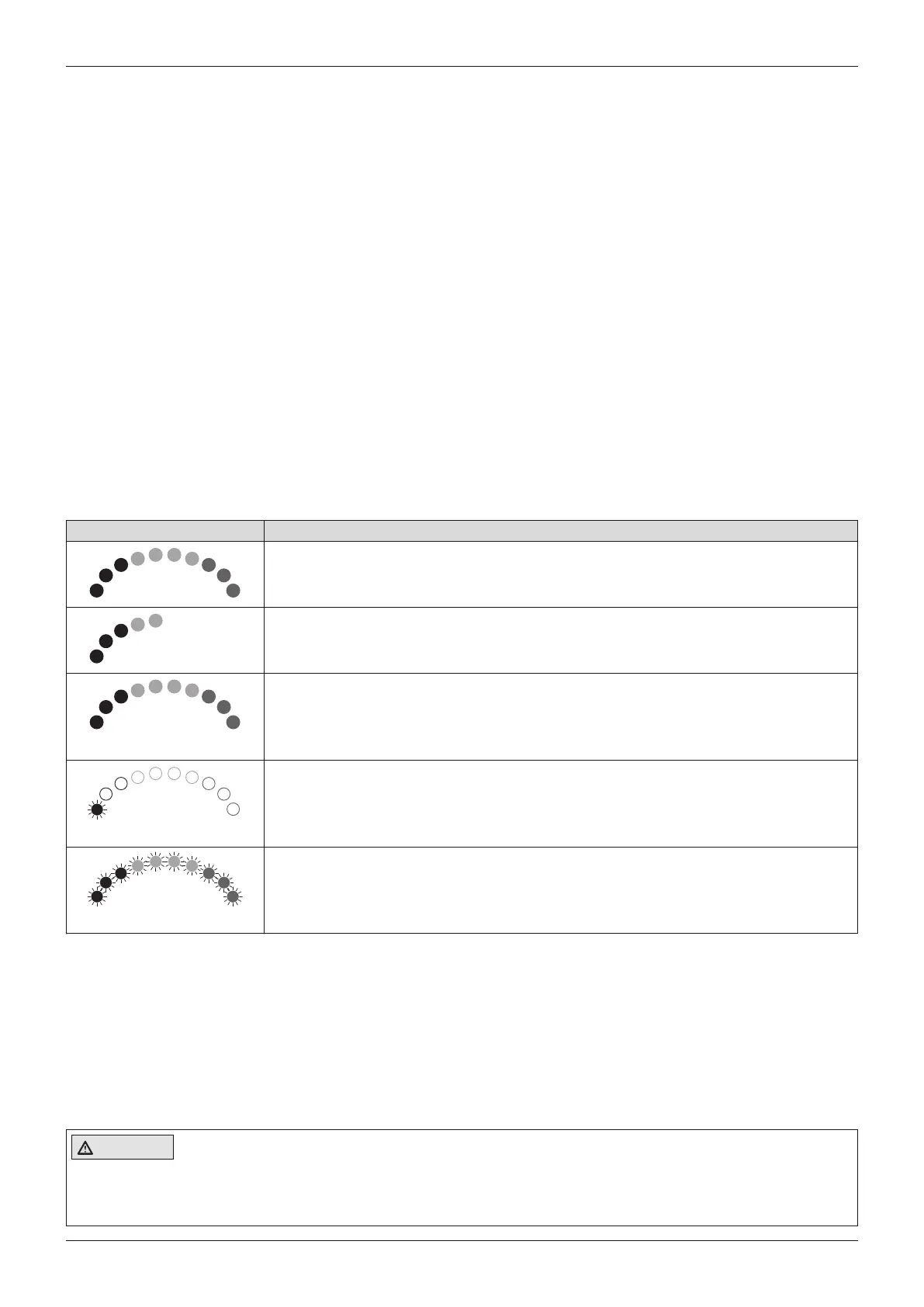
The [Charge level] LCD screen is divided into 10 segments and shows the current charge level:
• After brief operation, the battery indicator shows the exact battery status.
• A charge of 100% corresponds to 10 segments on the battery symbol.
• As the remaining battery charge decreases, the LED segments turn off one by one.
• If only one segment of the LED display is flashing, then the battery is in an undervoltage state. The battery must
be charged immediately.
• If all 10 LED segments are flashing, this means that the battery is in an overvoltage state. Please continue to
drive at low speed only.
• The charging process is indicated by sequential flashing of the LEDs. The driving function is blocked when the
battery is charging.
Battery indicator on the control panel
Display Information
Battery is charged
Charge battery if possible
Sequential indicator
Battery is charging
Flashing light
Battery undervoltage, battery charging urgently required
Flashing light
Battery overvoltage
Further LED display functions
Further LED display symbols are described in the following sections:
• See section "Usage" > "Drive-away lock" (see Page29)
• See section "Maintenance/repair" > "Troubleshooting" (see Page53)
8.7 Driving functions
8.7.1 Safety instructions
Hazards while driving
CAUTION
Lack of riding experience
Collision, falling due to errors in handling the product
► Practise using the product on level, open ground first.
24
Use
A200












 To Next Page