INFORMATION
In dangerous situations, the product can be turned off at any time using the on/off button. When the button is
pressed, the product brakes immediately and the electrical functions cease. Malfunctions suchas an insufficient
supply of power to the controls are recognised by the software, triggering an emergency stop or reducing the
speed of the product.
• Pressing the [on/off] button (see Page23) turns the power wheelchair control unit on or off. The power wheel
chair turns off automatically if the control unit has not been used for an extended period of time.
• The power wheelchair brakes automatically and comes to a stop if it is turned off with the [on/off] button while
being driven.
• Each time you switch on the control unit, it will be at the previously selected speed level.
8.7.4 Selecting the speed levels
• The power wheelchair has a programmable number of speed levels (delivery condition = 5 speed levels).
• Pressing the [Decrease Speed] button lowers the speed level.
• Pressing the [Increase Speed] button raises the speed level.
• The pitch of the audible signal changes once the highest or lowest speed level is reached.
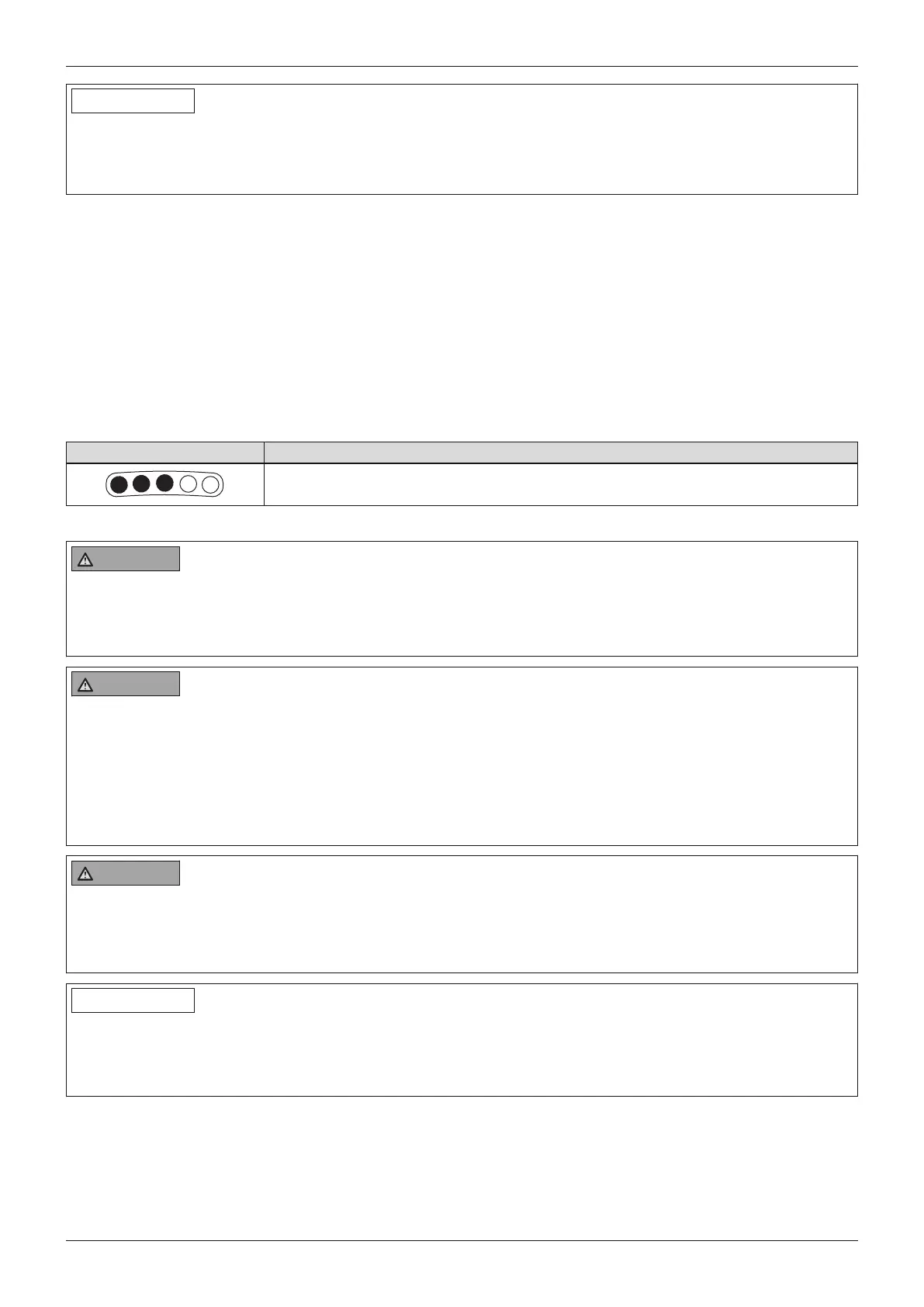
• The [Selected speed level] LED display shows the speed level selected.
Display Information
Selected speed level = 3
8.7.5 Driving
WARNING
Driving on unsuitable surfaces
Risk of falling or tipping over due to operator error
► Do not operate the power wheelchair on very smooth surfaces (e.g.icy surfaces) or very rough surfaces
(e.g.gravel or rubble).
WARNING
Driving on slopes, over obstacles
Falling, tipping over due to user error
► Only cross obstacles or negotiate ascents or descents that are within the permitted maximums. For more
information, see the section "Technical data" (see Page56).
► Do not cross over any obstacles while ascending or descending inclines.
► Avoid embarking and disembarking on inclines and slopes.
► Do not drive over stairs.
WARNING
Longer braking distance
Risk of falling, tipping over or collision due to operator error
► Note that the braking distance is much longer on downgrades than on the level.
► Also reduce speed when driving downhill (e.g.select speed level 1).
INFORMATION
The control unit of the product switches to a safe mode at elevated temperatures and after driving uphill for exten
ded periods of time, limiting the performance of the product.
The user is able to drive the product out of a hazardous situation at any time. After a short time, the product is fully
operational again.
The power wheelchair is controlled by moving the joystick:
• The further the joystick is deflected from the centre position, the faster the power wheelchair will drive in this
direction.
• The maximum speed at full deflection of the joystick depends on the selected speed level.
• Releasing the joystick automatically activates the brake function, bringing the power wheelchair to a halt.
28
Use
A200












 To Next Page