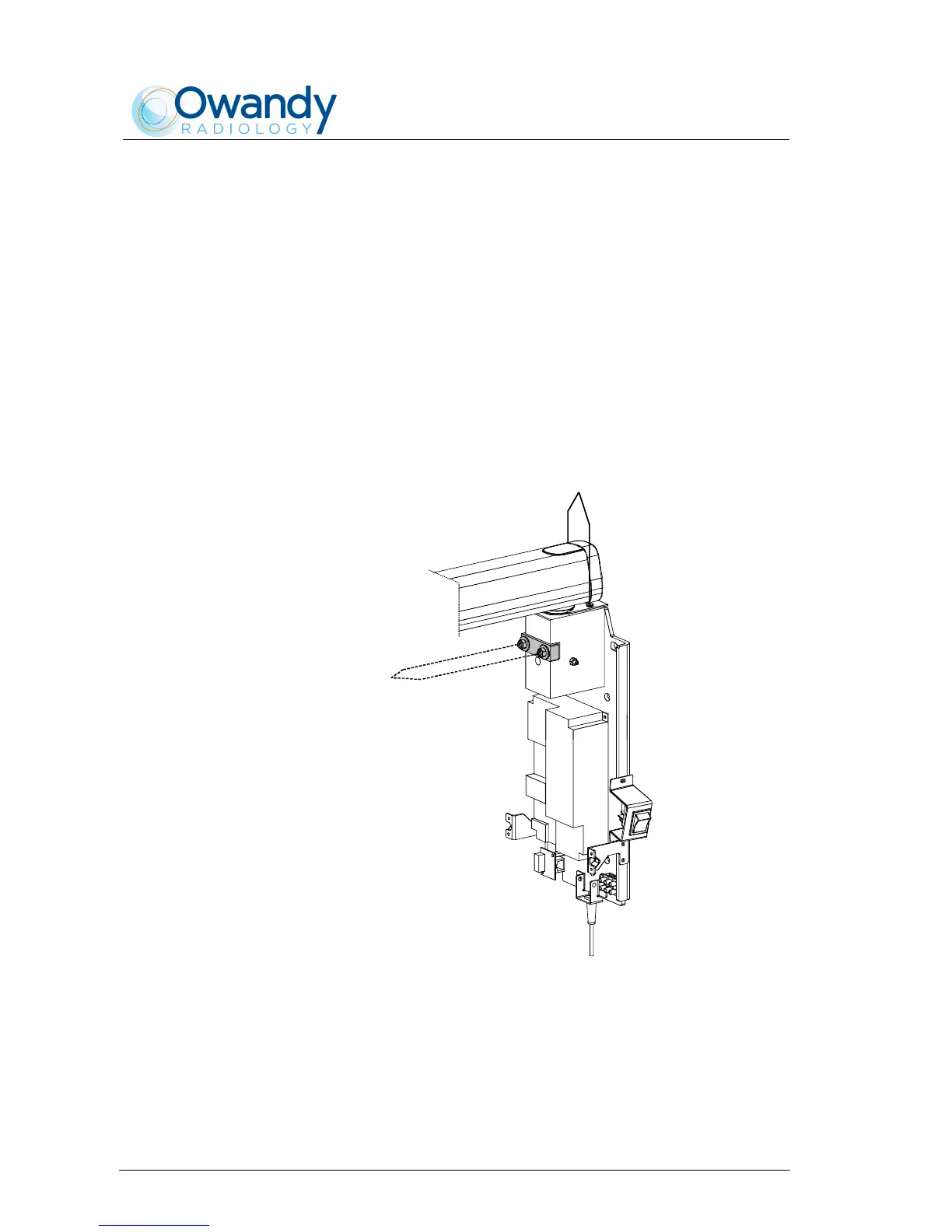
7.1.1 Adjusting the extension arm support frictioning mechanism
The device to adjust the arm support frictioning mechanism is placed on
the front of the wall support. To make this adjustment you have to
proceed as follows.
1. Remove the plastic timer cover by loosening the two sealing screws (1
- Figure 7-1) placed on the top part of the wall plate.
Be careful to the cables connecting the timer and the plastic cover.
2. Using a 10 mm wrench, adjust the frictioning mechanism nuts (2 -
Figure 7-1) until the movement of the arm is ergonomic.
3. Reposition the plastic cover when you have finished.
2
1
Figure 7-1



 To Next Page