15. Enter the system settings key.
16. Switch key for working state of oscilloscope and multimeter.
17. CH1 / CH2 - channel switch key.
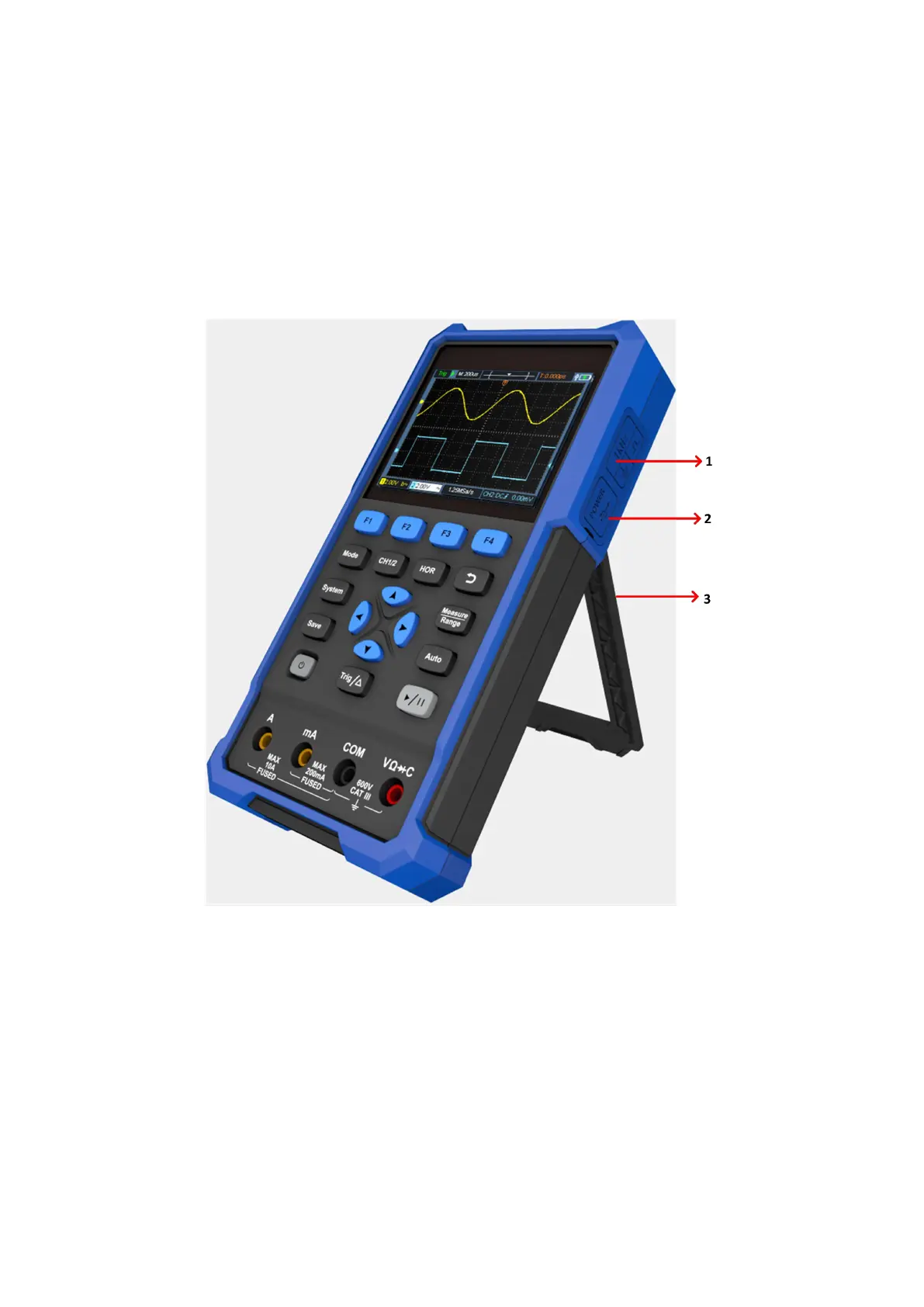
Side Panel
Figure 3- 2: Side Panel of the Oscilloscope
Description:
1. Probe compensation: 3.3V/1kHz square wave signal output.
2. Charging or USB communication interface.
3. Bracket.


 To Next Page