Introduction to the User Interface of the Oscilloscope
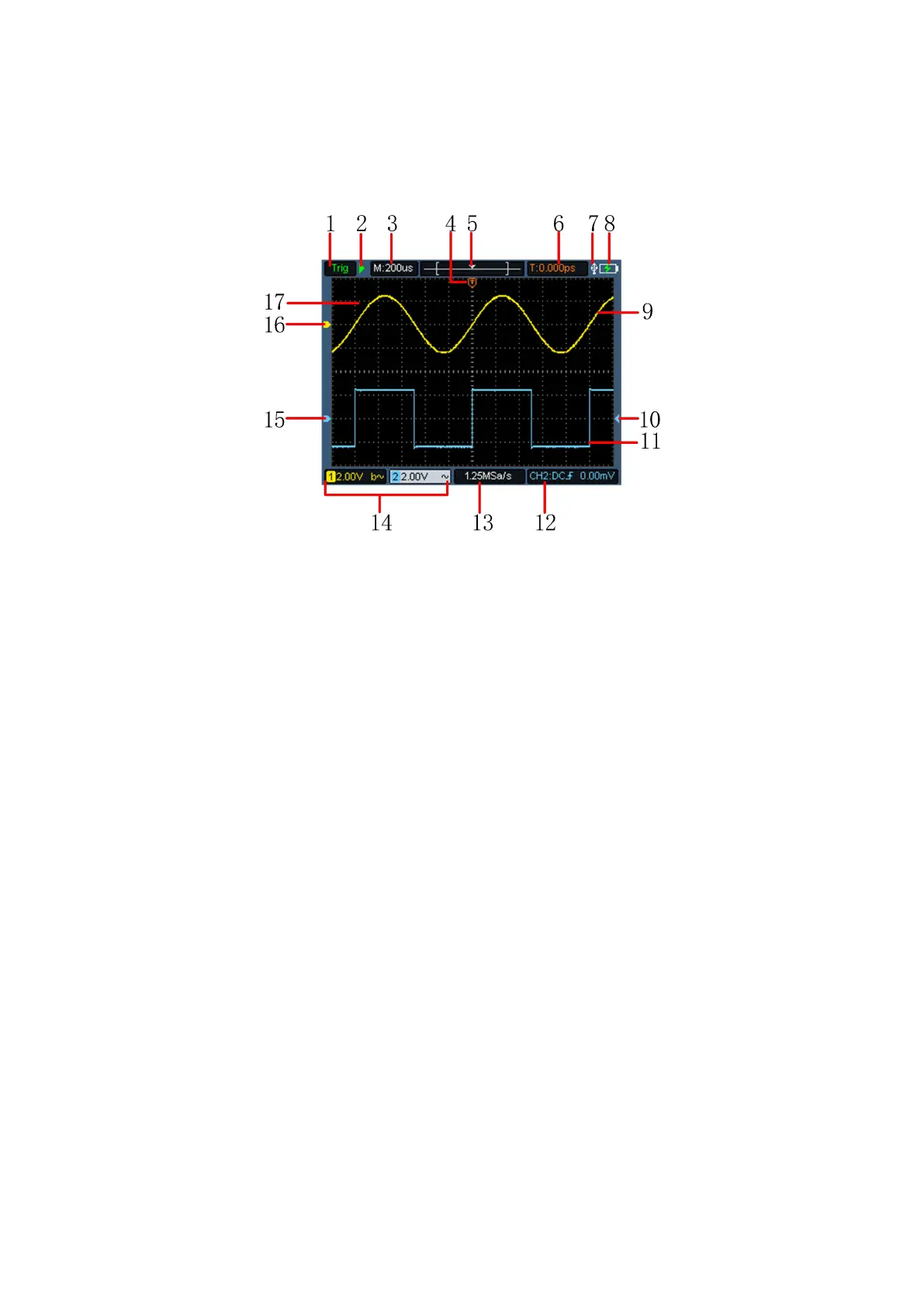
Figure 3- 3:Oscilloscope Interface
Description:
1. The trigger status indicates the following information:
Auto: Automatic mode. The waveform is being collected without
triggering.
Trig: A trigger has been detected and post trigger information is
being collected.
Ready: All pre trigger data have been obtained and the
oscilloscope is ready.
Scan: Scan mode. Continuously collect and display waveform
data.
Stop: Stop collecting waveform data.
2. Run/stop.
3. Time base display.
4. The pointer indicates the trigger horizontal position.
5. The pointer indicates the trigger position within the current storage depth.
6. Indicating the value of the current trigger horizontal displacement, and
displaying the position of the current waveform window in the memory.


 To Next Page