+D width: The width of the first positive pulse in 50% amplitude points.
-D width: The width of the first negative pulse in the 50% amplitude
points.
Cursor Measurement
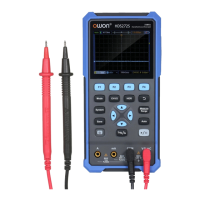
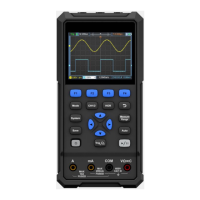
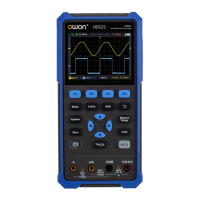
Press and F2 key to realize cursor measurement.
The description of Cursor Measurement Menu is as follows:
CH1 Voltage
CH2 Voltage
Time
None
Select to display the CH1 voltage measurement
cursor and menu.
Select to display the CH2 voltage measurement
cursor and menu.
Select to display the time measurement cursor and
menu.
Turn off the cursor measurement.
When the type is selected as CH1 Voltage or CH2
Voltage, press the arrow keys to move the
cursor line A; when the type is selected as Time,
press the arrow keys to move the cursor line
a.
When the type is selected as CH1 Voltage or CH2
Voltage, press the arrow keys to move the
cursor line B; when the type is selected as Time,
press the arrow keys to move the cursor line
b.
Link A and B. When the type is selected as CH1 or
CH2, by pressing the arrow keys two
cursors can be moved at the same time; when the
type is selected as Time, by pressing the arrow
keys , two cursors can be moved at the same
time.


 To Next Page