117
Instruments and controls
Dialling a telephone number
NOTE: Only the truck phone has dial number functionality on the master
display. It is only possible to dial a number using the SWS when the vehicle
is at a standstill.
– Select the truck phone. See section 'Selecting a telephone'.
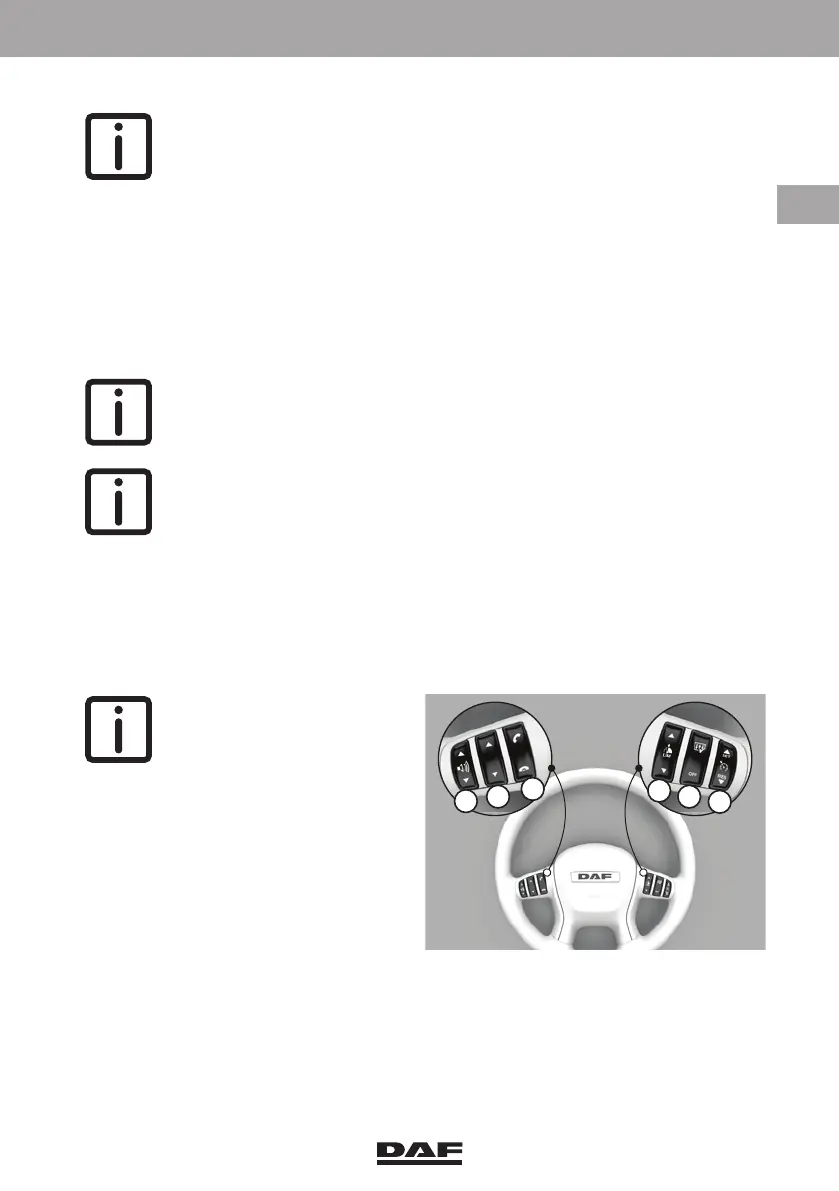
– Press the 'scroll' key (B) to access the 'dial number' option.
The pop-up screen for entering a telephone number appears.
– Use the 'scroll' key (B) to select a digit, use the 'x' for a correction.
– Select the receiver symbol to make the call.
– Press the 'end call' key (C) to end or abort the call.
Receiving SMS via the truck phone
NOTE: Only the truck phone has SMS functionality on the master display
and when the vehicle is at a standstill.
NOTE: When the SIM card is removed from the truck phone the stored
SMS are cleared.
Volume control
While making a telephone call, the steering wheel switch (A) is used for volume control.
With an outgoing call the volume control is active, even when there is no connection
yet. Changing the volume level of the telephone interface system does not affect the
volume level setting of the telephone itself.
NOTE: The ringtone volume
is set in the 'telephone' menu
of the master display using
the Menu Control Switch
(MCS).
Disconnecting a Bluetooth telephone when leaving the cabin
The telephone can be disconnected as follows:
– Press the 'end call' key to open the connections screen.
– Select the telephone to be disconnected.
– Press the 'pick-up call' key. The telephone is now disconnected.
DW63246305.book Page 117 Friday, March 22, 2019 4:54 PM






 To Next Page