314
Air suspension
On trailers with Axle Load Monitoring, all individual axle loads are shown.
On trailers without Axle Load Monitoring but with EBS, only the overall axle load of all
axles is shown in the display.
On trailers with neither EBS nor Axle Load Monitoring, only the axle load of the truck is
shown.
When a small arrow (B) is shown to the left side of the display, the Menu Control Switch
can be used to retrieve information on the truck.
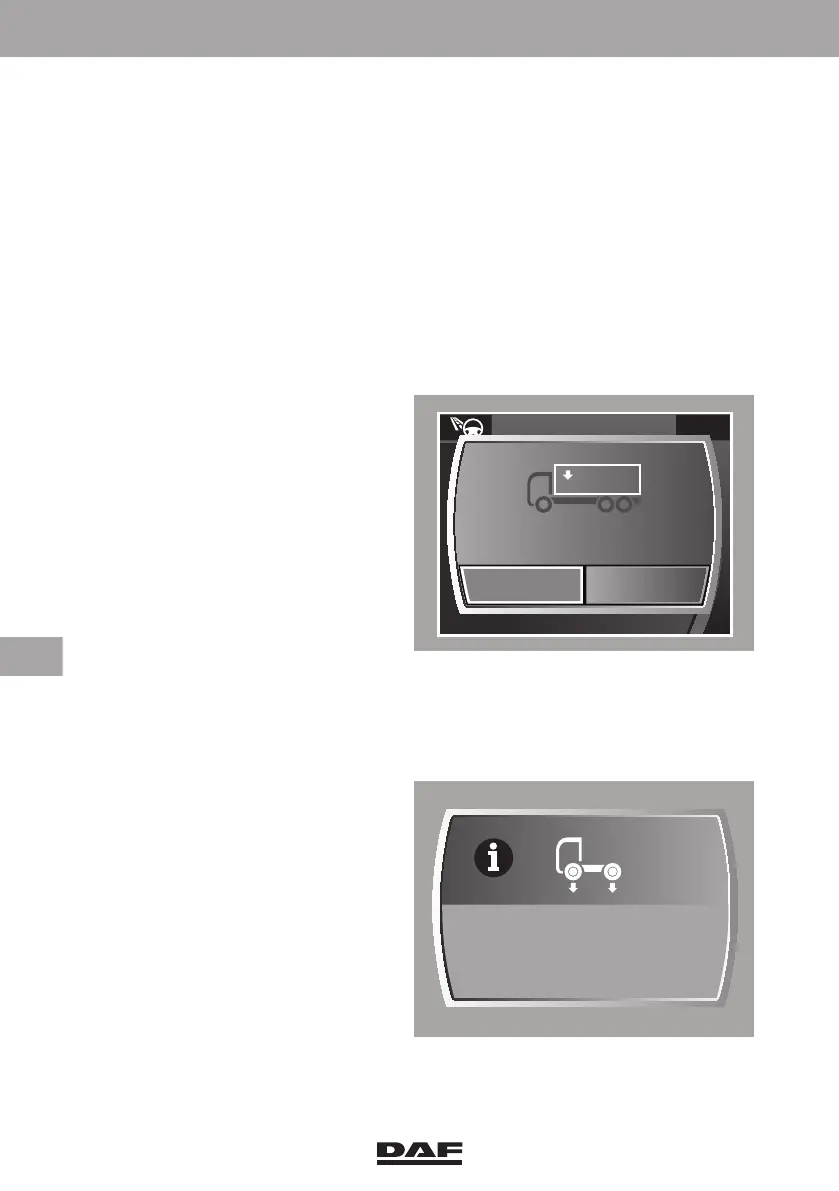
Reset payload
When the 'Reset' function is selected, the actual axle load (C) is used as a reference.
This information also remains available when the ignition is switched off. Disconnecting
the electrical connection between truck and semi-trailer deactivates the 'Gross
combination weight' function.
In this way it can be determined how
much weight has been added or
removed. If 'Yes' is selected in the pop-
up screen that follows the selection of
the 'Rest' function, the load weight (D)
is set to 0.0. When the vehicle is loaded
or unloaded after resetting, the
indicated load increases or decreases.
Axle overload warning
To inform the driver when the maximum load for an axle is exceeded, a pop-up warning
screen with the text 'Axle overload' is shown on the master display.
– On the 'Axle load' information
screen, the overloaded axle is
highlighted.
– A popup indication of the axle load
is activated as a reminder for the
driver that one of the axles is
overloaded.
D001739
Axle load
x 1000 kg
Yes No
0
Reset payload?
Axle overload
DW63246305.book Page 314 Friday, March 22, 2019 4:54 PM






 To Next Page