Digital Video Recorder
87
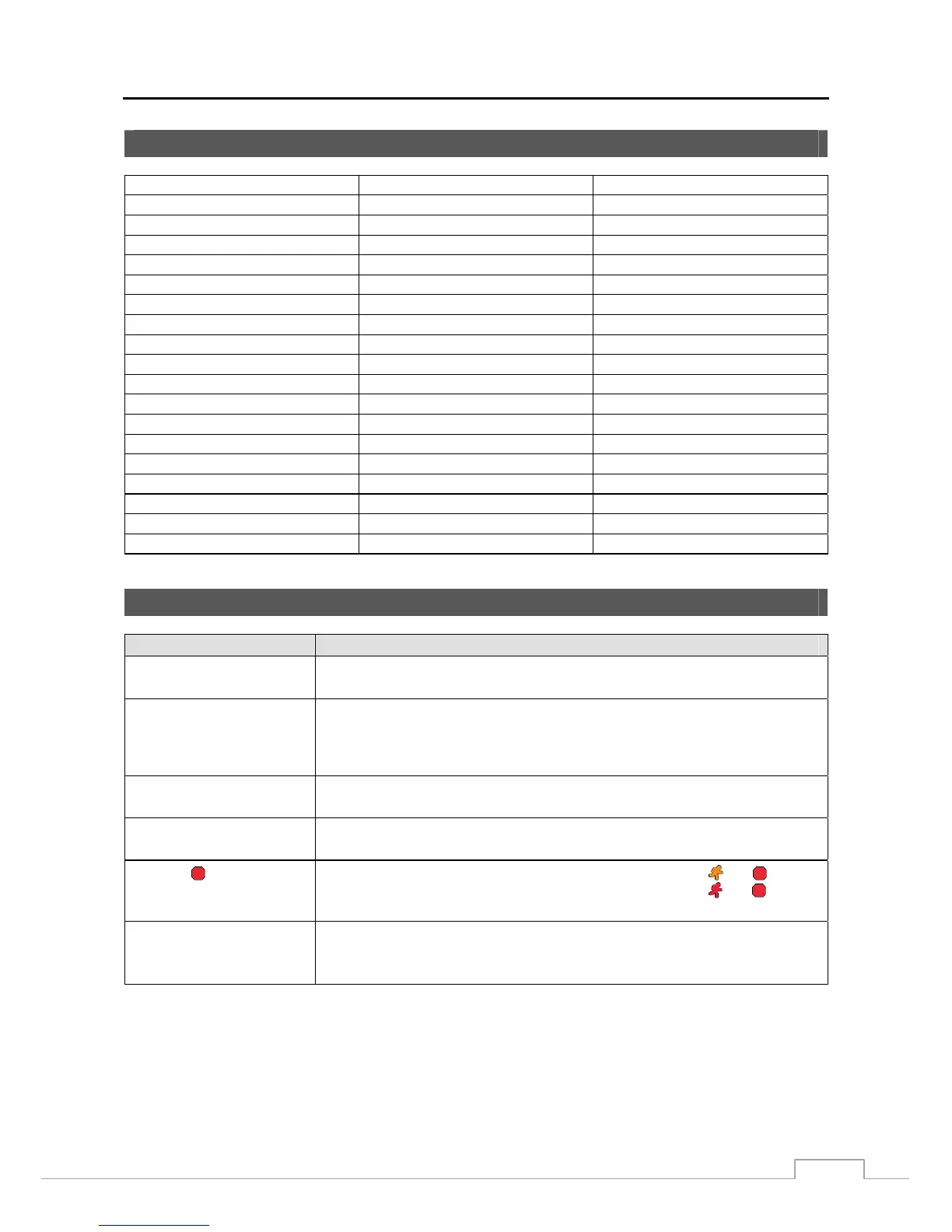
System Log Notices
Boot Up Setup Exported Clip-Copy From:
Shutdown Setup Export Failure Clip-Copy To:
Restart Setup Export Cancel Clip-Copy Duration of Video:
Upgrade Schedule On Clip-Copy Camera:
Upgrade Fail Schedule Off Callback Fail
Power Failure Panic On Print Begin
Time Change Panic Off Print End
Time Zone Change Clear All Data Print Cancel
Time Sync Clear Disk Archive On
Time Sync Fail Format Disk Archive Off
Disk Bad Disk Full Mirror 1 (2) Started
Login Auto Deletion Mirror 1 (2) Start Failed
Logout Search Begin Mirror 1 (2) Stopped
Setup Begin Search End Mirror 1 (2) Stop Failed
Setup End Clip-Copy Begin Factory Reset
Remote Setup Change Clip-Copy End Login : VNC (server address)
Remote Setup Failure Clip-Copy Cancel Logout : VNC (server address)
Setup Imported Clip-Copy Fail
Setup Import Failure Clip-Copy User:
Troubleshooting
Problem Possible Solution
No Power
Check power cord connections.
Confirm that there is power at the outlet.
No Live Video
Check camera video cable and connections.
Check monitor video cable and connections.
Confirm that the camera has power.
Check camera lens settings.
Live Video Very Bright
If a cable is attached to the “Loop” connector, make certain it is connected to a
properly terminated device.
DVR has stopped recording
If hard disk drive is full, you will either need to delete video or set the DVR to the
Overwrite Mode.
The icon displays,
however, the DVR is not
recording.
When the DVR is in the Pre-Event recording mode, the yellow
and
display
when there is no event, and the DVR is not recording. The red
and
display
when any event occurs and the DVR starts recording.
While upgrading the system,
the DVR keeps rebooting and
the upgrade fails.
If the current system version is higher than the upgrade package file version, you
should reset the DVR first using the Factory Reset. When using the Factory Reset,
you will lose any settings you have saved.







 To Next Page