User’s Manual
68
Motion Search
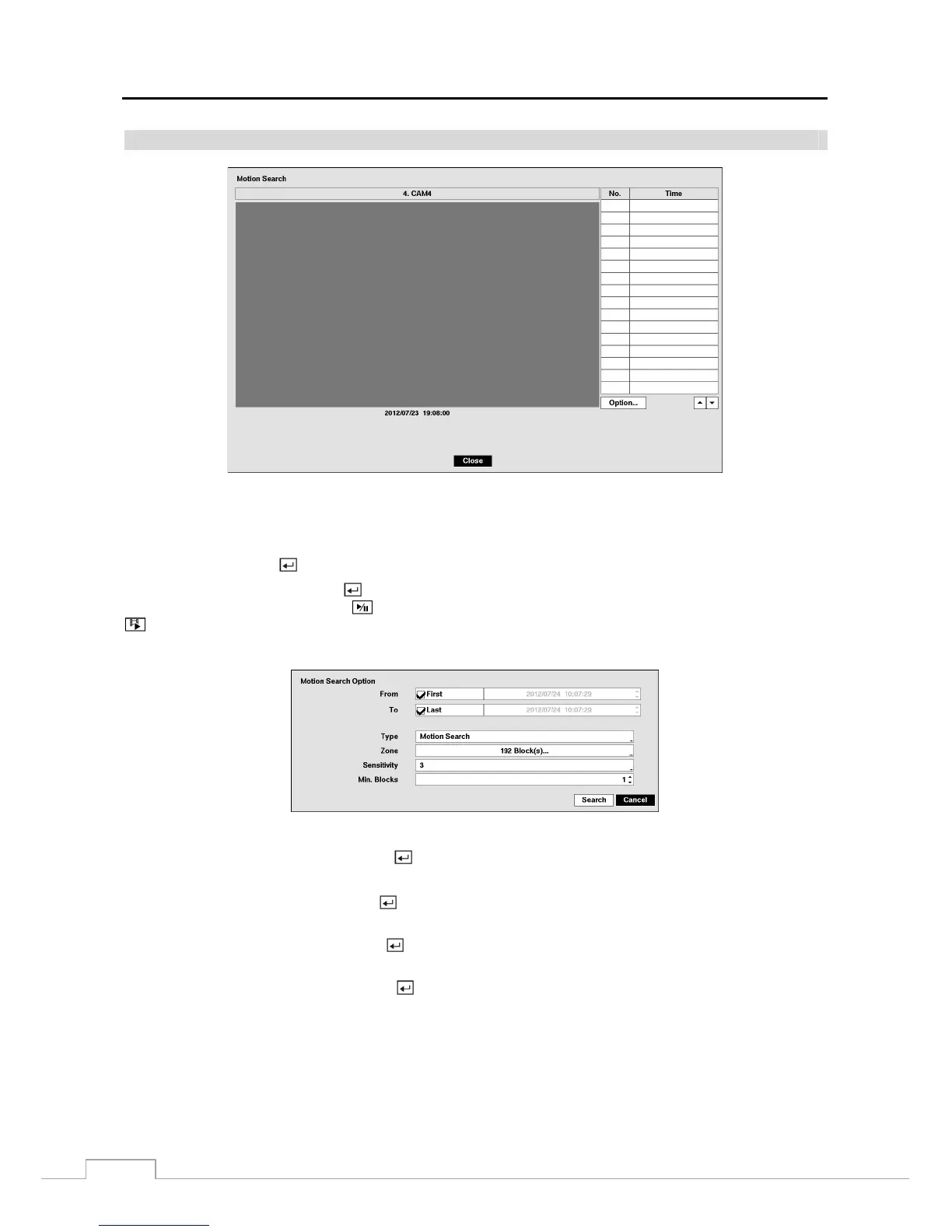
Figure 49 : Motion Search screen.
The Motion Search… can be selected from the Search menu while the DVR displays the camera full screen. The Motion
Search screen displays a list of motion events. Use the arrow buttons to highlight the event for which you would like
to see video and press the
button to display the video associated with the selected event on the small search screen.
Highlighting Close and pressing the button will extract the video associated with the Motion event and display the
first image of the event. Pressing the
(Play/Pause) button will start playing the “event” video segment. Pressing
(Search/Stop) returns to live monitoring
.
You can also narrow your event search by selecting the Option… button and setting up the new search condition.
You can search video from the first to last recorded images, or you can set the start and stop times and dates.
Highlight the box beside From and press the button to toggle between On and Off. When set to Off, you can enter
a specific Date and Time. When set to On, the search will be from the first recorded image.
Highlight the box beside To and press the button to toggle between On and Off. When set to Off, you can enter a
specific Date and Time. When set to On, the search will be to the last recorded image.
Highlight the box beside Type and press the button. You can select between Motion Search and Museum Search.
Motion Search detects motion in the defined area. Museum Search detects if a defined object has moved.
Highlight the box beside Zone and press the button. An image from the video appears with a grid overlaid. You
can turn sensor blocks On and Off to define the area of the picture in which you want to search for motion.
NOTE: Defining the area of the image in which you want to search for motion is nearly identical to setting up
the DVR for Motion Detection. Please refer to Motion Setup Screen in Chapter 3 — Configuration for more
detailed instructions on setting up the detection blocks.
When setting the Museum Search Zone, the zone should be placed inside of the border line of the target
object. If the selected block is placed on the border line, the sensitivity of the Museum Search may decrease.







 To Next Page