249
DP-8032/8025
2008Ver. 1.2
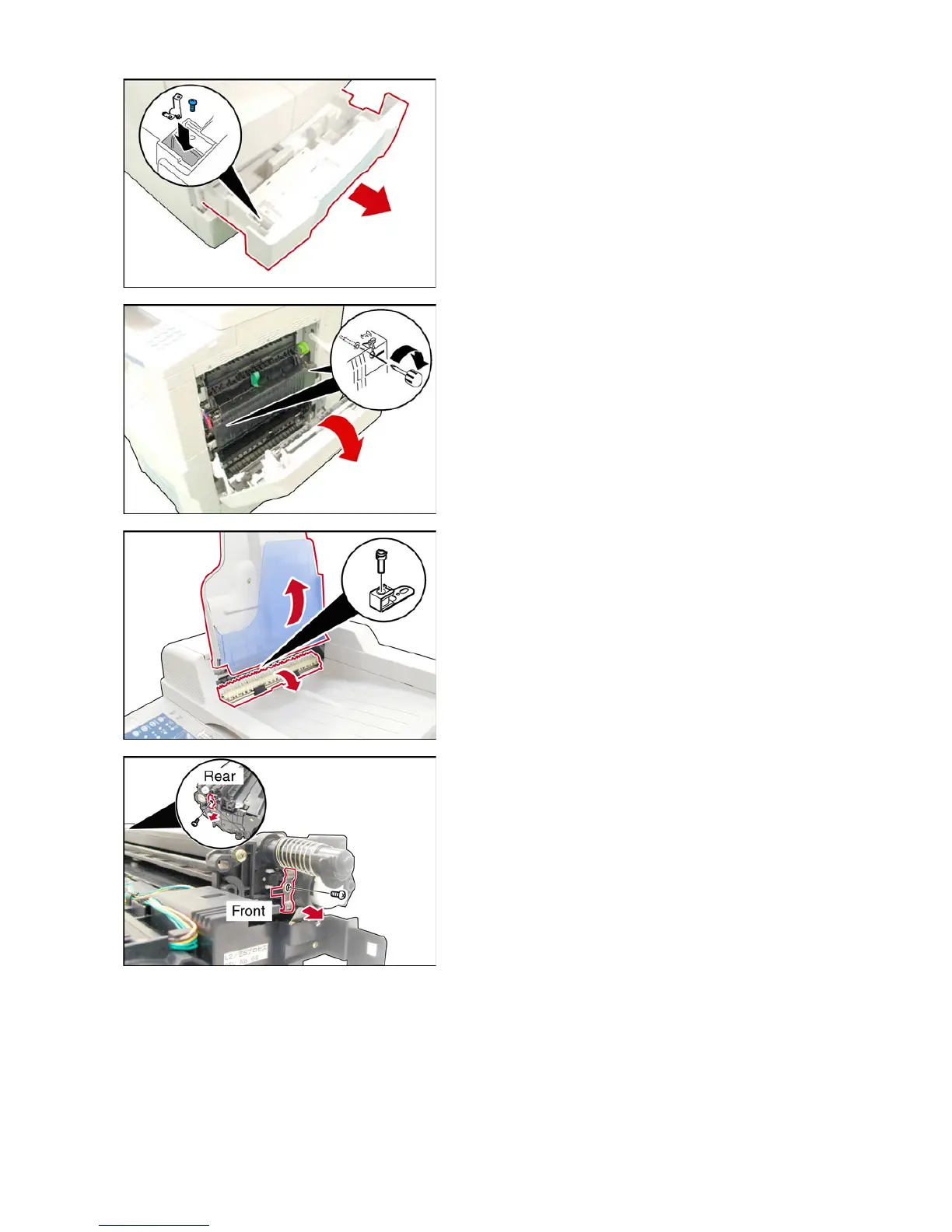
(15) Open the 1st Paper Tray.
(16) Store the Shipping Metal Bracket, and the Blue
Screw into the space provided in the 1st Paper Tray.
(17) Close the 1st Paper Tray.
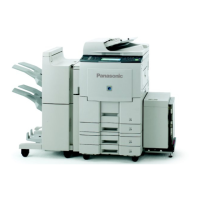
<Unlocking the Pressure Roller>
(18) Open the Right Cover.
(19) To unlock the Pressure Roller, using a Stubby
Phillips Screwdriver, tighten 2 Screws recessed in the
holes located on the Upper Fuser Cover.
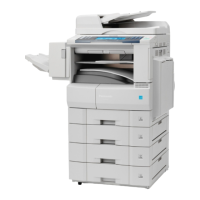
<Installing the Stamp Assembly for Specified
Destinations only>
(20) Lift the Original Tray Assembly.
(21) Lower the Inverting Guide 2 Assembly.
(22) Install the Stamp Assembly.
(23) Return the Inverting Guide 2 Assembly and the
Original Tray Assembly to former position.
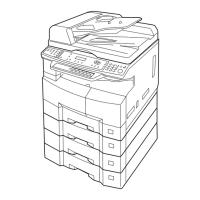
<Preparing the Process Unit>
(24) Remove 1 Screw (Front).
(25) Remove the Front Fixing Metal Bracket (longer
plastic tab).
(26) Remove 1 Screw (Rear).
(27) Remove the Rear Fixing Metal Bracket (shorter
plastic tab).









 To Next Page