Base Unit Settings
For assistance, please visit http://www.panasonic.com/phonehelp 145
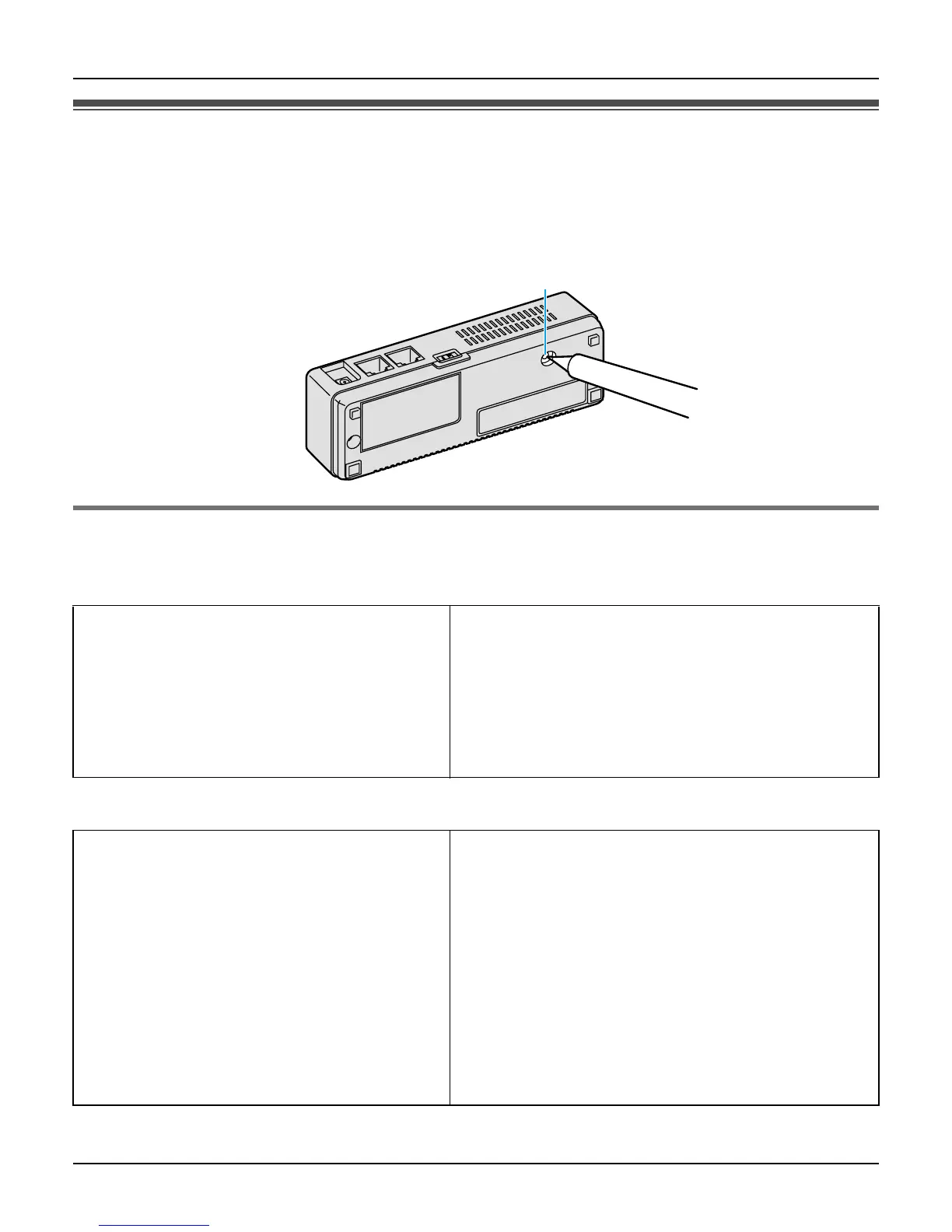
Reset button
If you forget the user name and password, press and hold “FACTORY DEFAULT RESET”
button on the bottom of the base unit with a pointed object until all the indicators go out.
The network settings are reset to default (see below). If necessary, set the settings again.
Default network settings
Internet Connection Type
Wireless Connection Settings
Connection Mode DHCP
MTU size
– PPPoE 1492 bytes
– DHCP 1500 bytes
– Static 1500 bytes
Wireless Mode 802.11b/g
Network Name (SSID) (Displayed on the included WLAN sticker)
Broadcast SSID Enable
WEP key (Displayed on the included WLAN sticker)
Network key for WPA-PSK/PSK2 (Displayed on the included WLAN sticker)
Security Mode WPA2-PSK/WPA-PSK/WEP
WPA-PSK/WPA2-PSK Data Encryption TKIP+AES
MAC Address Filtering Disable
FACTORY DEFAULT RESET













 To Next Page