Getting Started
44 For assistance, please visit http://www.panasonic.com/phonehelp
Setting up the handset
Battery installation/replacement
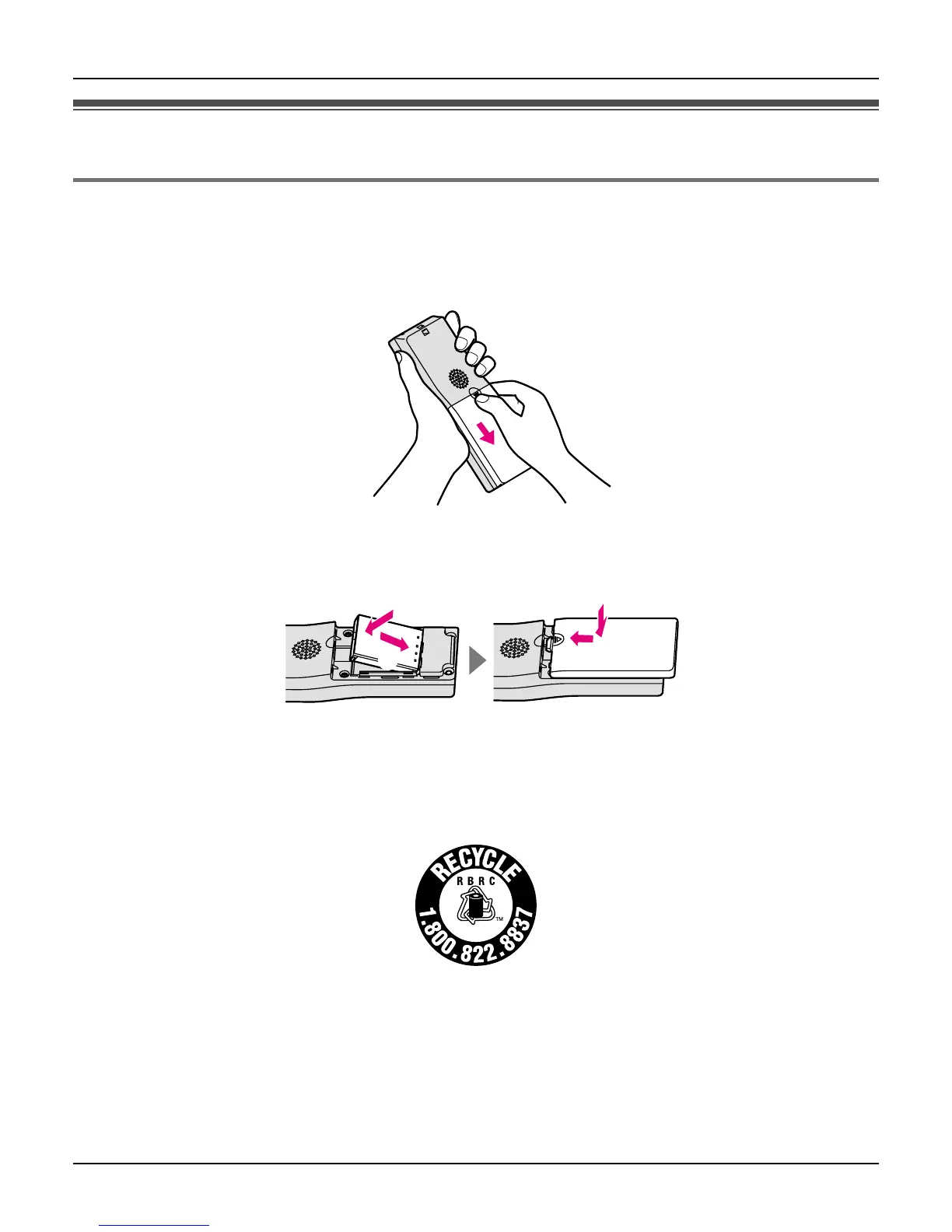
1 Press the notch of the handset cover firmly, and slide it in the direction of the arrow.
L For replacement, remove the old battery.
2 Insert the battery (A), and press it down until it snaps into position (B). Then close the
handset cover (C, D).
Important:
L Use only the rechargeable Panasonic battery noted on page 13.
Attention:
A lithium-ion battery that is recyclable powers the product you have purchased.
Please call 1-800-8-BATTERY (1-800-822-8837) for information on how to recycle this
battery.
A
D
B
C
Li-ion













 To Next Page