Getting Started
For assistance, please visit http://www.panasonic.com/phonehelp 45
Battery charge
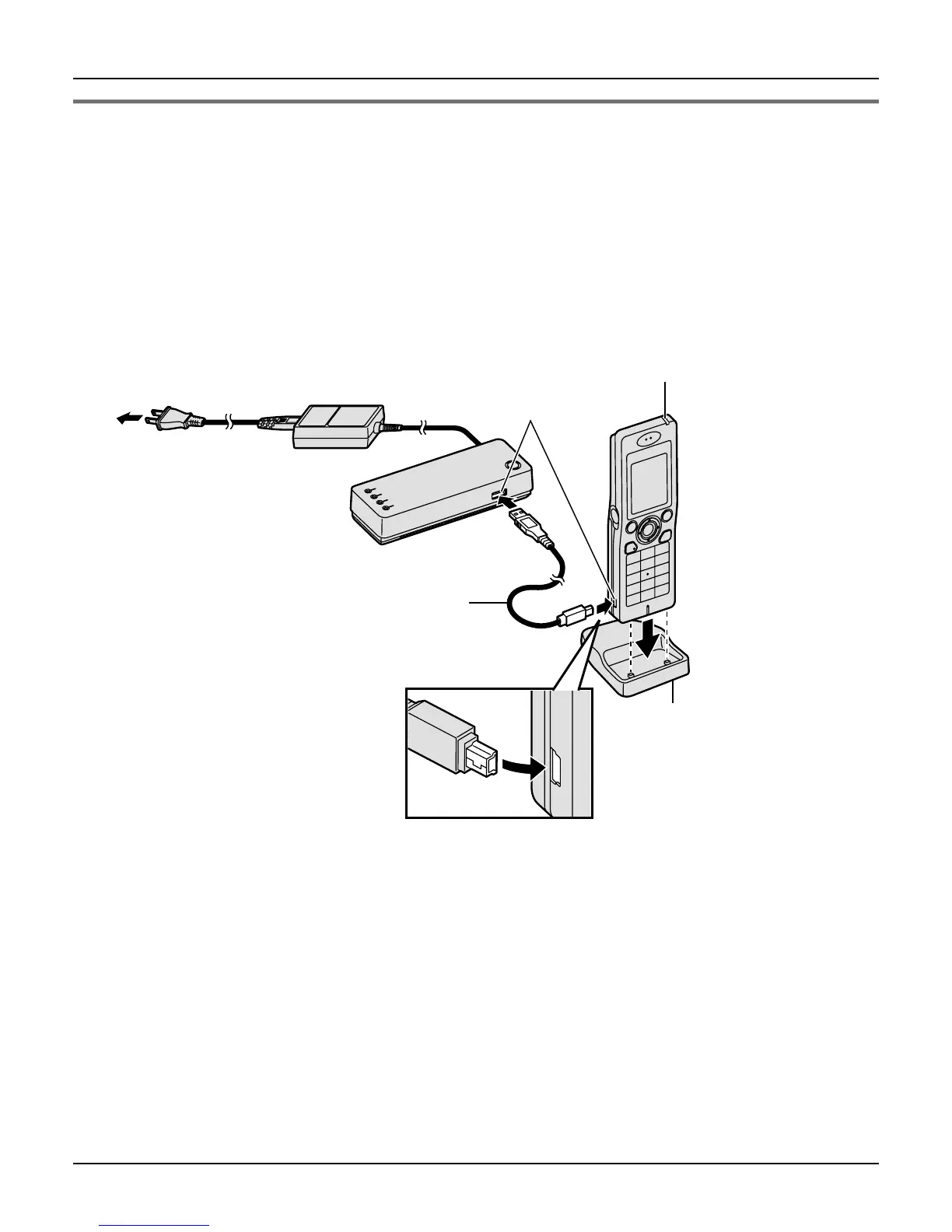
Connect the included CHARGE cable to the CHARGE port of the handset. Connect the
other end to the CHARGE port of the base unit that is connected to the power supply.
Charge the battery for 6 hours before initial use.
L While charging, the charge indicator on the handset lights in red. When the battery is
fully charged, the indicator goes out.
L You can use the included handset stand while charging the battery. To use the stand,
align the grooves of the handset with the tabs of the stand and insert.
Note:
L If you want to use the handset immediately, charge the battery for at least 15 minutes.
To AC outlet
CHARGE ports
CHARGE cable
Charge indicator
(120 V AC, 60 Hz)
Handset stand













 To Next Page