Base Unit Settings
For assistance, please visit http://www.panasonic.com/phonehelp 147
Setting your computer
Obtaining an IP address automatically on your computer
When you cannot log in the base unit by using the computer connected to the Ethernet
(LAN) port on the base unit, check the setting of Local Area Connection of the computer.
It is necessary to obtain an IP address automatically from a DHCP server.
L You must be logged in as an administrator in order to set the Local Area Connection.
1 Click [Start], then click [Control Panel].
2 Click [Network and Internet Connections], then click [Network Connections].
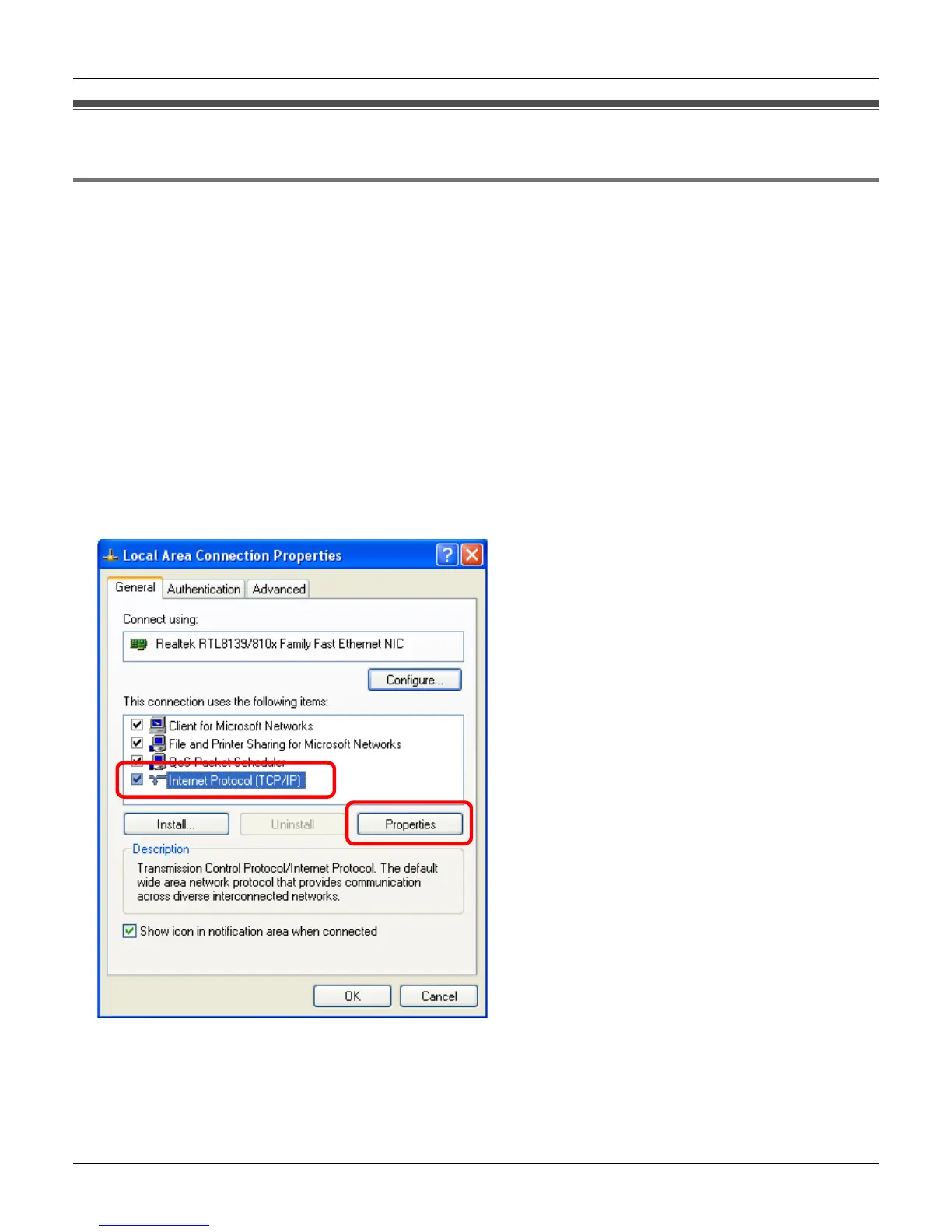
3 Right-click the Local Area Connection icon connected to the base unit, then select
[Properties].
4 Select [Internet Protocol (TCP/IP)], then click [Properties].













 To Next Page