82
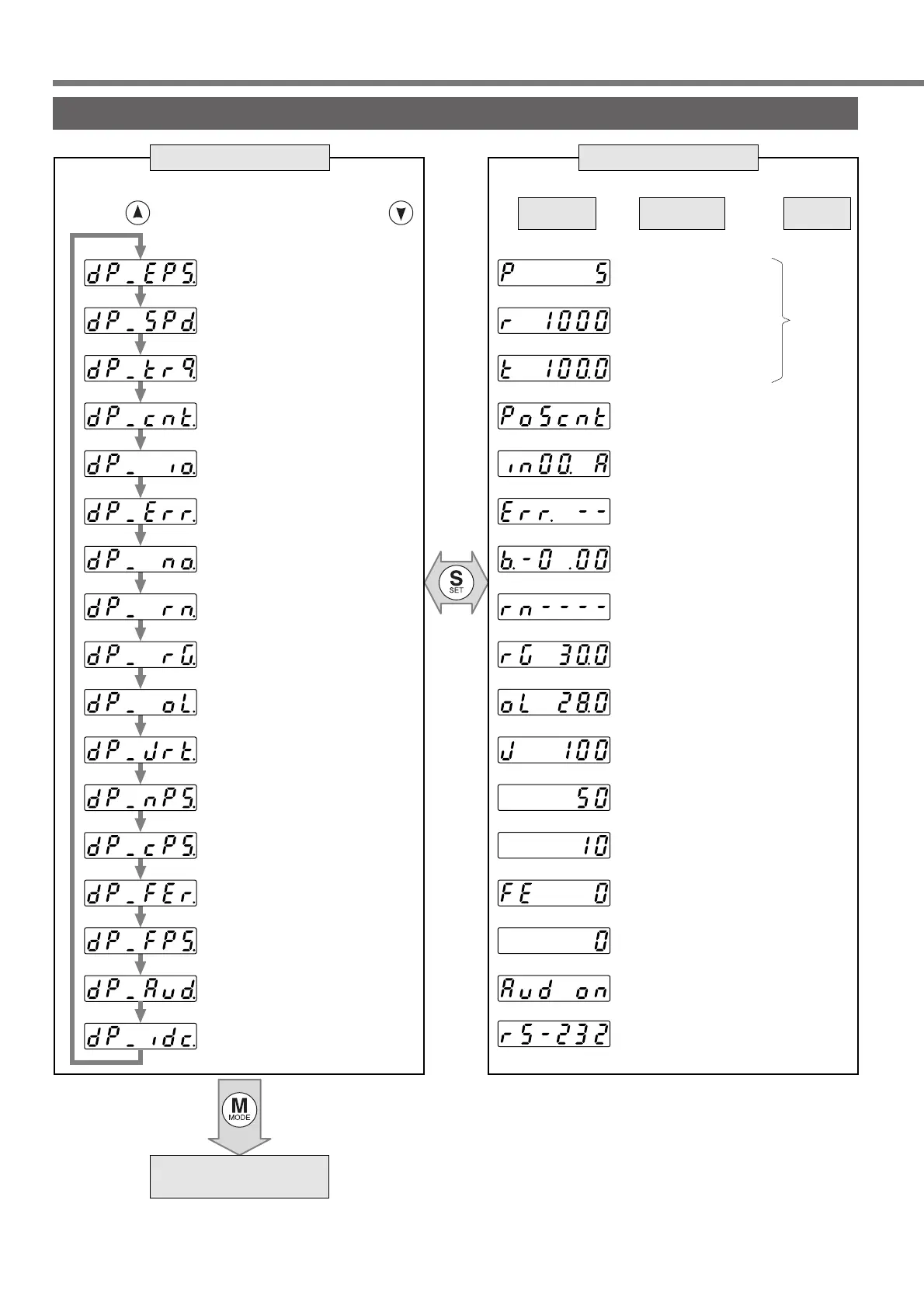
How to Use the Console
(Mode switch button)
SET
(
button
)
Positional deviation
Motor rotational speed
Torque output
Control mode
I/O signal status
Error factor, history
For manufacturer's use
Alarm
Regenerative
load factor
Overload factor
Inertia ratio
Feedback pulse sum
Command pulse sum
External scale
deviation
External scale
feedback pulse sum
Automatic motor
recognizing function
Selection of
communication
(5 deviation pulses)
(1000r/min)
(Torque output 100%)
(Position control mode)
(Input signal No.0 : Active)
(No error currently)
(No alarm)
(30% of permissible
regenerative power)
(28% of overload factor)
(Inertia ratio 100%)
(Feedback pulse sum is
50 pulses.)
(Command pulse sum is
10 pulses.)
(External scale deviation is
0 pulses.)
External scale feedback
pulse sum is 0 pulses.
(
Automatic motor recognizing
function is validated.)
(RS232 communication)
P.83
P.83
P.83
P.85
P.85
P.86
P.86
P.86
P.86
P.86
P.86
P.86
P.86
P.86
Teaching Mode
P.87
Display shifts toward the arrowed direction by
pressing and reversed direction by pressing .
Display
example
Description
Pages to
refer
EXECUTION displaySELECTION display
Monitor Mode






 To Next Page