91
[Setting]
Press .
Press .
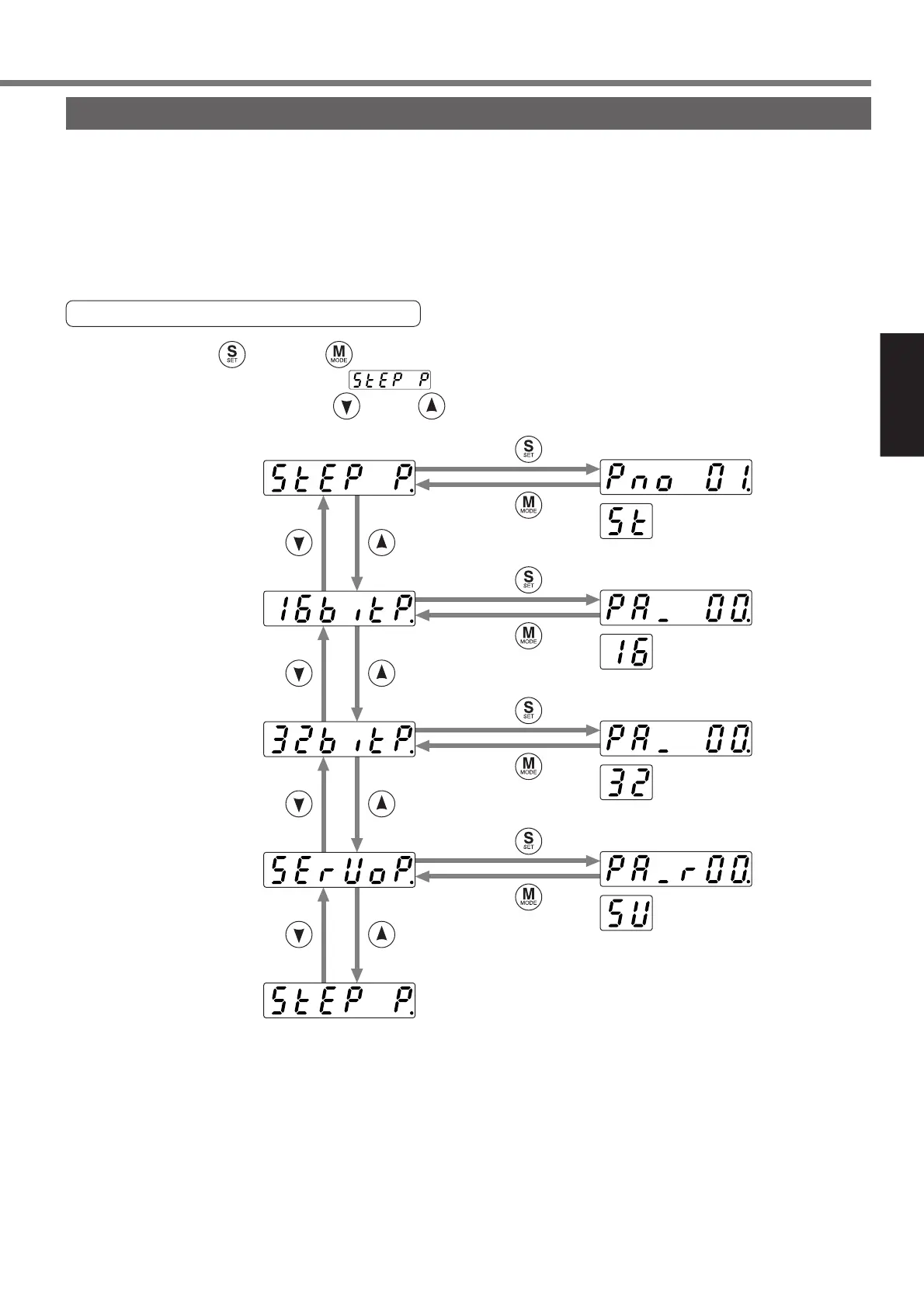
When you press once and twice in the initial LED state,
the step parameter display shows .
Select a target parameter using and/or .
Press .
Press .
Press .
Press .
Press .
Press .
Step parameter
(refer to page92)
16-bit positioning
parameter
(refer to page93)
32-bit positioning
parameter
(refer to page94)
Servo parameter
(refer to page95)
Parameter setup mode
Set the servo driver parameters.
The parameters are classified as follows:
• Step parameter (ST.Pr)
• 16-bit positioning parameter (16.Pr)
• 32-bit positioning parameter (32.Pr)
• Servo parameter (SV.Pr)
Structure of Parameter Setup Mode






 To Next Page