81
[Setting]
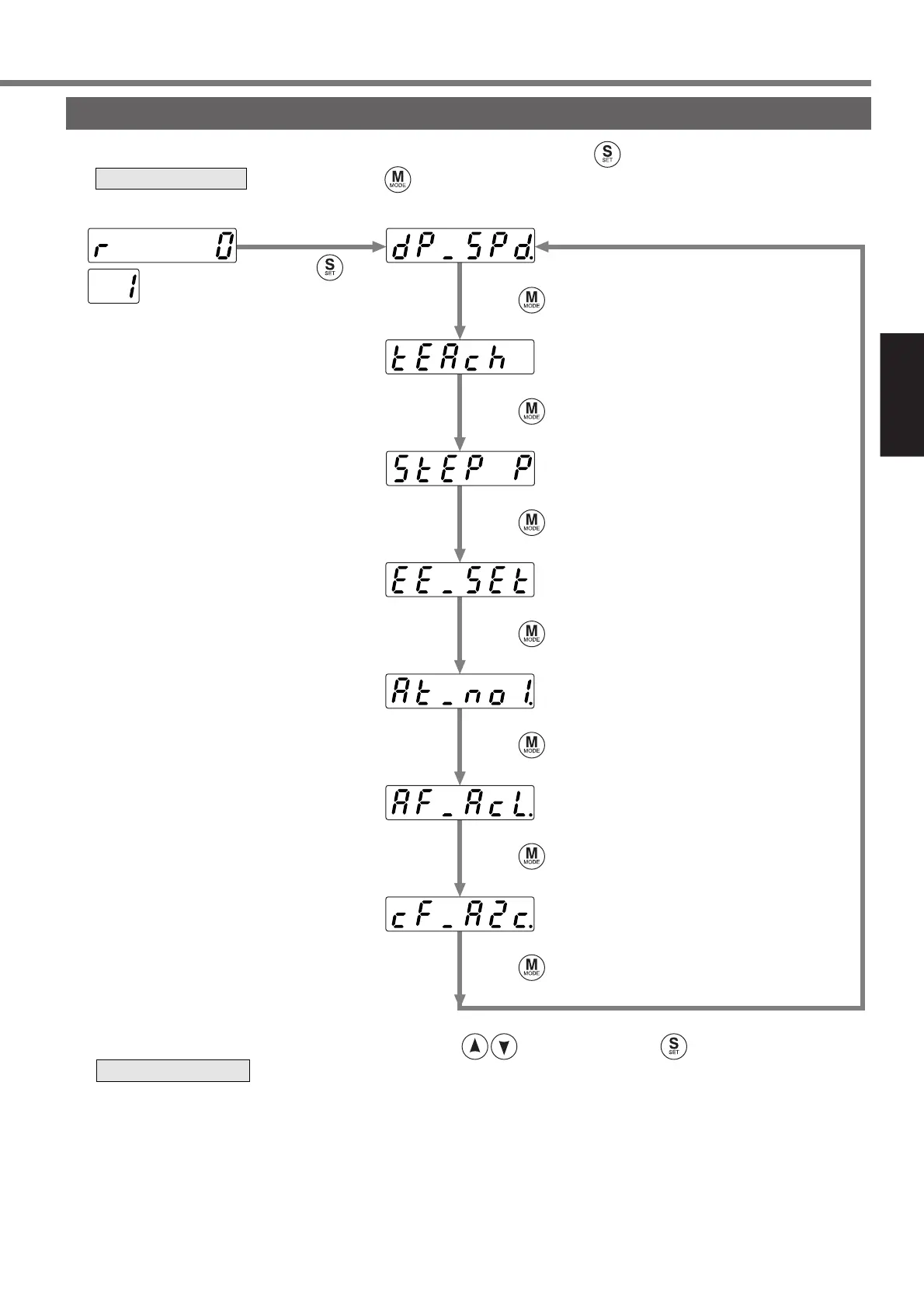
Mode Change
The modes below are available in this console. To switch a mode, press once in the initial state to enter
the screen and press .
Show a target mode to be executed, select it by the button and press to enter
the screen.
Initial state *1 Monitor mode (refer to page82)
.....Teaching mode
(refer to page87)
.....Normal auto-gain tuning mode
(refer to page97)
.....Auxiliary function mode
(refer to page98)
.....Copy mode
(refer to page101)
.....Parameter setup mode
(refer to page91)
.....EEPROM write mode
(refer to page96)
SELECTION display
EXECUTION display
<Note>
*1: Depends on the settings of the initial LED state of SV.Pr01.
Press .
Press .
Press .
Press .
Press .
Press .
Press .
Press .






 To Next Page