98
How to Use the Console
Auxiliary Function Mode
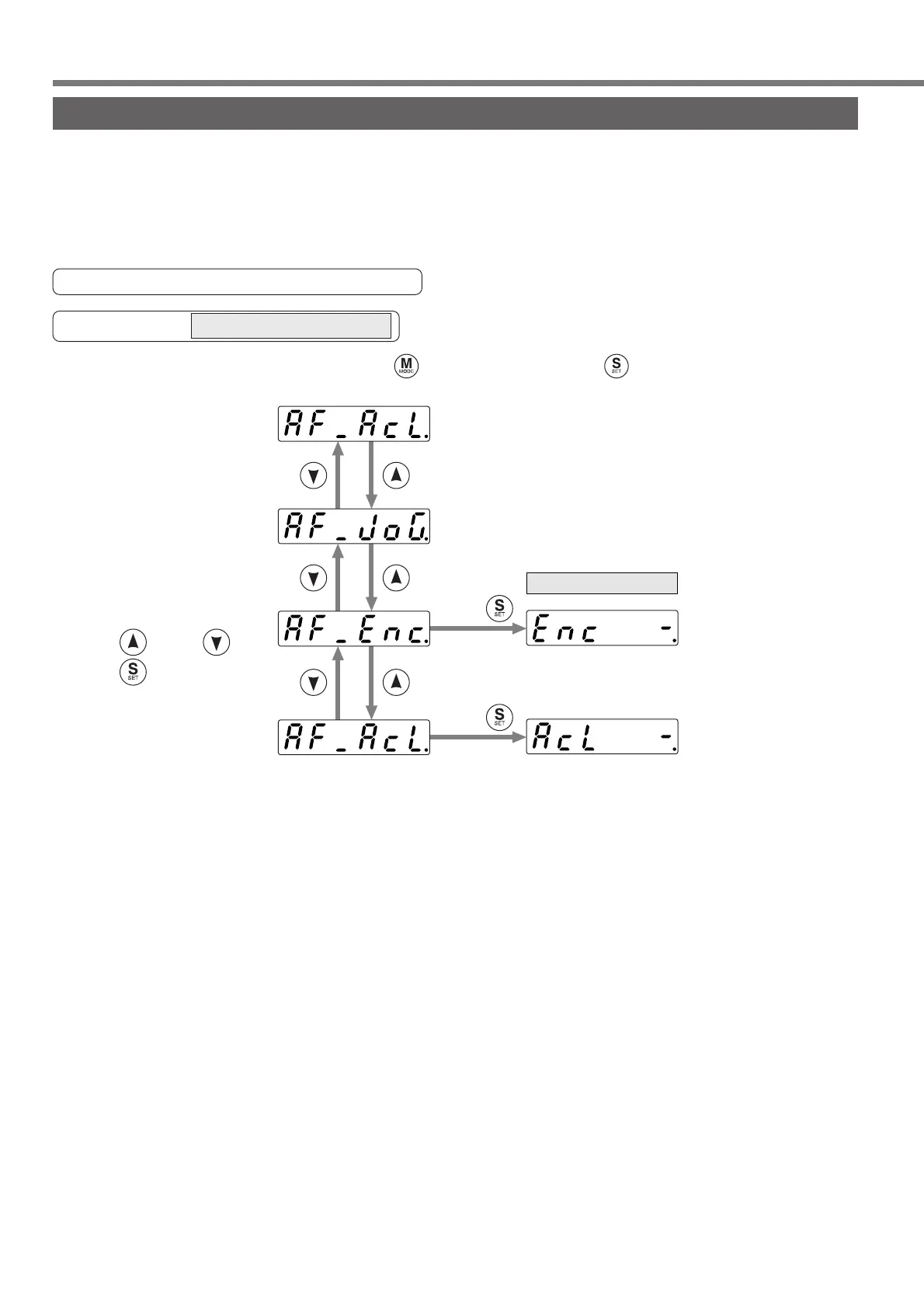
The console has two auxiliary functions.
(1) Alarm Clear
A protection function works and a motor stop (motor trip) can be canceled.
(2) Absolute encoder clear
A value of absolute encoder is cleared.
Structure of Auxiliary Function Mode
Starting from the initial LED status, Press five time after pressing ,
then brings the display of Auxiliary Function Mode,
(A4P series cannot be used.)
Press .
Press .
Select a desired function
using and/or and
press to change into
[EXECUTION] display.
...Clearing of
Absolute Encoder
(refer to page100)
...Alarm Clear Screen
(refer to page99)
EXECUTION display
Operation at SELECTION display






 To Next Page