99
[Setting]
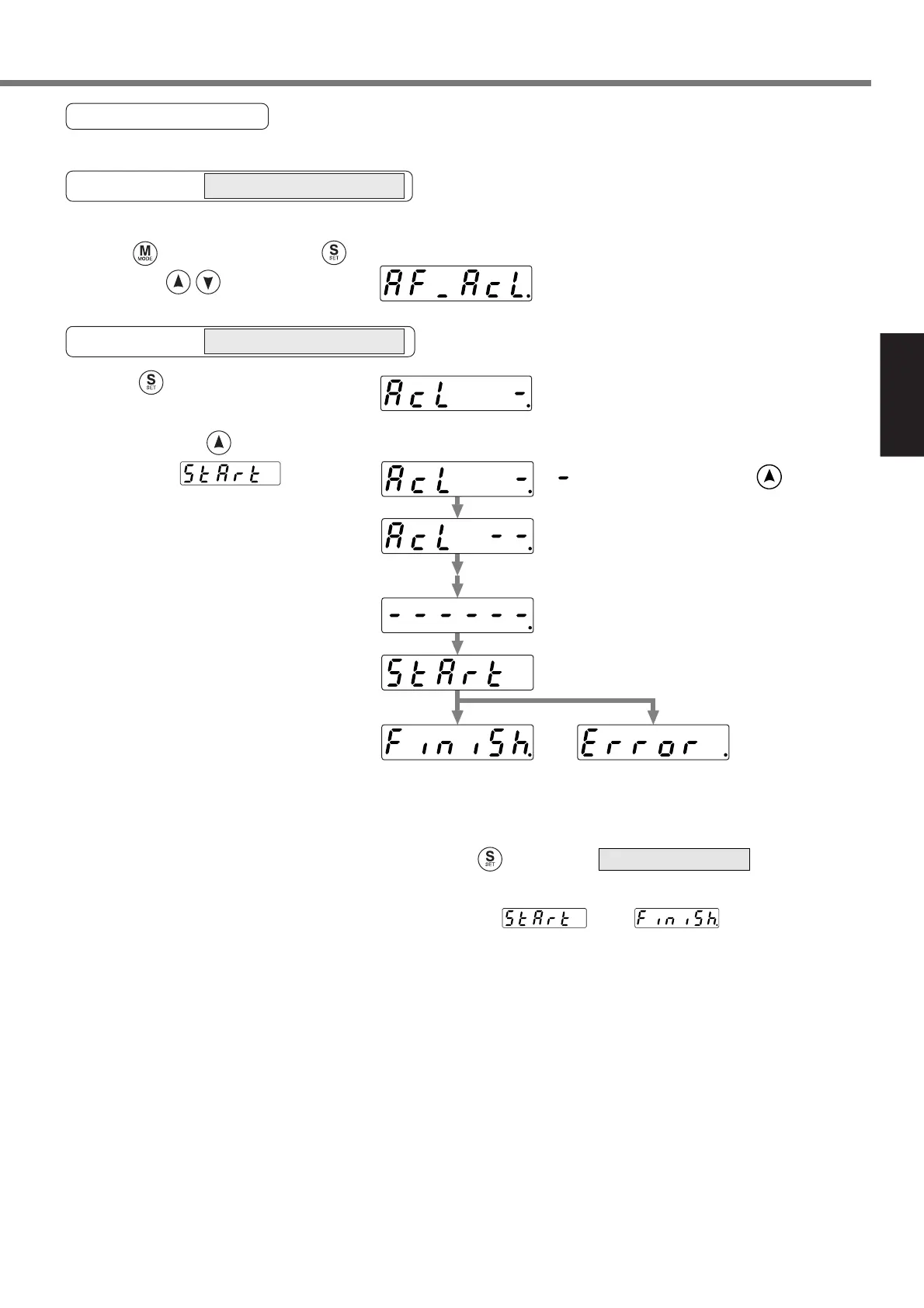
Alarm Clear Screen
Protective function will be activated and release the motor stall status (error status).
Alarm clear starts.
Clearing finishes.
Clear is not finished.
Release the error by resetting
the power.
Alarm clear completes
<Remarks>
Don't disconnect the console from the driver between and .
Should the connector is pulled out, insert it again and repeat the procedures from the beginning.
Starting from the initial LED status,
Press five time after pressing ,
then press to make a display to
Press to call for
EXECUTION display of
Keep pressing until the console (LED)
changes to
“
”
increases by pressing
(approx. 5sec) as the right fig. shows.
SELECTION display
When you have set the alarm clear, press to return to .
Operation at SELECTION display
Operation at EXECUTION display






 To Next Page