87
[Setting]
Teaching Mode
Overview of Teaching Mode
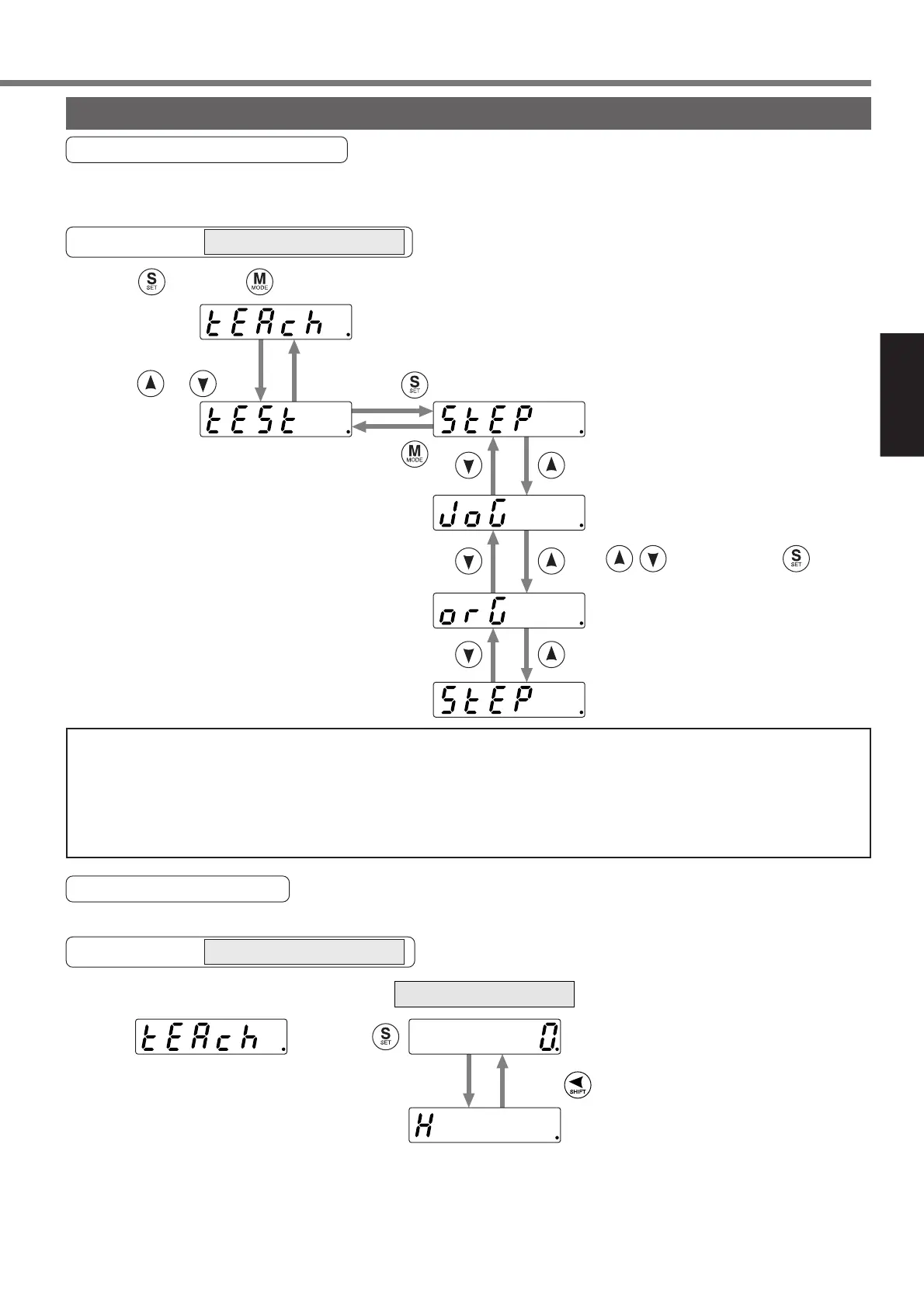
In the teaching mode, you can operate the motor actually using this console, set a target position and
execute a test operation, e.g., step operation, jog operation, etc.
to show for the teaching mode.
Test mode
To change the mode,
press or .
Press .
Press once and once in the initial LED state
Press .
...Step operation (refer to page 89).
Moving to a selected point number.
...Jog operation (refer to page 90).
The motor rotates while pressing
after pressing .
...Homing operation
(refer to page 90).
Returning to a home position.
<Note>
• When operating the motor, check the safety, e.g., whether the wiring is correct, whether
the servo motor is fixed, etc.
• When a trouble, e.g., cable breakage, has occurred during a motor operation, the servo
driver overruns a maximum of approximately 1s. Check the safety fully.
Teaching Mode Setup
Operate the motor and set a target position.
Teaching mode display
Then, a current position is shown
(lowest order).
A current position (highest order)
* The data is shown on the two screens because of
a large number of displayed digits.
Press .
EXECUTION display
Show and press .
* If “Error” is shown, it may be caused by any of the factors below.
• Homing is not completed. • The servo turns off. • Operation by I/O etc.
• 16.Pr51 (wrap around permission) is set to “1”.
Operation at SELECTION display
Operation at EXECUTION display






 To Next Page