Playing Back Recordings
I_ ,[._.]_ I :Eit'T"_,[-.Iu
Before you begin...
• Connect Palmcorder to power source.
• Insert recorded tape.
• Set POWER to VCR.
Quick Visual Search
Search Speed
SP (Standard Play) : 3 times normal.
SLP (Super Long Play) : 9 times normal.
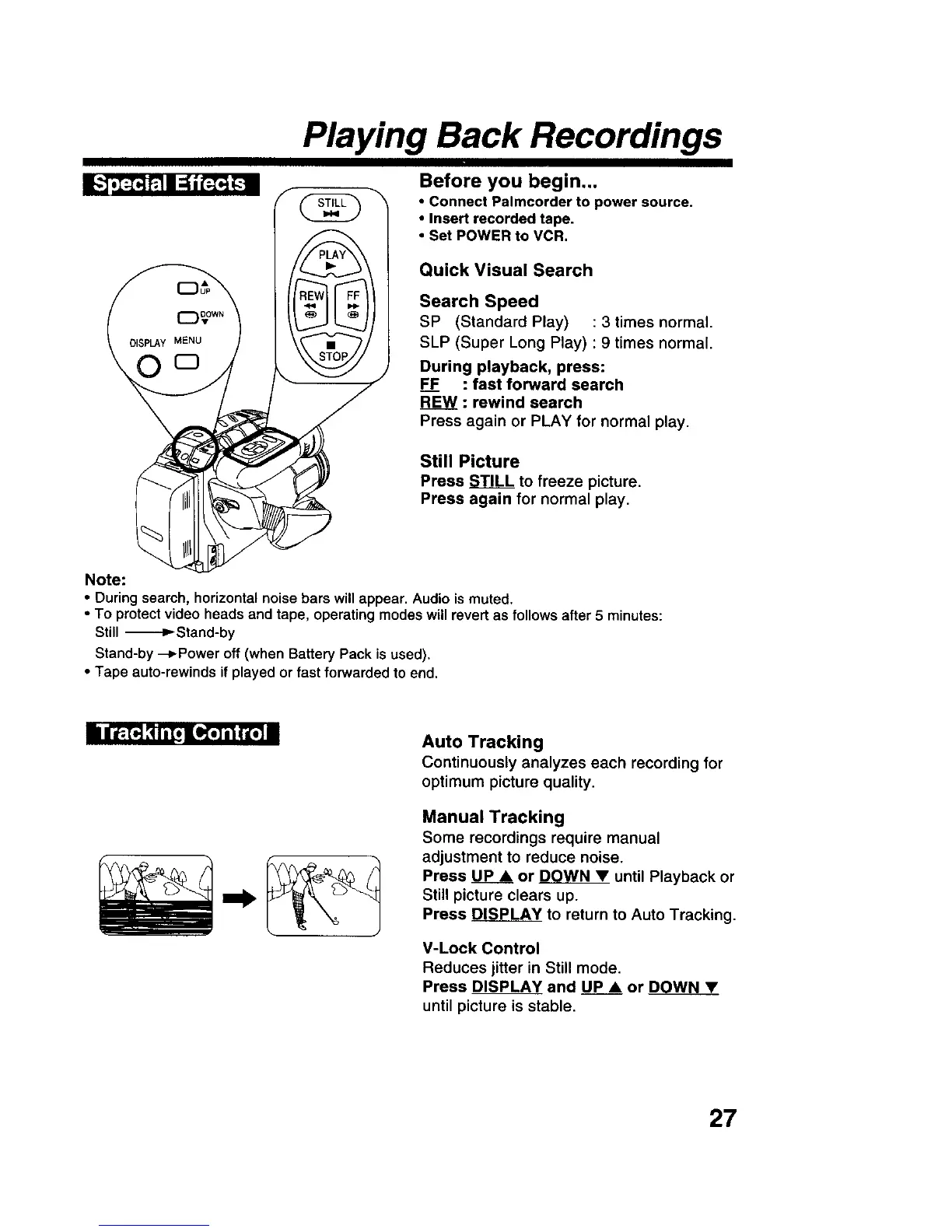
During playback, press:
F___EF: fast forward search
REW : rewind search
Press again or PLAY for normal play.
Still Picture
Press STILL to freeze picture.
Press again for normal play.
Note:
• During search, horizontal noise bars will appear. Audio is muted.
• To protectvideo heads and tape, operating modes will revert as follows after 5 minutes:
Still -_-D_Stand-by
Stand-by --_Power off (when Battery Pack is used).
• Tape auto-rewinds if played or fast forwarded to end.
I n_[,,] _ ill, nLO,STi'iI"L_m
Auto Tracking
Continuously analyzes each recording for
optimum picture quality.
Manual Tracking
Some recordings require manual
adjustment to reduce noise.
Press UP • or DOWNY until Playback or
Still picture clears up.
Press DISPLAY to return to Auto Tracking.
V-Lock Control
Reduces jitter in Still mode.
Press DISPLAY and UP • or DOWN •
until picture is stable.
27











 To Next Page