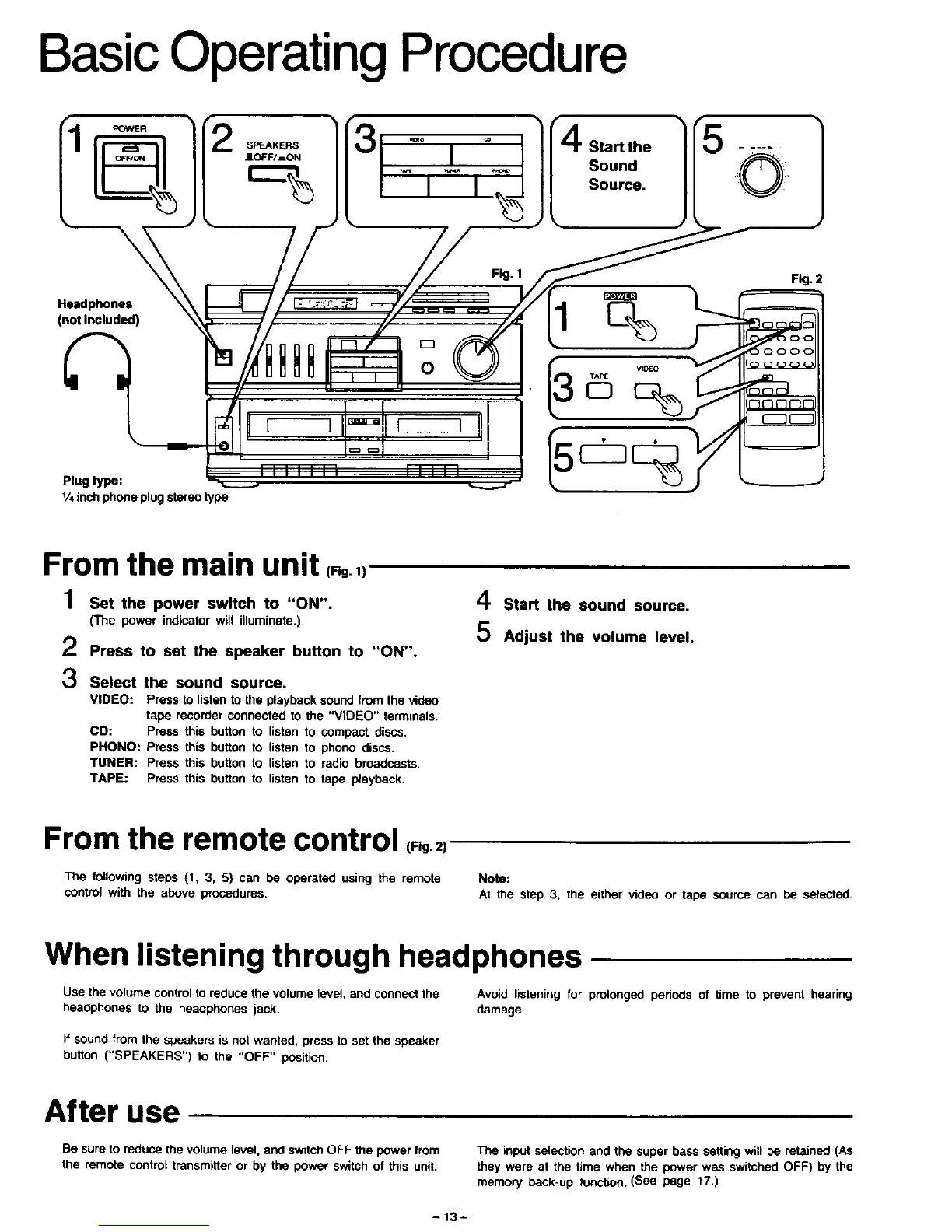
Basic Operating Procedure
[
Start the
Sound
Source.
Headphones
(not Included)
Plug type:
1/4inch phoneplugstereotype
Fig. 1
Fig. 2
From the main unit (.g.,
1 Set the power switch to "ON".
(The power indicatorwill illuminate,)
•," Press to set the speaker button to "ON".
3 Select the sound source.
VIDEO: Press to listen to the playback sound from the video
tape recorder connected to the "VIDEO" terminals.
CD: Press this button to listen to compact discs,
PHONO: Press this button to listen to phono discs,
TUNER: Press this button to listen to radio broadcasts.
TAPE: Press this button to listen to tape playback.
4 Start the sound source.
5 Adjust the volume level.
From the remote control (,g.2)
The following steps (1, 3, 5) can be operated using the remote
control with the above procedures,
Note:
At the step 3, the either video or tape source can be selected.
When listening through headphones
Use the volume control to reduce the volume level, and connect the Avoid listening for prolonged periods of time to prevent hearing
headphones to the headphones jack. damage,
If sound from the speakers is not wanted, press to set the speaker
button ("SPEAKERS") to the "OFF" position.
After use
Be sure to reduce the volume level, and switch OFF the power from
the remote control transmitter or by the power switch of this unit.
The input selection and the super bass setting will be retained (As
they were at the time when the power was switched OFF) by the
memory beck-up function. (See page 17.)
-13-






 To Next Page