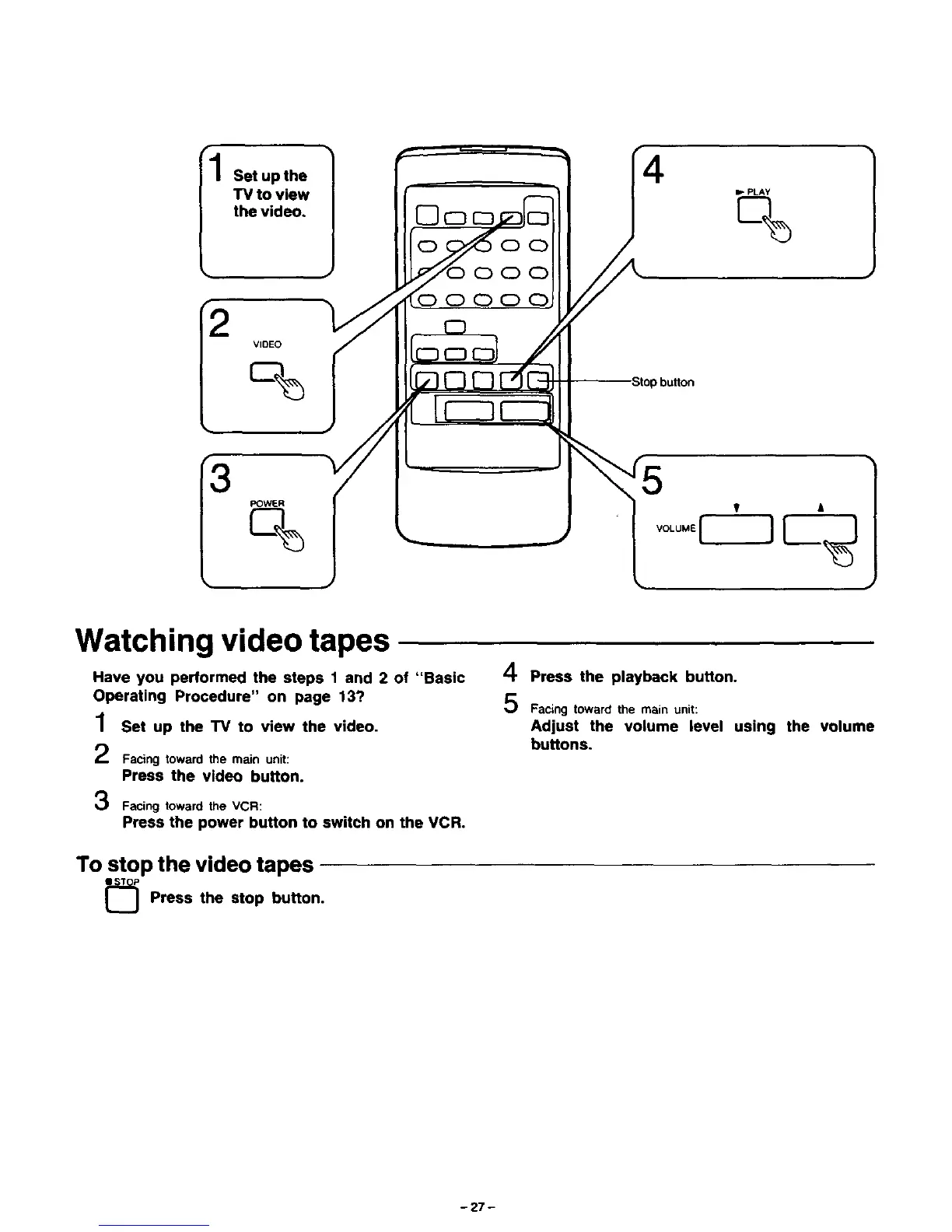
Set upthe
"IV to view
the video,
2
VIDEO
c%
POWER
oc)
(DOC)
OC) C)
Ib PLAY
%
Watching video tapes
Have you performed the steps 1 and 2 of "Basic
Operating Procedure" on page 13?
1 Set up the TV to view the video.
2
3
Facing toward the main unit:
Press the video button.
Facing toward the VCR:
4 Press the playback button.
Facing toward the main unit:
Adjust the volume level using the volume
buttons.
Press the power button to switch on the VCR.
To stop the video tapes
Press the stop button.
- 27 -



 To Next Page