Listening to Radio Broadcasts
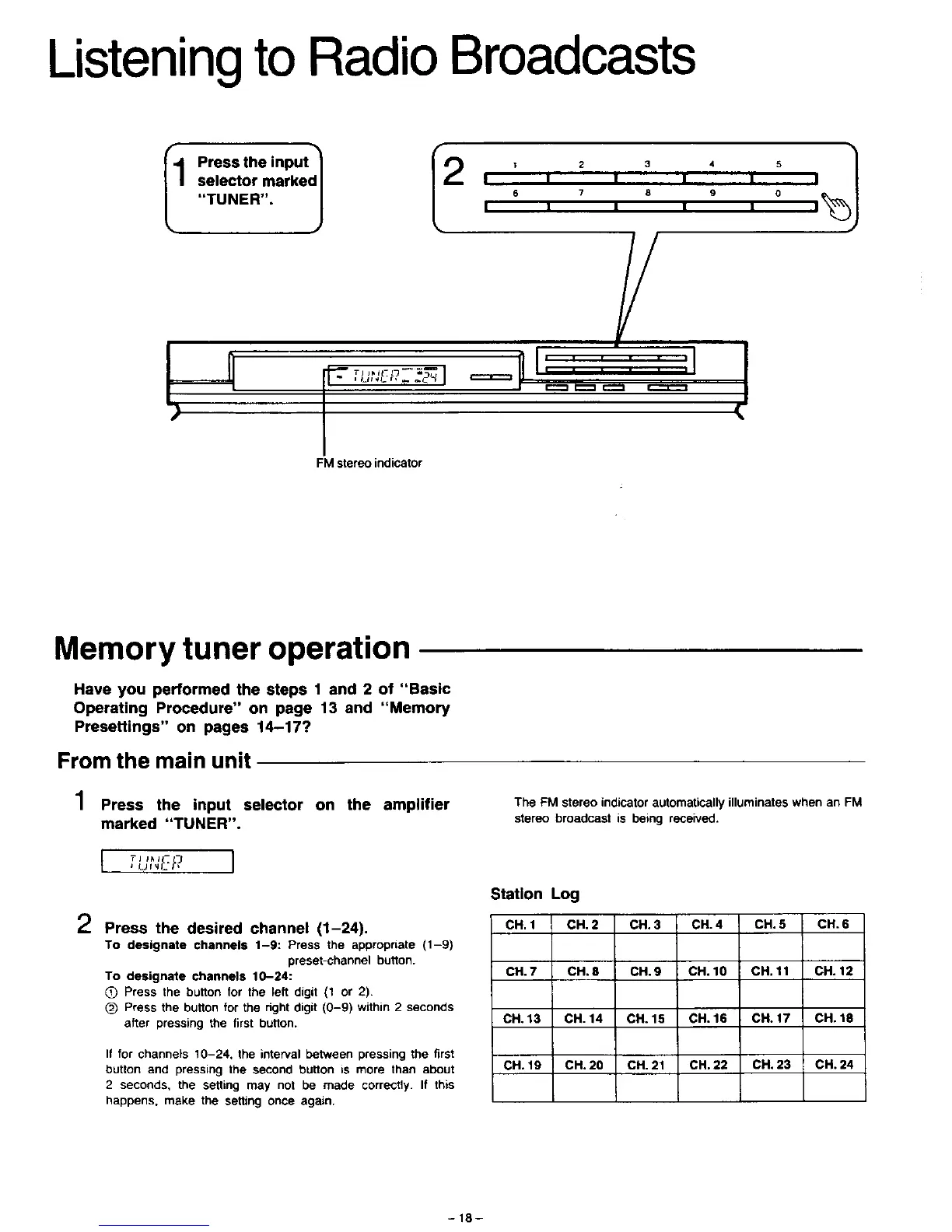
I1 Press the input
selector marked I
TUNER . J
I2 ' 2 , , 5 _1
I I I I I I
6 7 8 9 0
I I I I I I
V
FM stereo indicator
/
pL____LJ
J
Memory tuner operation
Have you performed the steps 1 and 2 of "Basic
Operating Procedure" on page 13 and "Memory
Presettings" on pages 14-17?
From the main unit
1 Press the input selector on the amplifier
The FM stereo indicator automatically illuminates when an FM
marked "TUNER".
I Tj li*ll- -_
2 Press the desired channel (1-24).
stereo broadcast is being received.
Station Log
CH. 1 CH. 2 CH. 3 CH. 4 CH. 5 CH. 6
CH. 7 CH. 8 CH. 9 CH. 10 CH. 11 CH. 12
CH. 13 CH. 14 CH. 15 CH. 16 CH. 17 CH. 18
CH. 19 CH. 20 CH. 21 CH. 22 CH. 23 CH. 24
To designate channels 1-9: Press the appropnate (1-9)
preset-channel button.
To designate channels 10-24:
_) Press the button for the left digit (1 or 2).
(_) Press the button for the right digit (0-9) within 2 seconds
after pressing the first button.
If for channels 10-24, the interval between pressing the first
button and pressing the second button is more than about
2 seconds, the setting may not be made correctly. It this
happens, make the setting once again,
-18-





 To Next Page