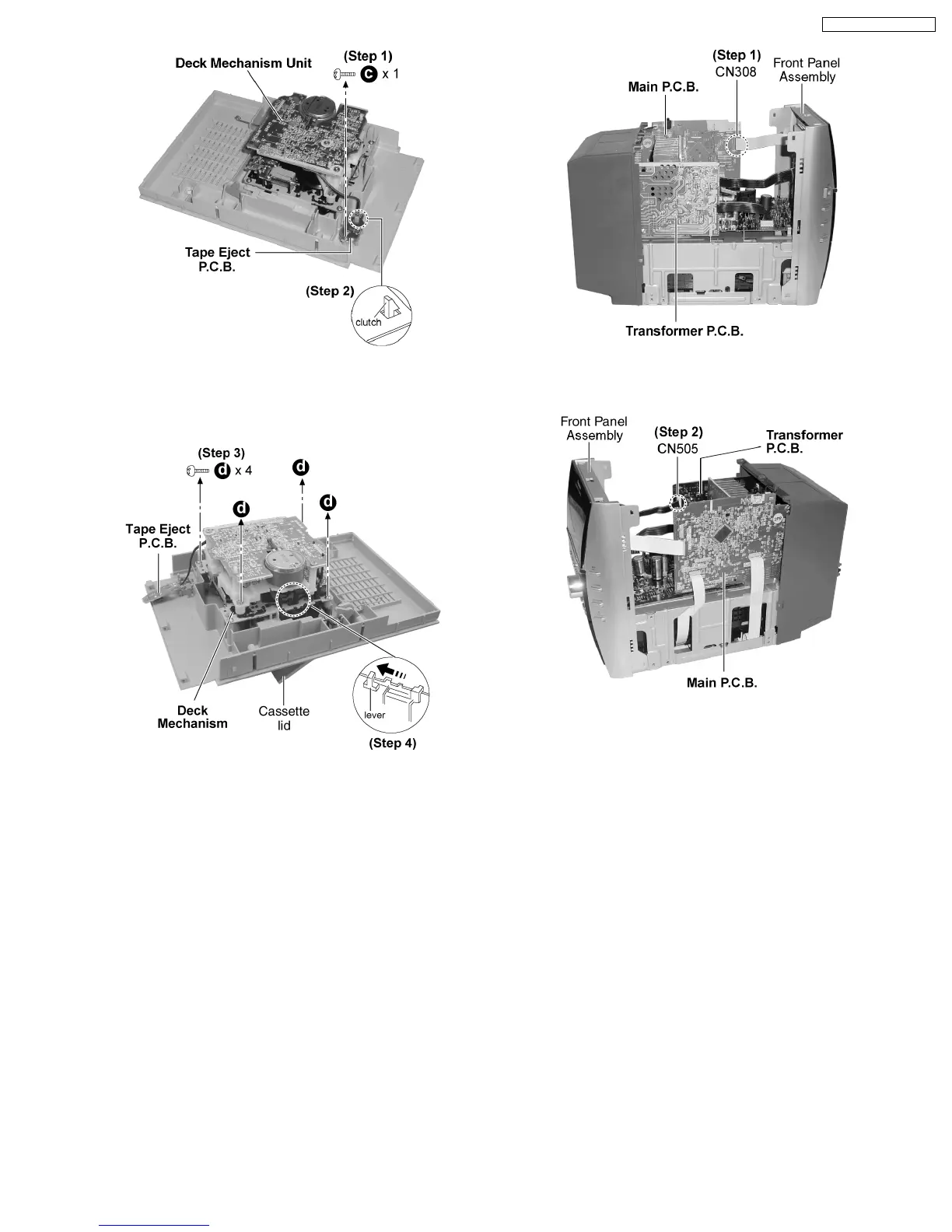
Step 1 : Remove 1 screw.
Step 2 : Release the clutch.
Step 3 : Remove 4 screws.
Step 4 : Push the lever as arrow shown to open the cassette lid
and remove the Deck Mechanism Unit.
9.5. Disassembly of Front Panel
Assembly
·
Follow the (Step 1) - (Step 6) of Item 9.2.
·
Follow the (Step 1) - (Step 3) of Item 9.3.
Step 1 : Detach the connector CN308.
Step 2 : Detach the connector CN505.
13
SA-PM31P / SA-PM31PC










 To Next Page