13 Measurement And Adjustments
13.1. Tuner/CD Sections
No adjustment required.
13.2. Cassette Deck Section
13.2.1. Requirements
·
Test tape (QZZCFM) (QZZCWAT)
·
Normal blank cassette tape (QZZCRA)
·
Frequency indicator
·
Oscilloscope
·
Electrical voltmeter
·
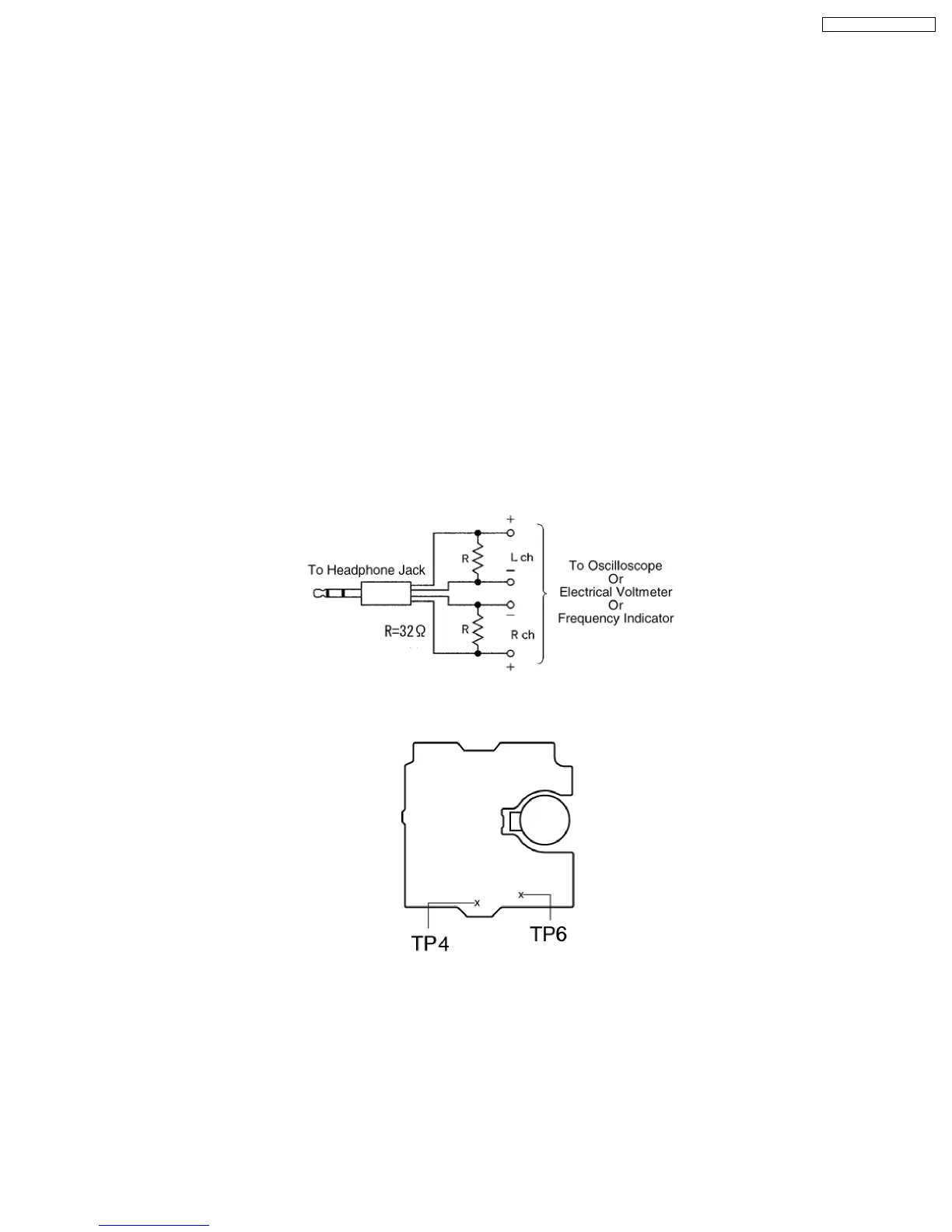
Headphone jack output jig (Cf. Fig. 8)
13.2.2. Setting of Unit
·
VOLUME: MAX
13.2.3. Preparations
1. Apply [9. Assembling and Disassembling].
2. Remove 4 screws from the mechanism unit to disassemble. [9. Assembling and Disassembling].
3. Connect the headphone jack output jig (Cf. Fig. 8) to headphone jack.
Fig. 8
Fig. 9
13.2.4. Tape Speed Adjustment
·
Normal speed adjustment (only during forward playback)
(Product reference value: 3,000±90Hz)
1. Connect a frequency indicator. (Cf. Fig. 12)
2. Playback the middle portion of the test tape (QZZCWAT).
3. Adjust the motor screw so that the following output level is produced. (Cf. Fig. 10)
Adjustment Range: 3,000 ± 90Hz (a constant speed)
57
SA-PM31P / SA-PM31PC










 To Next Page