Step 3 : Remove the CD lid as arrow shown.
9.15. Replacement of Cassette Lid
·
Follow the (Step 1) - (Step 6) of Item 9.2.
·
Follow the (Step 1) - (Step 3) of Item 9.3.
·
Follow the (Step 1) - (Step 4) of Item 9.4.
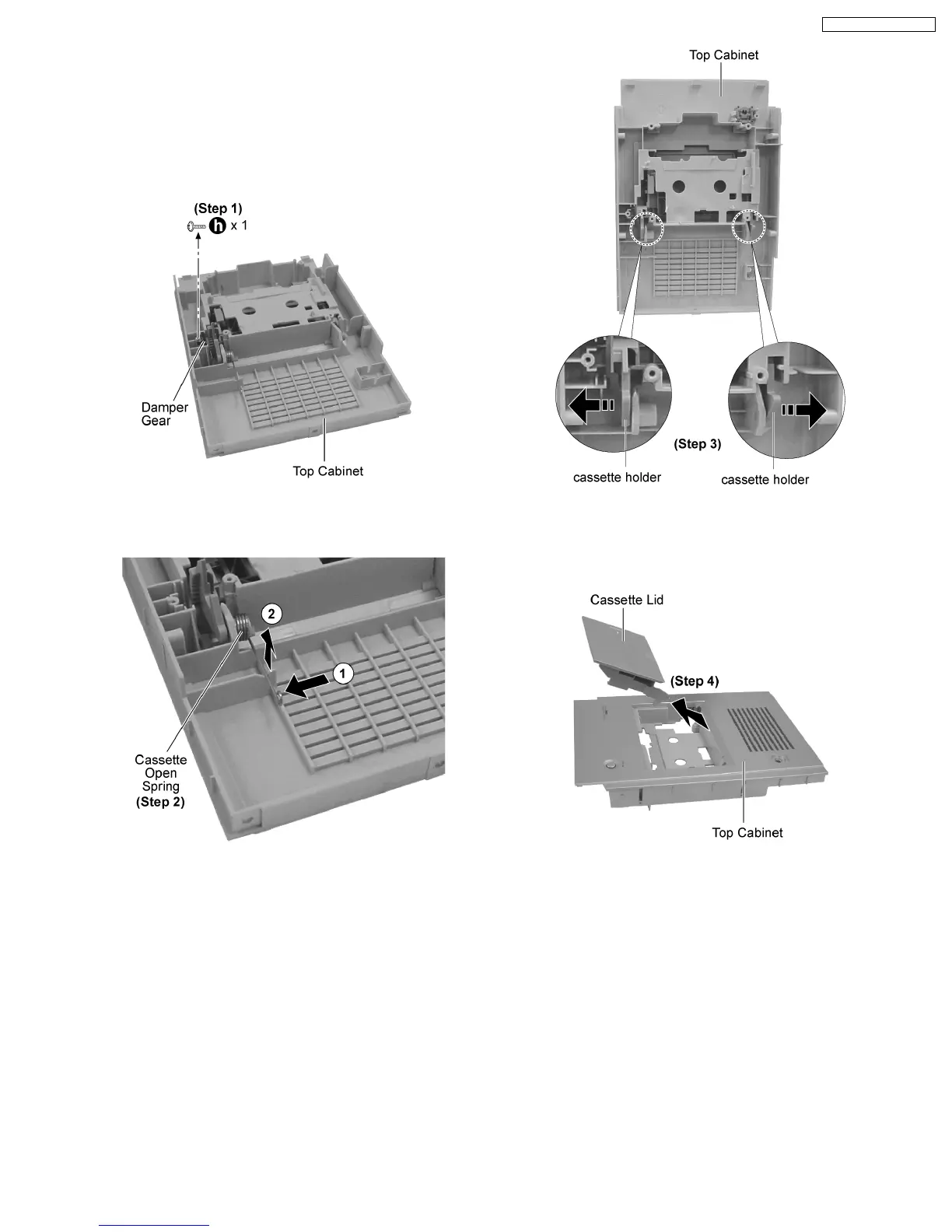
Step 1 : Remove 1 screw and the damper gear.
Step 2 : Remove the cassette open spring as arrows shown in
order.
Step 3 : Pull both sides’ cassette holders to the direction of the
arrows shown.
Step 4 : Remove the cassette lid as arrow shown.
19
SA-PM31P / SA-PM31PC










 To Next Page