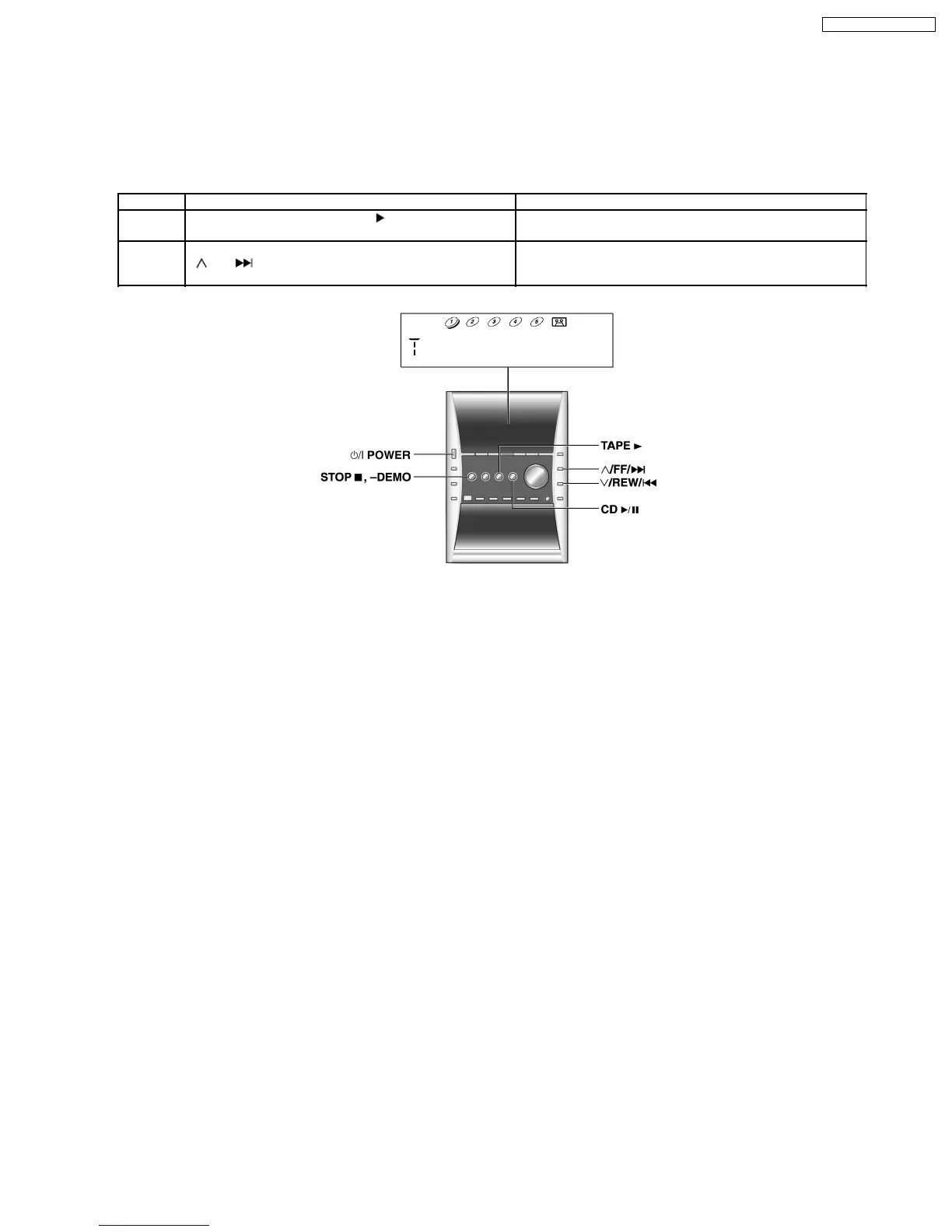
11 Self-Diagnostic Display Function
This unit is equipped with a self-diagnostic display function, which will be useful during servicing and maintenance.
·
Refer to the next page for display symbols, symptoms, etc.
11.1. Entering into Self-Diagnostic Mode
11.1.1. Setting of the Self-Diagnostic Mode (Test Mode)
No. Operation Procedure Operation and Processing of Microcomputer
1 Switch the SELECTOR to TAPE . There should be NO
cassettes loaded.
2 Press the [STOPn/-DEMO] key for 2 sec and press
[
/FF/ ] for another 2 sec, it shall enter into the self-
diagnostic mode.
[T ] shall be displayed in the FL.
·
If the DECK is loaded with cassette ( HALF SW = ON ), executing the procedure in 2, it shall not enter into C-mecha Abnormal
Detection Mode.
Note 1: Deck 1 (PLAY only deck) is not tested.
Note 2: REC INH SW OFF : without erase prevention tab
REC INH SW ON : with erase prevention tab
·
The abnormalities content shall be kept as long as the micon memory is backup.
·
When the micon is reset, if RAM check error, all abnormalities content in the memory shall be cleared when RAM is initialized.
·
During self-diagnostic mode, DECK displays can be switched even when there is no cassette loaded. DECK checking shall still
be possible even if HALF SW is abnormal and detect as “NO TAPE”.
·
Above mentioned tests shall not be limited by the frequencies and sequence. Operating the same key for the same test again
is possible.
11.1.2. Setting of Self-Diagnostic (Doctor Mode)
a) Turn on power for unit.
b) Select CD Mode. Ensure no disc is inserted in the unit.
c) Press and hold [STOP n/-DEMO] button for at least 2 seconds, follow by [4] and [7] on remote control. In the case where there
is EEPROM, then, the display should be as below:
This display shall be there for for 1sec. After display the EEPROM information for 1sec, the display shall return to the normal Doctor
Mode display.
49
SA-PM31P / SA-PM31PC










 To Next Page