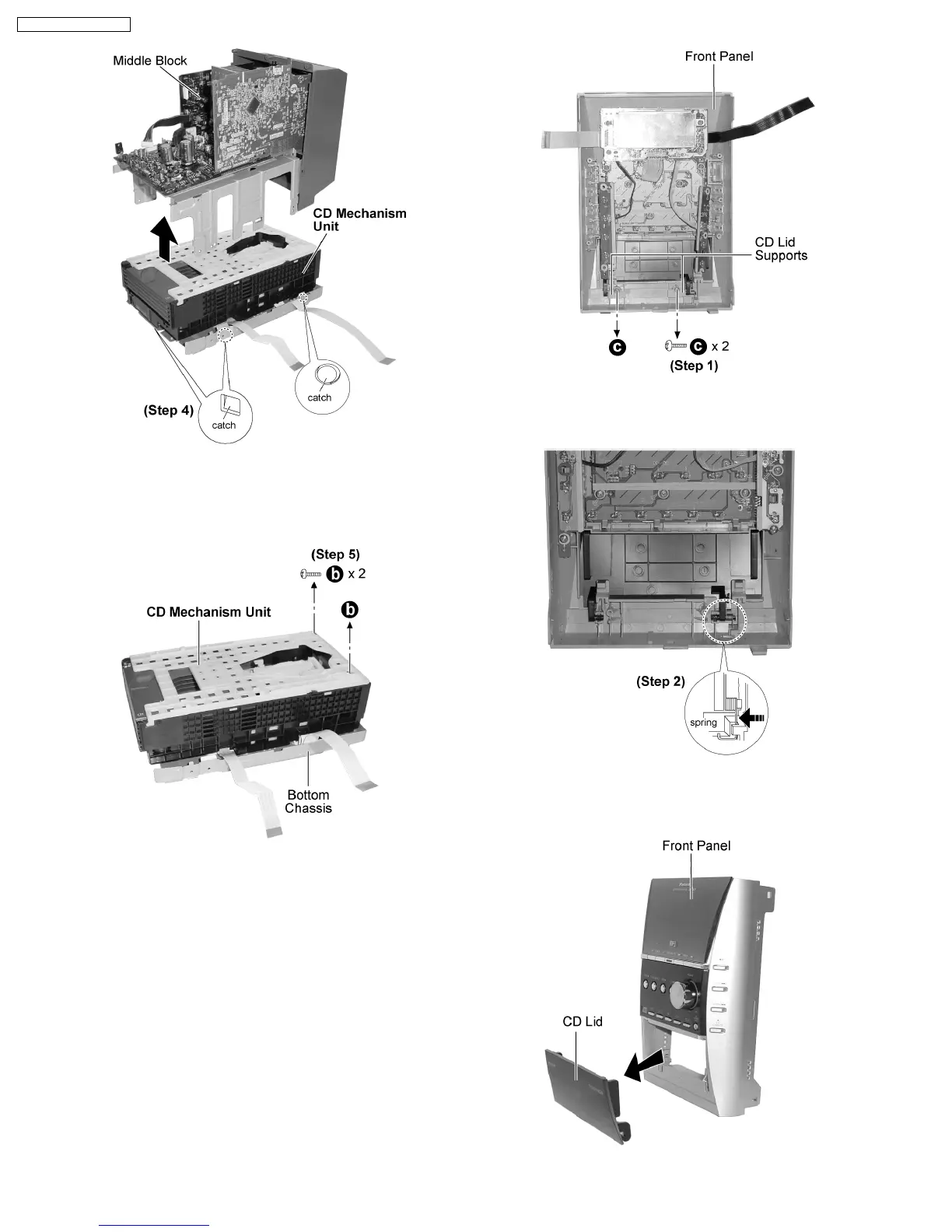
Step 4 : Release the catches and remove the middle block as
arrow shown.
Step 5 : Remove 2 screws and remove the CD Mechanism Unit
from the bottom chassis.
9.14. Replacement of CD Lid
·
Follow the (Step 1) - (Step 6) of Item 9.2.
·
Follow the (Step 1) - (Step 3) of Item 9.3.
·
Follow the (Step 1) - (Step 4) of Item 9.5.
Step 1 : Remove 2 screws and the 2 CD lid supports.
Step 2 : Push the spring as arrow shown.
18
SA-PM31P / SA-PM31PC










 To Next Page