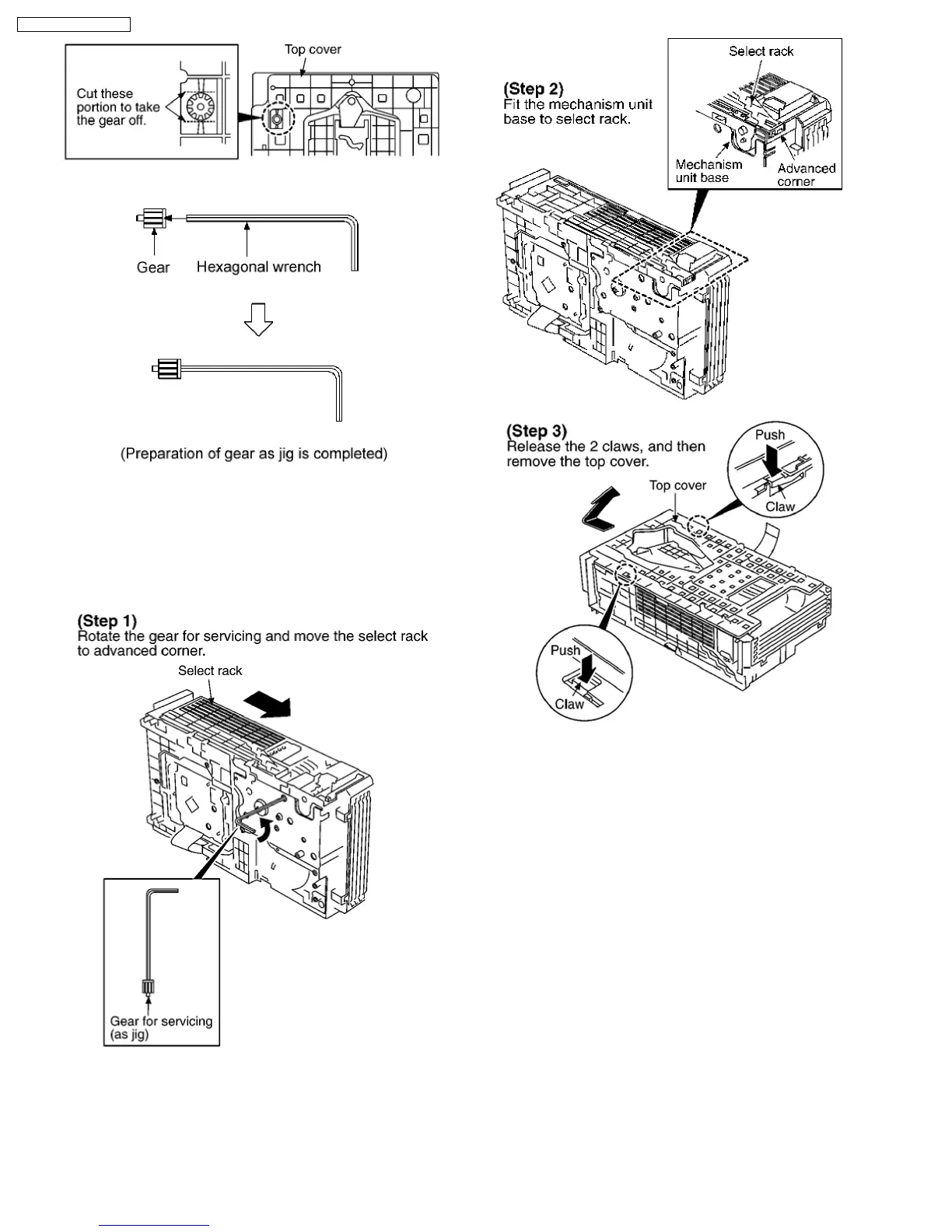
2. Insert the hexgonal wrench (2.5mm) into the gear.
9.24.2. Replacement for the disc tray
·
Follow the (Step 1) - (Step 6) of Item 9.2.
·
Follow the (Step 1) - (Step 3) of Item 9.3.
·
Follow the (Step 1) - (Step 4) of Item 9.5.
·
Follow the (Step 1) - (Step 5) of Item 9.13.
28
SA-PM31P / SA-PM31PC










 To Next Page