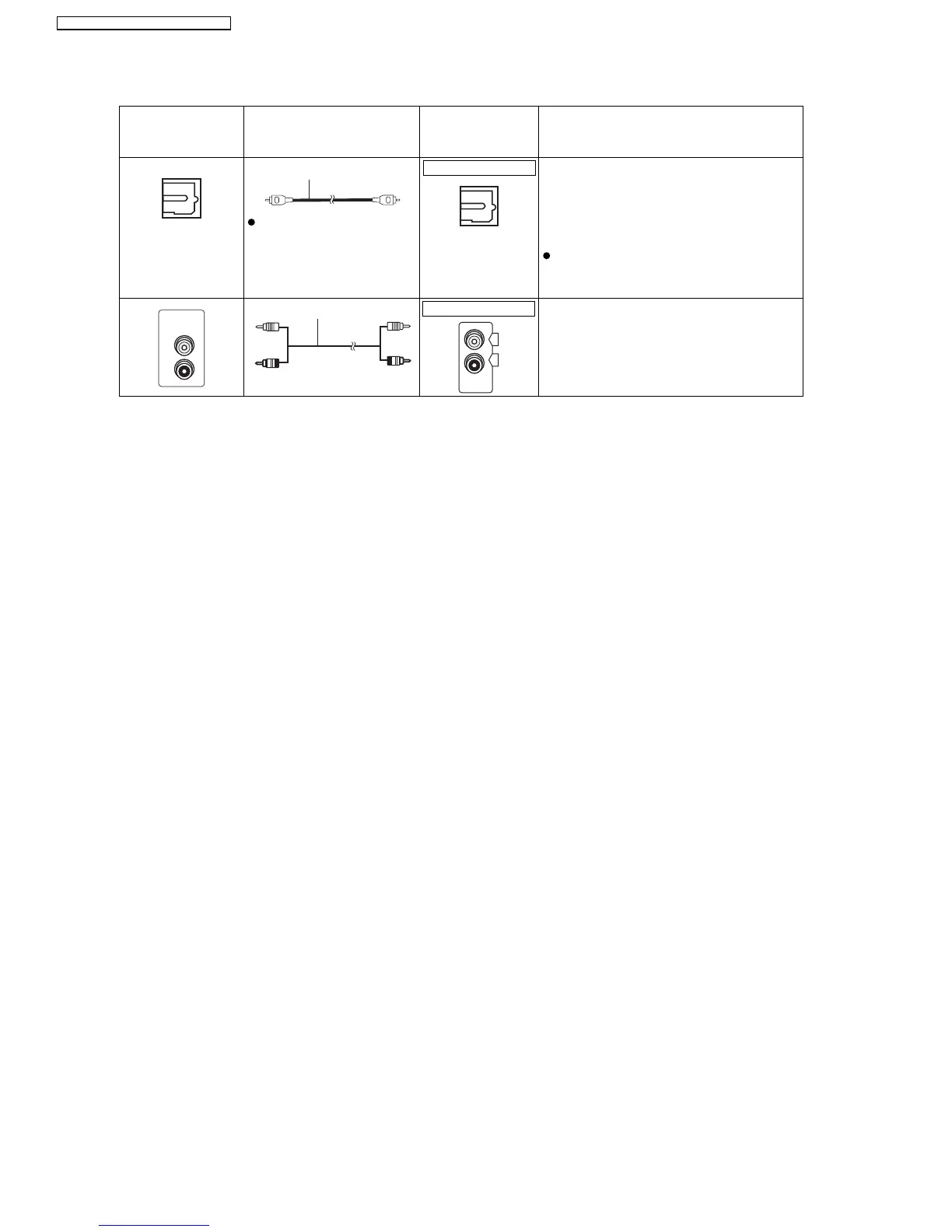
7.6.3. Connecting to a Television with Optical & AUX Terminal
TV or external
equipment
terminal
Cable required
(not included)
This unit terminal Features
Optical digital audio cable
Do not bend sharply when
connecting.
This unit can decode the surround signals
received through the set top box, digital
broadcasting or satellite broadcasts. Refer
to your equipment’s operating instructions
for details. Only Dolby Digital and PCM can
be played with this connection.
After making this connection, make
settings to suit the type of audio from your
digital equipment
Audio cable This connection enables you to play audio
from your TV, set top box or video cassette
recorder through your home theater
system (Enjoying TV audio).
OPTICAL OUT
OPTICAL
IN
AUDIO
OUT
L
R
AUX
L
R
OPTICAL IN
AUX
22
SA-PT560E / SA-PT560EB / SA-PT560EG







 To Next Page