EasyManua.ls Logo

Panasonic SC-CH7 - Page 27

Panasonic SC-CH7
61 pages
Print Icon
To Next Page IconTo Next Page
To Previous Page IconTo Previous Page
Loading...
Skip
play
I
SKIP
I
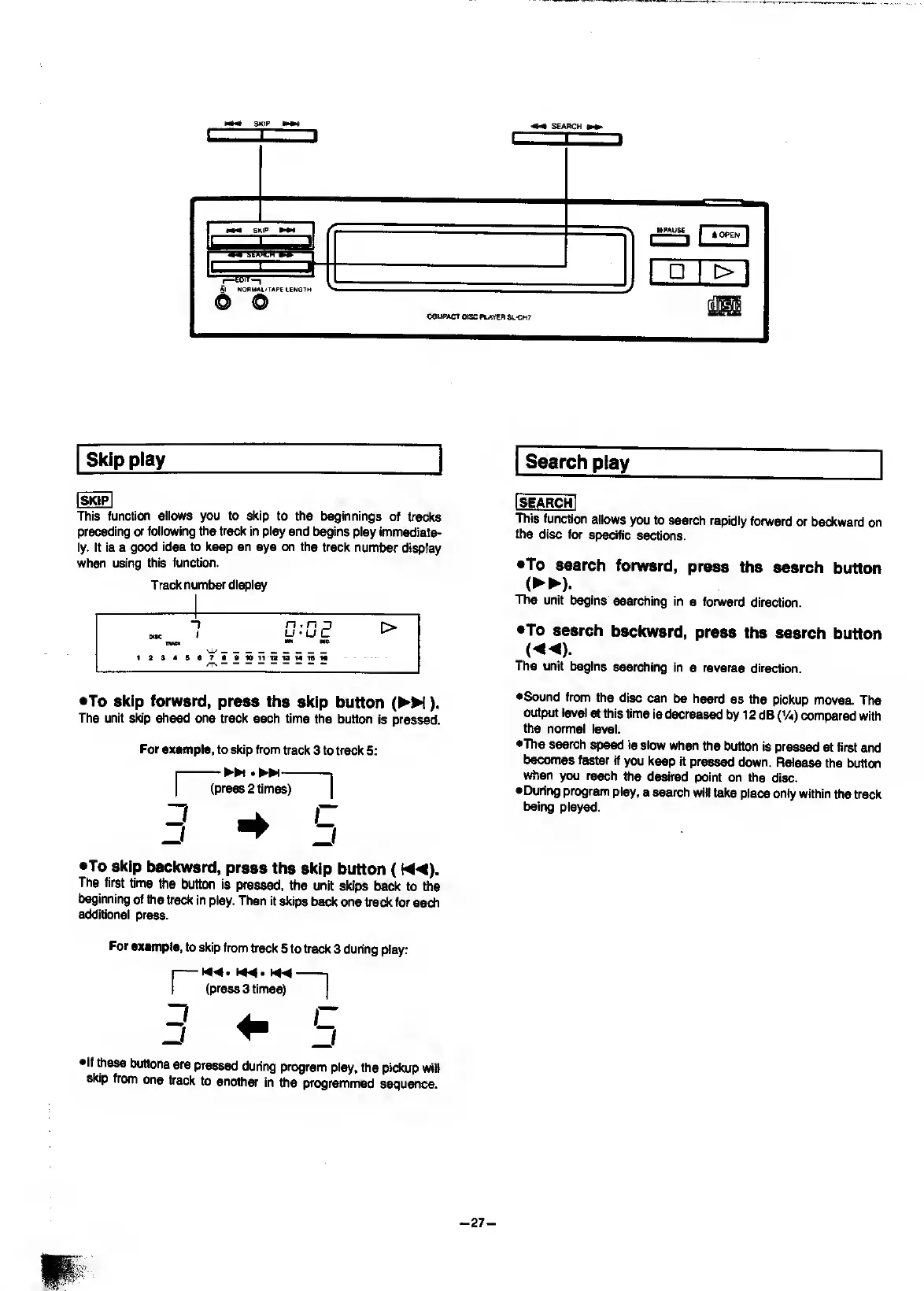
This
function
allows
you
to
skip
to
the
beginnings
of
tracks
preceding
or
following
the
track
in
play
and
begins
play
immediate¬
ly.
It
is
a
good
idea
to
keep
an
eye
on
the
track
number
display
when
using
this
function.
Track
number
display
“)
n.n
j
r>
DOC
I
m
^
^
1dS4S«7S910l1iai3t4161i
•To
skip
forward,
press
the
skip
button
(
M).
The
unit
skip
ahead
one
track
each
time
the
button
is
pressed.
For
example,
to
skip
from
track
3
to
track
5:
•To
Skip
backward,
press
the
skip
button
(
The
first
time
ttte
button
is
pressed,
the
unit
skips
back
to
the
beginning
of
the
track
in
play.
Then
it
skips
back
one
track
for
eMh
additional
press.
For
example,
to
skip
from
back
5
to
track
3
during
play:
I-
I
(press
3
times)
•If
these
buttons
are
pressed
during
program
play,
the
pickup
will
skip
from
one
track
to
another
in
the
programmed
sequence.
Search
play
[search
I
This
function
allows
you
to
search
rapidly
forward
or
backward
on
the
disc
for
specific
sections.
•To
search
forward,
press
the
search
button
(
►►
).
The
unit
begins
searching
in
a
forward
direction.
•To
search
backward,
press
the
search
button
The
unit
begins
searching
in
a
reverse
direction.
•Sound
from
the
disc
can
be
heard
as
the
pickup
moves.
The
output
level
at
this
time
is
decreased
by
12
dB
(V
4
)
compared
with
the
normal
level.
•The
search
speed
is
slow
when
the
button
is
pressed
at
first
and
becomes
faster
if
you
keep
it
pressed
down.
Release
the
button
when
you
reach
the
desired
point
on
the
disc.
•During
program
play,
a
search
will
take
place
only
within
the
track
being
played.
-
27
-

Related product manuals