EasyManua.ls Logo

Panasonic SC-CH7 - Page 45

Panasonic SC-CH7
61 pages
Print Icon
To Next Page IconTo Next Page
To Previous Page IconTo Previous Page
Loading...
1
2
To
record
another
disc
on
the
tape
left
(Auto
link)_
When
recording
of
the
first
disc
has
finished,
the
iink
indicator
iiluminates
and
tracks
of
another
disc
can
be
recorded.
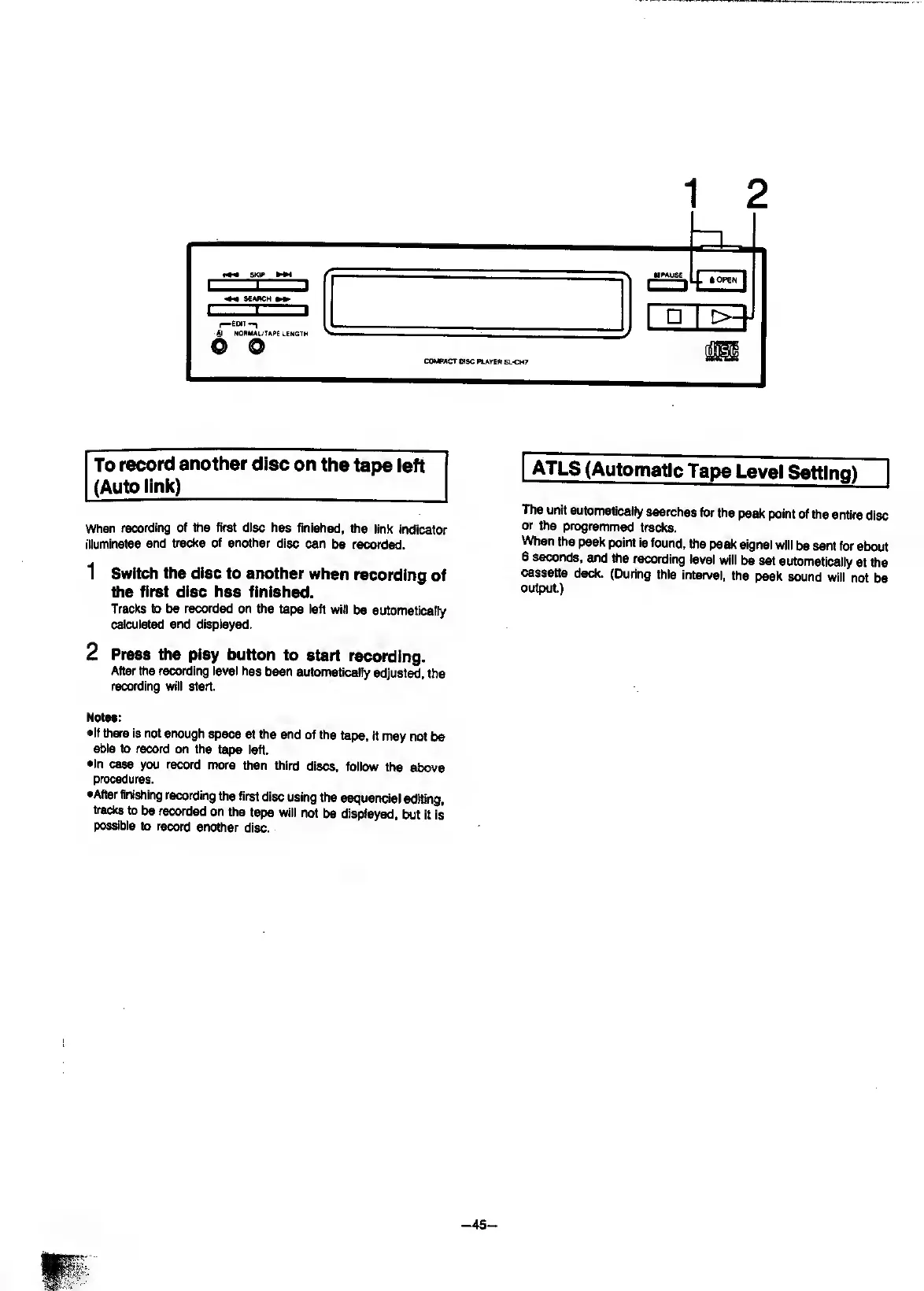
1
Switch
the
disc
to
another
when
recording
of
the
first
disc
has
finished.
Tracks
to
be
recorded
on
the
tape
ieft
will
be
automatically
calcuiated
and
displayed.
2
Press
the
play
button
to
start
recording.
After
the
recording
ievei
has
been
automatically
adjusted,
the
recording
will
start.
Notes:
•If
there
is
not
enough
space
at
the
end
of
the
tape,
it
may
not
be
able
to
record
on
the
tape
left.
•In
case
you
record
more
than
third
discs,
follow
the
above
procedures.
•After
finishing
recording
the
first
disc
using
the
sequencial
editing,
tracks
to
be
recorded
on
the
tape
will
not
be
displayed,
but
it
is
posable
to
record
another
disc.
I
ATLS
(Automatic
Tape
Level
Setting)
|
The
unit
automatically
searches
for
the
peak
point
of
the
entire
disc
or
the
programmed
tracks.
When
the
peak
point
is
found,
the
peak
signal
will
be
sent
for
about
6
seconds,
and
the
recording
level
will
be
set
automatically
at
the
cassette
deck.
(During
this
interval,
the
peak
sound
will
not
be
output.)

Related product manuals