EasyManua.ls Logo

Panasonic SC-CH7 - Page 44

Panasonic SC-CH7
61 pages
Print Icon
To Next Page IconTo Next Page
To Previous Page IconTo Previous Page
Loading...
Edit-Recording
Compact
DiscS(»«..«,
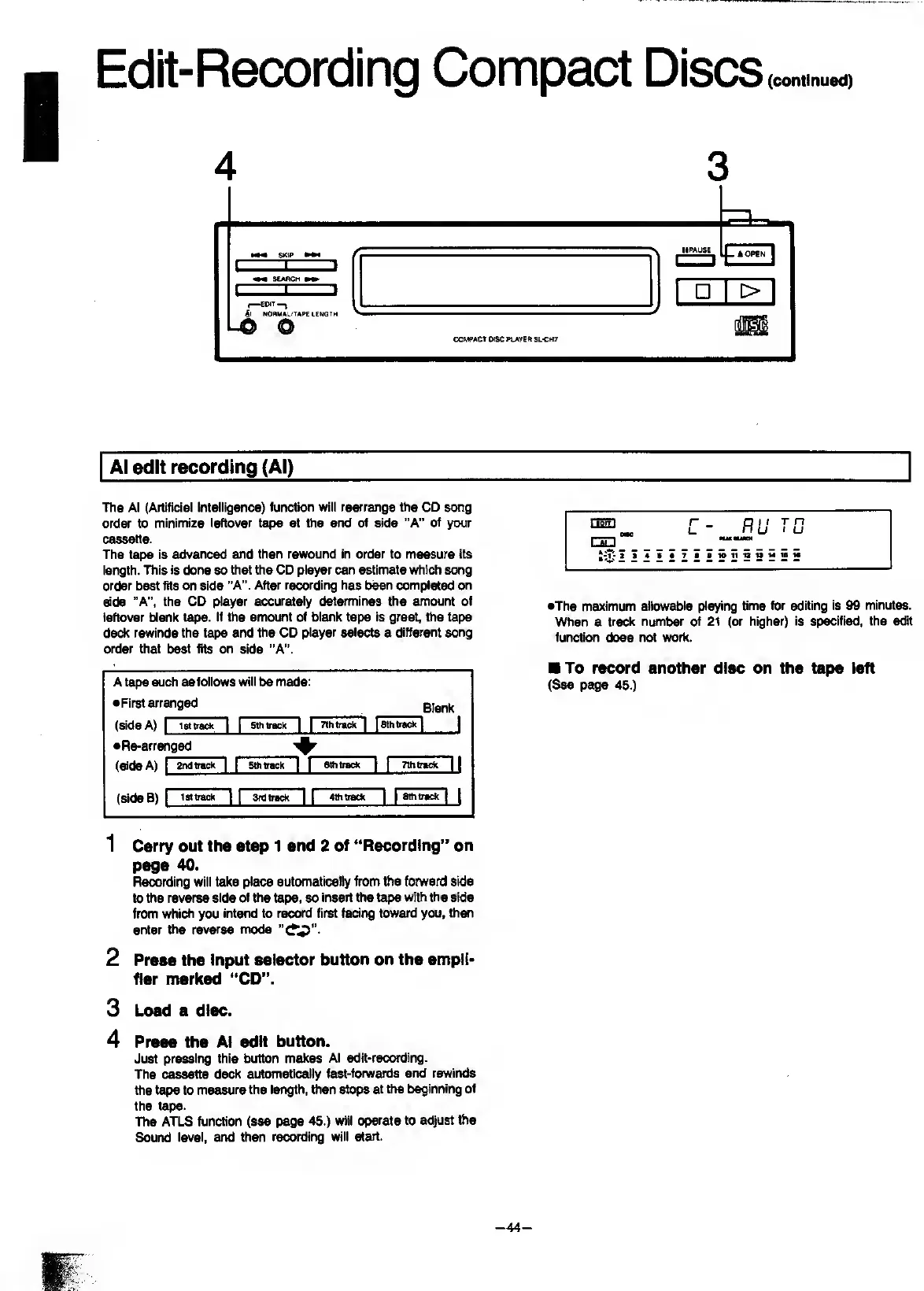
4
3
Al
edit
recording
(Al)
The
Al
(Artificial
Intelligence)
function
will
rearrange
the
CD
song
order
to
minimize
leftover
tape
at
the
end
of
side
“A”
of
^r
cassette.
The
tape
is
advanced
and
then
rewound
in
order
to
measure
its
length.
ITiis
is
done
so
that
the
CD
player
can
estimate
which
song
order
best
fits
on
side
"A".
After
recording
has
been
completed
side
“A",
the
CD
player
accurately
determines
the
amount
of
leftover
blank
tape.
If
ttie
amount
of
blank
tape
is
great,
the
tape
deck
rewinds
the
tape
and
the
CD
player
selects
a
different
song
order
that
best
fits
on
side
“A”.
A
tape
such
as
follows
will
be
made:
•First
arranged
Blank
(side
A)
1
iBttrack
11
5th
track
|
|
7lh
track
|
18th
track
|
|
•Re-arranged
(side
A)
1
2
nd
track
IT
Sthtrack
|
|
Sthtrack”
}
Tlhtrack
]
|
1
.
i
1
(SideB)
1
isttrack
nr
3rd
track
|
|
4th
track
1
1
i
1
_
_
1
Carry
out
the
step
1
and
2
of
“Recording”
on
page
40.
Recording
will
take
place
automatically
from
the
forward
side
to
the
reverse
side
of
the
tape,
so
insert
the
tape
with
the
side
from
which
you
intend
to
record
first
facing
toward
you,
then
enter
the
reverse
mode
2
Press
the
Input
selector
button
on
the
ampli¬
fier
marked
“CD”.
3
Load
a
disc.
4
Press
the
Al
edit
button.
Just
pressing
this
button
makes
Al
edit-recording.
The
cassette
deck
automatically
fast-forwards
and
rewinds
the
tape
to
measure
the
length,
then
stops
at
the
beginning
of
the
tape.
The
ATLS
function
(see
page
45.)
will
operate
to
adjust
the
Sound
level,
and
then
recording
will
st»l.
•The
maximum
allowable
playing
time
for
editing
is
99
minutes.
When
a
track
number
of
21
(or
higher)
is
specified,
the
edit
function
does
not
vrork.
To
record
another
disc
on
the
tape
left
(See
page
45.)
-44-

Related product manuals