EasyManua.ls Logo

Panasonic SC-CH7 - Managing Timer Settings

Panasonic SC-CH7
61 pages
Print Icon
To Next Page IconTo Next Page
To Previous Page IconTo Previous Page
Loading...
Using
the
Timer
(continued)
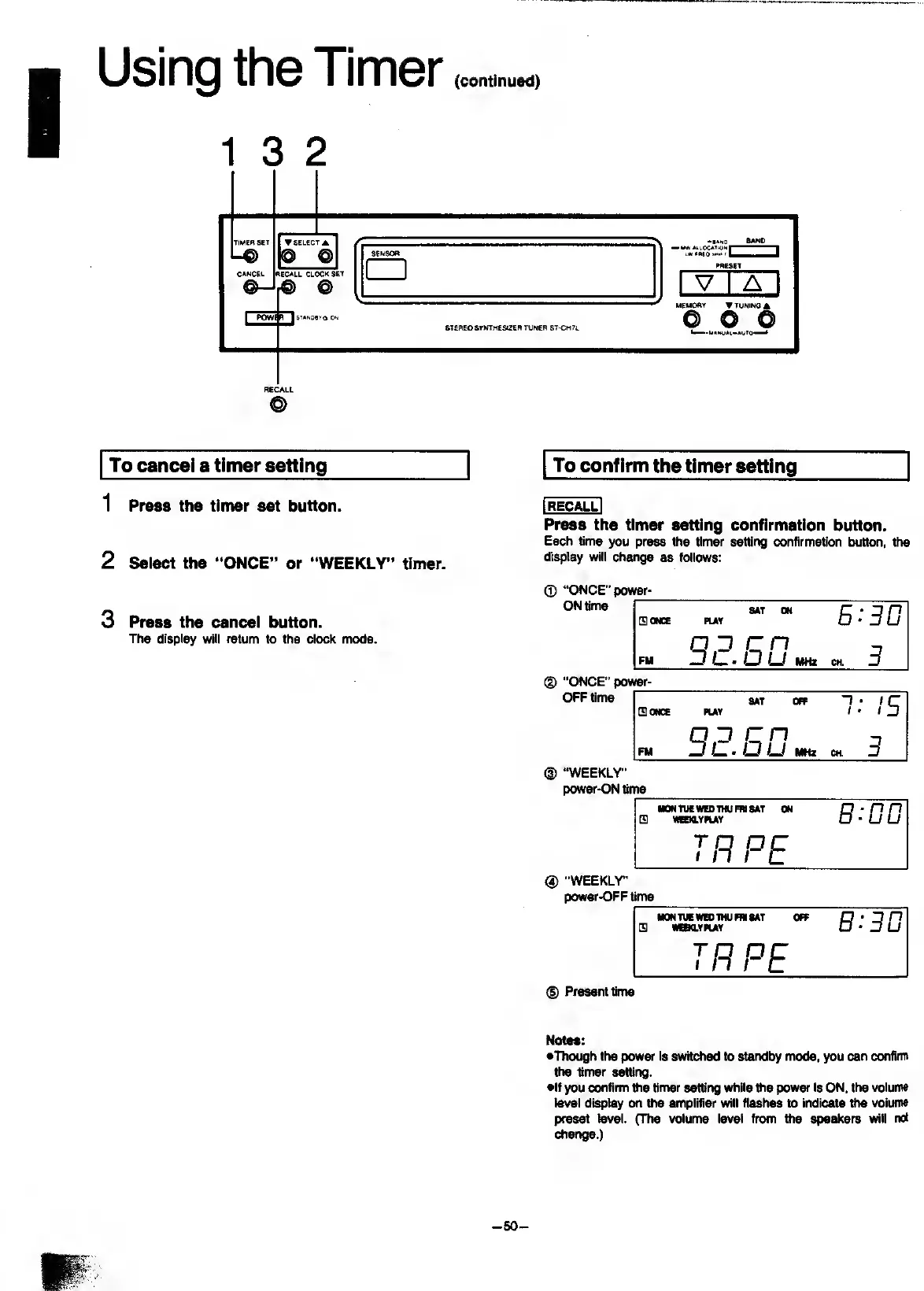
1
3
2
To
cancel
a
timer
setting
1
Press
the
timer
set
button.
2
Select
the
“ONCE”
or
“WEEKLY”
timer.
3
Press
the
cancel
button.
The
display
will
return
to
the
clock
mode.
To
confirm
the
timer
setting
Press
the
timer
setting
confirmation
button.
Each
time
you
press
the
timer
setting
confirmation
button,
the
display
will
ch»ige
as
follows:
0
“ONCE"
power-
ON
time
I
[gONCE
PLAY
QO
on
E:3D
on
^
C3
LJ
mtt
CH.
3
(|)
"ONCE"
power-_
OFF
time
SlONCC
PUY
QJ
on
DC.Ou
8AT
OFF
/
C
/
tD
on
T
O
Li
MHz
CH
3
“WEEKLY"
power-ON
time
HONYUEWEDTHUmiSAT
ON
Q
WeaYPUY
e.-DD
TH
PE
®
"WEEKLY'
power-OFF
time
MONTUEWSOIHUmSAT
OFF
m
nmviHAf
B:3D
TP
PE
Present
time
Notes:
•Though
the
power
is
switched
to
standby
mode,
you
can
confirm
the
timer
setting.
•If
you
confirm
the
tinrter
setting
while
the
power
is
ON,
the
voluim
level
display
on
the
amplifier
will
flashes
to
indicate
fl>e
volume
preset
level.
(The
volume
level
from
the
speakers
will
not
change.)
-50-

Related product manuals