EasyManua.ls Logo

Panasonic SC-CH7 - Page 49

Panasonic SC-CH7
61 pages
Print Icon
To Next Page IconTo Next Page
To Previous Page IconTo Previous Page
Loading...
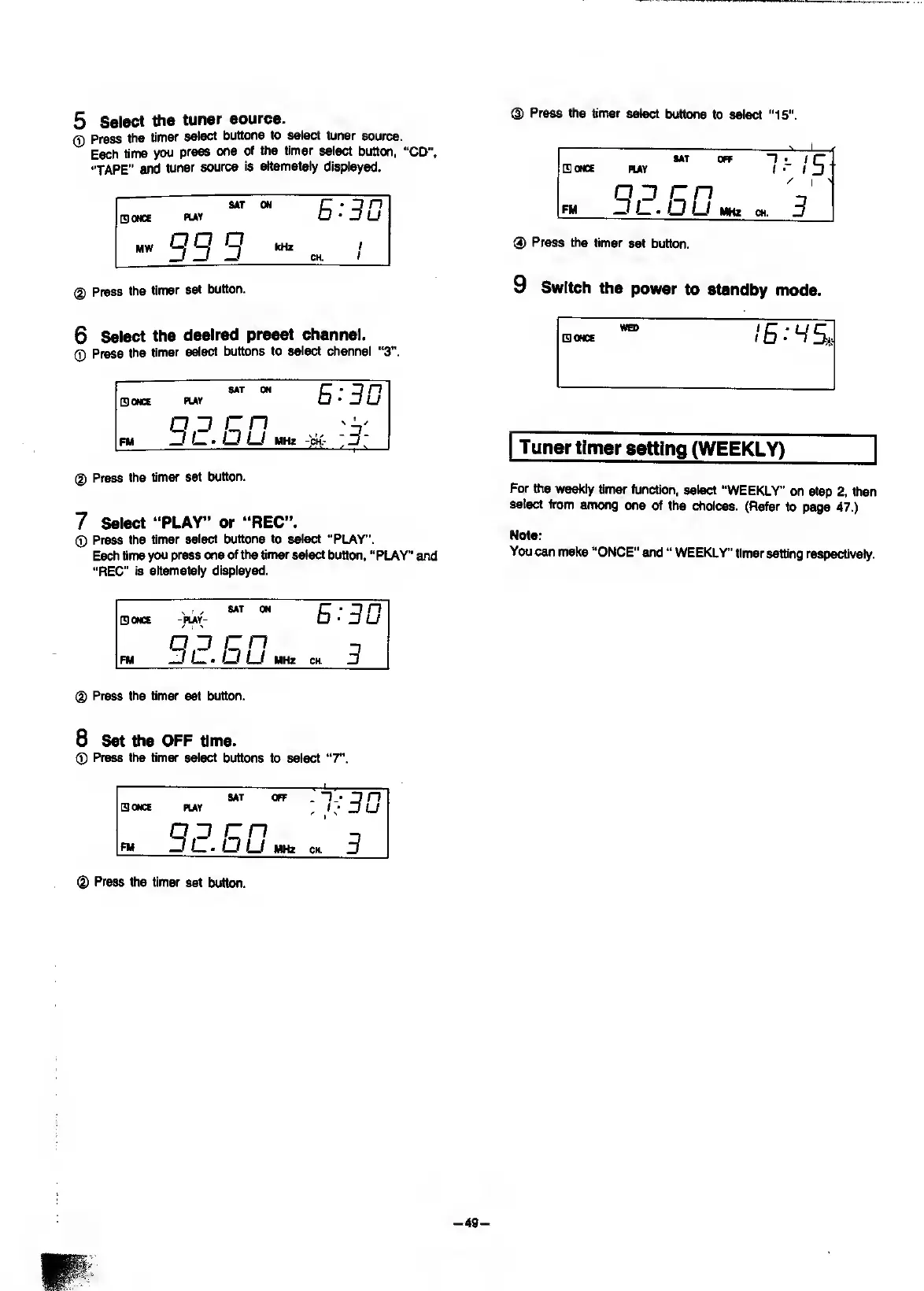
®
Press
the
timer
select
buttons
to
select
"15".
5
Select
the
tuner
source.
0
Press
the
timer
select
buttons
to
select
tuner
source.
Each
time
you
press
one
of
the
timer
select
button,
“CD",
“TAPE”
and
tuner
source
is
alternately
displayed.
SAT
QONCE
PlAY
MW
^
^
^
ON
kHz
I
I
@
Press
the
timer
set
button.
SAT
OFF
n
ir
SlONCE
PUT
1
ID
/
1
'
Q
^
c
n
'
FM
D/_.
LJ
MHz
CH.
D
®
Press
the
timer
set
button.
9
Switch
the
power
to
standby
mode.
6
Select
the
desired
preset
channel.
(T)
Press
the
timer
select
buttons
to
select
channel
“3”.
ONCE
SAT
ON
PUV
E:31J
oo
cn
FM
^
LJ
LJ
MHz
(|)
Press
the
timer
set
button.
7
Select
“PLAY”
or
“REC”.
0
Press
the
timer
select
buttons
to
select
“PLAY”.
Each
time
you
press
one
of
the
timer
select
button,
"PLAY”
and
“REC”
is
alternately
displayed.
Tuner
timer
setting
(WEEKLY)
For
the
weekly
timer
function,
select
“WEEKLY"
on
step
2,
then
select
from
among
one
of
the
choices.
(Refer
to
page
47.)
Note:
You
can
make
“ONCE"
and
WEEKLY'
timer
setting
respectively.
ONCE
^
,
SAT
ON
-PUY-
E:30
OO
on
PM
-J
Lj
U
MHz
CH
3
d)
Press
the
timer
set
button.
8
Set
the
OFF
time.
0
Press
the
timer
select
buttons
to
select
“7".
SAT
OFF
-
D
n
ONCE
PUY
u
QO
on
FM
—Il,-LjLJ
MHz
CH.
3
d)
Press
the
timer
set
button.

Related product manuals