SC-HM910/SC-HM810
22
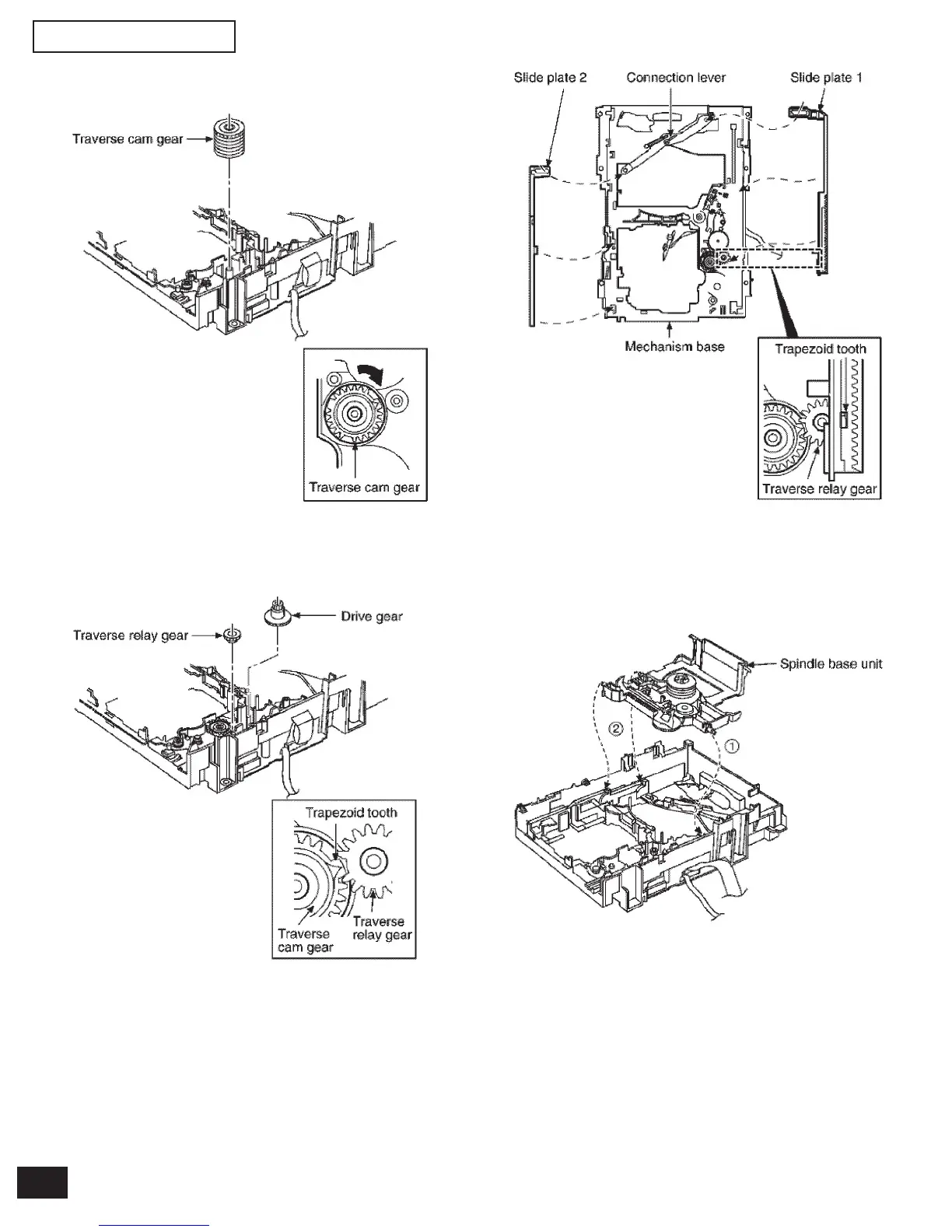
Step 1 Install the traverse cam gear.
Step 2 Rotate the traverse cam gear to the direction of arrow.
Step 3 Install the drive gear and traverse relay gear.
*When installing the traverse relay gear, align the trapezoid tooth
of gear with tooth of traverse cam gear.
Step 4 Install the slide plate 2 to the mechanism base, and
then match to the connection lever.
Step 5 Install the slide plate 1 to the mechanism base, and
then match to the connection level and align the tra-
pezoid tooth of traverse relay gear with the slide plate
1.
Step 6 Install the spindle base unit. (First, slide plate 1.)



 To Next Page