18
Unit Setup
Setup
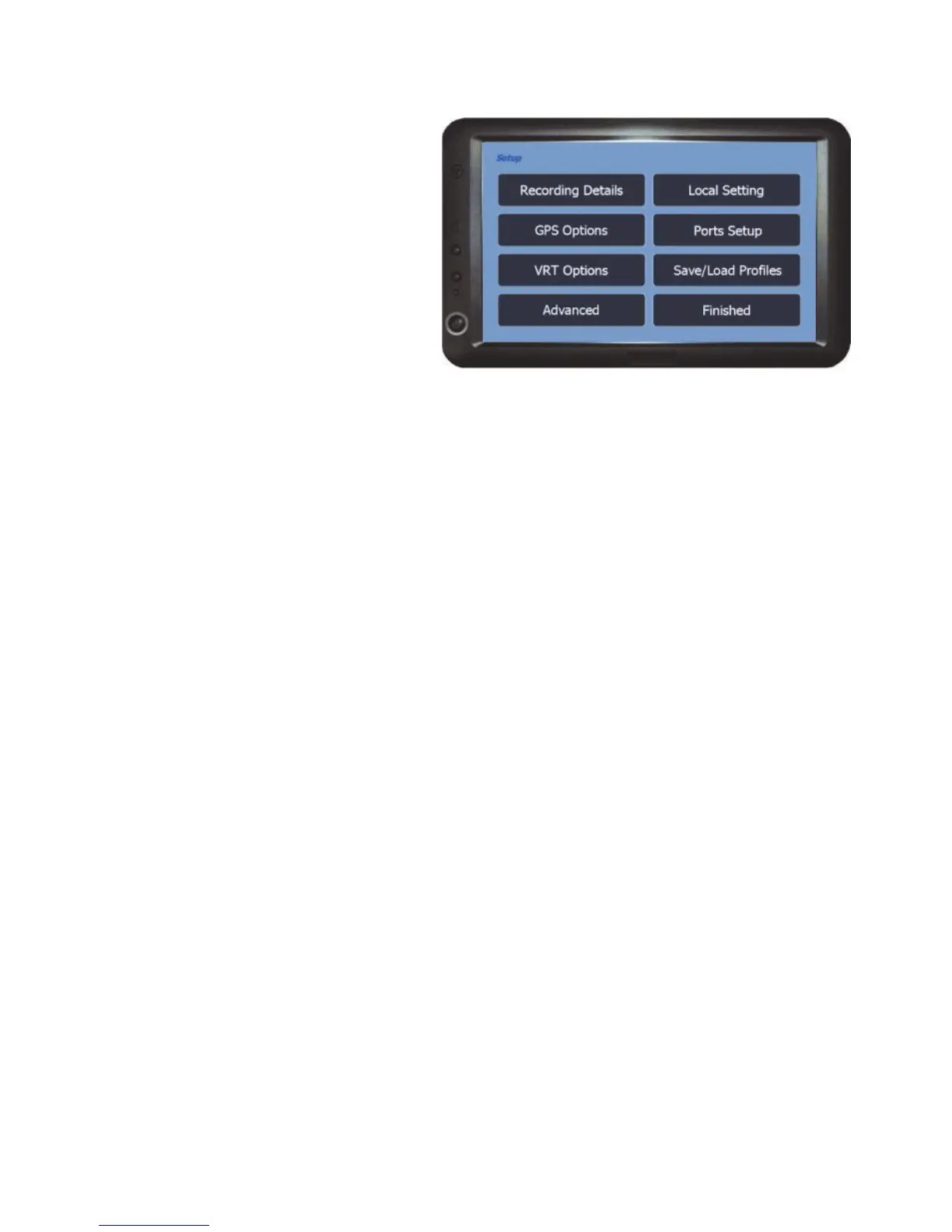
The Setup menu is used to setup
the hardware and software for use
within the job modes and it is vital
that the settings are setup
correctly for the unit to function as
you require.
Recording Details - Sets the details that will be recorded against the job for
record keeping and also the implement working width which is important to
accurately set the tracks when using the unit for guidance (See page 19 for
more details).
Local Setting - This option is used to set your preferences based on your
location in the world (See page 22 for more details).
GPS Options - Accesses the options for adjusting the antenna position,
headland warning and display soothing (See page 23 for more details).
Ports Setup - Used to setup the serial ports if using an external GPS source or
Weather Station. The Tilt Compensator reset, Demo Mode and the Coverage
Area Recording On/Off method is also set under this option (See page 26 for
more details).
VRT Options - Accesses the options for setting up data communications
between the unit and a controller for Variable Rate Application and/or Auto Shut
off (See page 29 for more details).
Save/Load Profiles - Opens the profile manager, where settings for specific
jobs can be saved and reloaded, saving time when setting up the unit between
different jobs (See page 31 for details).
Advanced - Accesses the menu to unlock software modules (See page 32) and
setup the steering and boom section add on hardware (see supplied instructions
for details).
Finished - Returns back to the BlackBox menu.



 To Next Page