42
Job Screen
Using Guidance and Coverage Area Recording
Guidance can be used to assist the operator in reducing under or overlap when
applying products, improving coverage and reducing waste.
Using First Pass Guidance
To use first pass, a Field Boundary Map must be available for the field.
Setting and Resetting a Guidance line
N.B. When using a curved line it is important to use the longer edge of the
field to set a guide line.
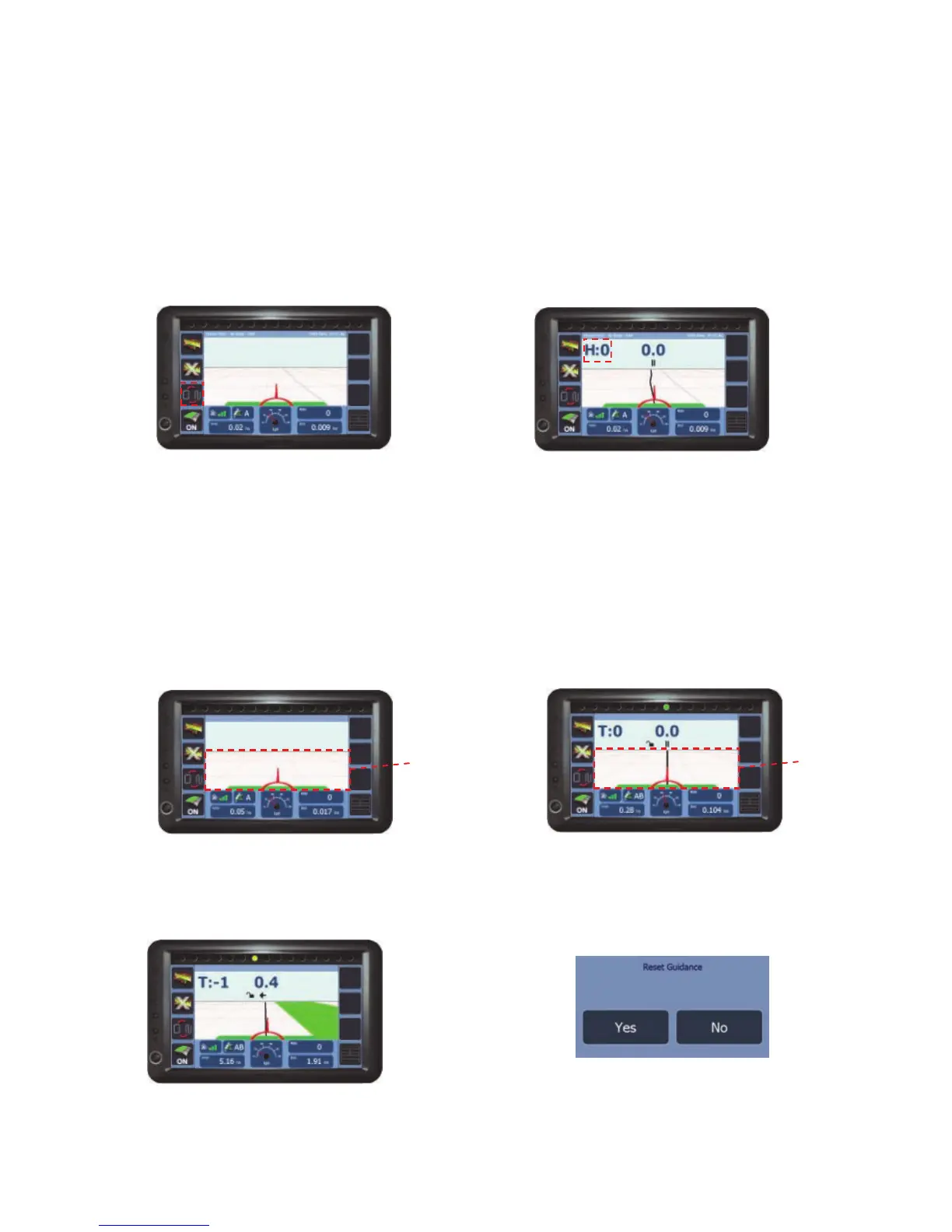
Step 1 - At the beginning of a run press
the Grid area to set point A.
Step 2 - Drive to the end of the run and
press the Grid area to set B. The set
guidance line will appear ready to guide.
Step 3 - When turning in the headland
the next AB line will appear.
Grid
area
Grid
area
Step 1 - When the job screen opens
with the Field Boundary loaded, press
Toggle Guidance...
Step 2 - ...the headland guidance line will
appear indicated by ‘H:’, ready to guide.
To reset the AB line press Grid area and
select Yes when prompted. If using
Straight line guidance the line can also be
recalibrated to your current location.



 To Next Page