46
Using WebTrack with the BlackBox
WebTrack is an internet based solution for the storage and viewing of data that
has been recorded using the BlackBox unit. It is recommended that the recorded
data is regularly transferred to the WebTrack account to ensure your records are
kept up to date and secure.
Creating a WebTrack account
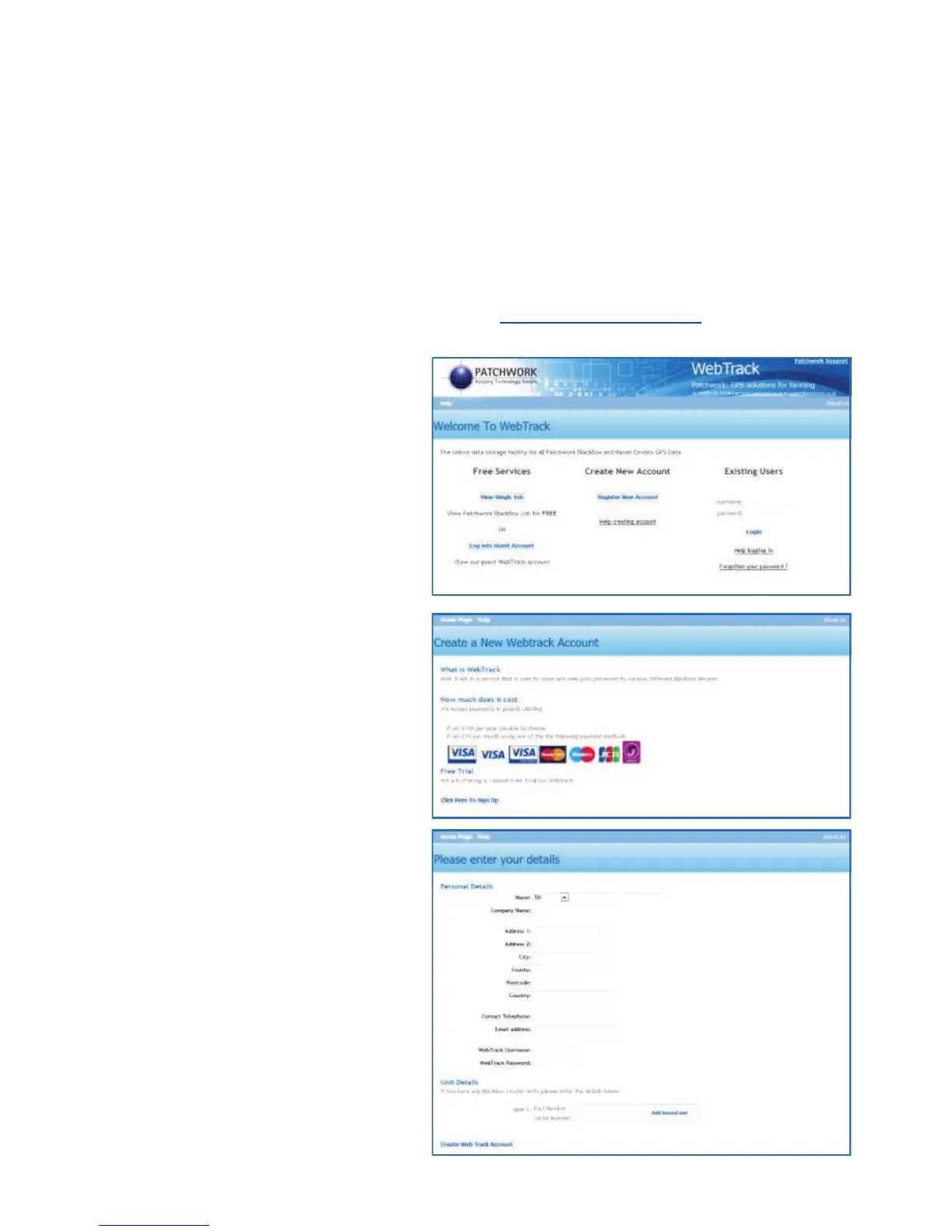
Go to the WebTrack home page by typing www.bbwebtrack.com in your internet
browsers address bar.
Beneath Create New Account
left mouse click on Register New
Account.
To register for an account, left
mouse click on Click Here to
Sign Up.
Enter your details in the boxes
provided and once complete left
mouse click on Create
WebTrack Account
N.B. Please ensure you use an
active email address and it is
typed correctly.



 To Next Page